How we rank
Productivity · Researched comparison

Best Time Tracking for Teamwork.com in 2026

TaskReports may earn a fee from some links on this page, and some placements are paid and labelled. Neither one decides the order. See our disclosure.

The short answer

Teamwork.com's own time tracking is the first pick for teams already working inside it, because timers, timesheets and billable rates sit next to tasks and budgets. Harvest suits teams that bill clients and want strong invoicing alongside time entry. Toggl Track suits teams that want simple, fast timers and detailed reports without a full project suite. Add a second tool only when its billing or reporting features clearly beat what Teamwork.com already includes.

On this page

Key takeaways

  • Teamwork.com has built-in time tracking with timers and timesheets, so many teams do not need a second tool.
  • Harvest and Toggl Track are the strongest standalone options when billing and reporting matter more than project management.
  • Clockify offers a free plan for small teams, while Everhour and Hubstaff focus on budgets and monitoring.
  • Most tools here connect to Teamwork.com through integrations or APIs, but check the current integration page before you buy.

Quick comparison

ToolBest fitStarting price
Teamwork.comTeams already managing projects in Teamwork.comSee vendor pricing page
HarvestClient teams that bill by the hourSee vendor pricing page
Toggl TrackIndividuals and teams that want fast, simple timersSee vendor pricing page
ClockifySmall teams that want a free starting pointSee vendor pricing page
EverhourTeams that track time against project budgetsSee vendor pricing page
HubstaffTeams that need activity monitoring alongside time trackingSee vendor pricing page
Time DoctorDistributed teams that want detailed activity reportsSee vendor pricing page
ClickUpTeams that want time tracking inside a broader work platformSee vendor pricing page

How we chose

We selected tools that support time tracking for project and client work, with a preference for tools that either integrate with Teamwork.com or work cleanly alongside it. Criteria were fit for the use case, published entry pricing, free access, and the main limits a team would hit in daily use. Information comes from vendor websites and public documentation. Prices and plan limits change, so confirm details on the vendor site before buying.

★ Best overall

Teamwork.com

Teams already managing projects in Teamwork.com

  • Time tracking is built into tasks and projects
  • timesheets and billable rates feed budgets and invoices
PriceSee vendor pricing page
See Teamwork.com pricing
teamwork.comHomepage, Nov 2026
Teamwork.com homepage

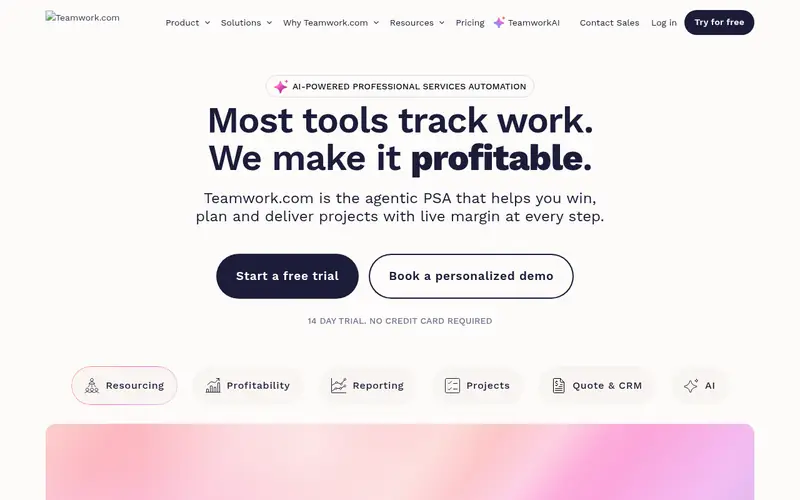
Teamwork.com is a project management platform with time tracking built in. Users start a timer from a task or log time manually, and entries roll up into timesheets. Billable and non-billable hours can be tied to rates, which then feed project budgets and client invoicing. Because the timer sits next to the work, there is no separate app to open and no sync to maintain. Plan structure is tiered, and time tracking is part of the paid plans rather than a free forever option. A free trial lets a team test the timer and timesheet workflow before committing. The main limitation is that reporting depth and some billing features depend on the plan you choose, so check the current plan comparison. Teams that already run projects in Teamwork.com should start here. Teams that need specialized billing, or that track time across tools outside Teamwork.com, may prefer a standalone tracker below.

Price: See vendor pricing page

Free plan: Free trial (N days)

Website: teamwork.com

Watch out for

  • Time tracking is tied to a paid plan
  • advanced reporting depends on the plan tier
2

Harvest

Client teams that bill by the hour

See vendor pricing page
getharvest.comHomepage, Nov 2026
Harvest homepage

Harvest is a time tracking tool built around client billing. Users start timers from a project list or a desktop and mobile app, then review hours in timesheets. Billable rates, budgets and invoices are core features, so hours logged for a client can move into an invoice without a separate billing tool. Reports cover time by client, project, task and team member. Harvest offers a free trial but no free forever plan. Pricing is per seat, and the entry price depends on the current plan structure, so confirm on the vendor pricing page. The tool integrates with several project management platforms, and teams can also run it alongside Teamwork.com and reconcile hours manually or through an integration. Choose Harvest when invoicing and billable hours are the priority. Skip it if you want time tracking fully embedded in your project management tool, since Harvest's project features are lighter.

Free plan: Free trial (N days)

Website: getharvest.com

Strengths

  • Strong invoicing and billable rate support
  • clean timer and timesheet workflow

Watch out for

  • Project management is limited compared with full suites
  • paid plans only after the trial
3

Toggl Track

Individuals and teams that want fast, simple timers
See vendor pricing page
toggl.comHomepage, Nov 2026
Toggl Track homepage

Toggl Track is a standalone time tracker with a focus on speed. A timer can be started from a browser, desktop app, mobile app or browser extension, and entries are tagged with project, client and task. Reports show time by project, client, team member and tag, which suits teams that need a clear picture of where hours go. There is a free plan for individuals and small teams, with paid plans adding features such as billable rates, rounding and more detailed reporting. The exact limits of the free plan change, so check the vendor pricing page before relying on it for a larger team. Toggl Track works well next to Teamwork.com when a team wants a dedicated timer and does not need billing inside the same tool. It is a weaker fit for teams that want time tracking tied directly to tasks and budgets in one system.

Free plan: Yes

Website: toggl.com/track

Strengths

  • Very quick timer start across web, desktop and mobile
  • clear reports by project and client

Watch out for

  • Limited project management features
  • some reporting and admin features sit on paid plans
4

Clockify

Small teams that want a free starting point
See vendor pricing page
clockify.meHomepage, Nov 2026
Clockify homepage

Clockify is a time tracker with a free plan that covers unlimited users on basic tracking. Users start timers from the web app, desktop or mobile, and entries are organized by project, client and task. Timesheets and summary reports give a view of hours by person and project. Paid plans add features such as more detailed reporting, admin controls and integrations. The free plan is a practical entry point for a small team testing time tracking, but larger teams should check which features sit behind the paid tiers. Clockify can run alongside Teamwork.com for teams that want a separate, low-cost tracker. It is less suited to teams that need time entries to feed directly into Teamwork.com budgets and invoices, since that requires integration or manual work.

Free plan: Yes

Website: clockify.me

Strengths

  • Free plan covers unlimited users and basic tracking
  • simple timesheet and report views

Watch out for

  • Advanced features such as some admin controls are paid
  • interface can feel basic for complex projects
5

Everhour

Teams that track time against project budgets
See vendor pricing page
everhour.comHomepage, Nov 2026
Everhour homepage

Everhour is a time tracking tool built around budgets and estimates. Users log time against tasks and projects, and the tool compares actual hours with estimates and budget. Reports show time by project, client and team member, and invoicing support is available. Everhour integrates with a range of project management platforms, which lets teams keep their existing workflow and add time tracking on top. It does not offer a free forever plan; a free trial lets a team test the workflow first. Pricing is per seat, so cost grows with team size. Choose Everhour when budget control is the main reason for tracking time. Skip it if a free plan is a hard requirement, or if Teamwork.com's built-in budget features already cover your needs.

Free plan: Free trial (N days)

Website: everhour.com

Strengths

  • Budget tracking and estimates are central features
  • integrates with several project management tools

Watch out for

  • No free forever plan
  • pricing is per seat and adds up for larger teams
6

Hubstaff

Teams that need activity monitoring alongside time tracking
See vendor pricing page
hubstaff.comHomepage, Nov 2026
Hubstaff homepage

Hubstaff is a time tracking and workforce management tool. It offers timers, timesheets and reports, plus optional activity monitoring, screenshots and location tracking on higher plans. Payroll and invoicing features support teams that pay contractors or bill clients by the hour. The monitoring features are optional, but teams should decide up front whether they want them, since they affect trust and privacy expectations. Hubstaff does not offer a free forever plan; a free trial is available. Pricing is per seat and varies by plan tier. Hubstaff fits teams that need proof of work or contractor oversight alongside time tracking. It is a poor fit for teams that only want simple timers, and it is not necessary if Teamwork.com's built-in tracking already covers the workflow.

Free plan: Free trial (N days)

Website: hubstaff.com

Strengths

  • Time tracking with optional activity and screenshot features
  • supports payroll and invoicing workflows

Watch out for

  • Monitoring features may not suit every team
  • no free forever plan
7

Time Doctor

Distributed teams that want detailed activity reports
See vendor pricing page
timedoctor.comHomepage, Nov 2026
Time Doctor homepage

Time Doctor is a time tracking tool with a focus on productivity reporting. It records time against tasks and projects and can add activity monitoring, screenshots and app and website usage data. Reports give managers a detailed view of how time is spent. The monitoring features are the main consideration. They suit teams that want close oversight of distributed work, but they can feel intrusive in teams that expect simple time entry. Time Doctor does not offer a free forever plan; a free trial is available, and pricing is per seat. Time Doctor can run alongside Teamwork.com when detailed activity reporting is required. It is not a fit for teams that only need billable hours and timesheets, and it duplicates features if Teamwork.com's built-in tracking is enough.

Free plan: Free trial (N days)

Website: timedoctor.com

Strengths

  • Detailed reports on time and activity
  • supports remote and distributed teams

Watch out for

  • Monitoring features are intrusive for some teams
  • no free forever plan
8

ClickUp

Teams that want time tracking inside a broader work platform
See vendor pricing page
clickup.comHomepage, Nov 2026
ClickUp homepage

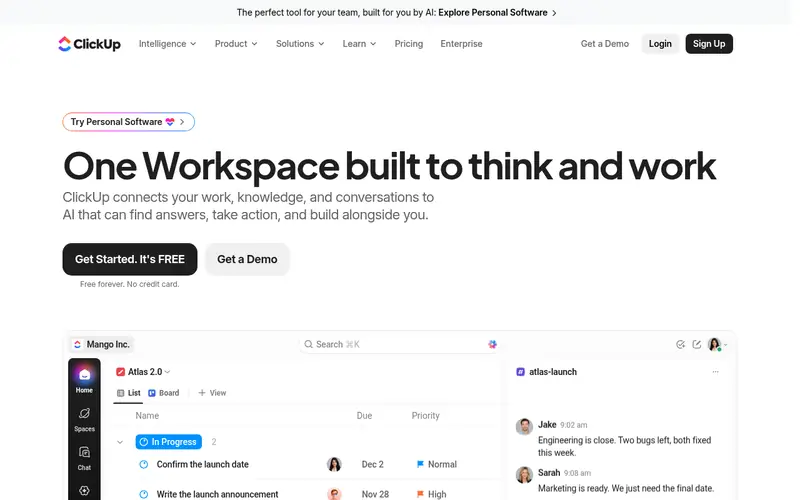
ClickUp is a work management platform with time tracking built in. Users can start timers from tasks, log time manually and review time in reports and dashboards. Because it also handles tasks, docs and goals, a team can keep time tracking and project work in one place. ClickUp has a free plan, with paid tiers adding features and higher limits. The free plan's time tracking capabilities and limits change over time, so check the vendor pricing page before standardizing on it. The platform is broad, and some teams find the number of options hard to manage. ClickUp is a reasonable alternative to Teamwork.com for teams that want one platform for tasks and time. It is a weaker fit for teams already committed to Teamwork.com, since running both duplicates project data.

Free plan: Yes

Website: clickup.com

Strengths

  • Time tracking is built into tasks and projects
  • broad feature set beyond time tracking

Watch out for

  • Feature depth can be overwhelming
  • time tracking limits depend on the plan

Pre-purchase checklist

  • Confirm whether Teamwork.com's built-in time tracking already covers your billing and reporting needs.
  • Check the current integration between your chosen tool and Teamwork.com, including what data syncs.
  • Verify the free plan limits or trial length on the vendor pricing page.
  • Confirm how billable rates, budgets and invoices are handled in each tool.
  • Decide whether activity monitoring features are acceptable to your team before shortlisting Hubstaff or Time Doctor.

FAQ

Does Teamwork.com have built-in time tracking?

Yes. Teamwork.com includes timers and timesheets, and time entries can be tied to billable rates, budgets and invoices. Time tracking is part of the paid plans rather than a free forever option, so check the current plan comparison on the vendor site.

Can I connect Harvest or Toggl Track to Teamwork.com?

Both tools are standalone trackers that can run alongside Teamwork.com. Integration options change, so check each vendor's integration page and Teamwork.com's own integrations listing before you rely on automatic syncing.

Which option is best for a small team on a budget?

Clockify and Toggl Track both offer free plans, which makes them practical starting points for a small team. Confirm the current free plan limits on each vendor's pricing page, since limits change over time.

Do these tools replace Teamwork.com?

No. Most are standalone time trackers that work alongside Teamwork.com. Only ClickUp is a broader work platform that could replace it, and switching means moving project data and retraining the team.

What should I check before paying for a time tracking tool?

Check the integration with Teamwork.com, the free plan or trial limits, how billable rates and invoices work, and whether monitoring features are included. Confirm all prices on the vendor pricing page, since published prices change.