
How we rank
Productivity · Researched comparison

Best Time Tracking for Zoho CRM in 2026

TaskReports may earn a fee from some links on this page, and some placements are paid and labelled. Neither one decides the order. See our disclosure.

The short answer

Zoho Projects is the first pick for teams already working inside Zoho CRM, because it shares the same account and links time entries to CRM-related work. Harvest suits teams that want strong billing and invoicing around tracked hours. Clockify fits teams that need a low-cost or free starting point with a broad integration set. Each option connects to Zoho CRM in a different way, so check the integration method before you choose.

On this page

Key takeaways

  • Zoho's own apps, Zoho Projects and Zoho Desk, offer the tightest native links to Zoho CRM records.
  • Zoho Projects starts at a published per-user rate and includes a free plan with user and project limits.
  • Third-party tools like Harvest, Toggl Track and Clockify connect to Zoho CRM through integrations or APIs.
  • Confirm current prices and free plan limits on each vendor's pricing page before you commit.

Quick comparison

ToolBest fitStarting price
Zoho ProjectsTeams already inside the Zoho ecosystemSee vendor pricing page
Zoho DeskSupport teams logging time against CRM contactsSee vendor pricing page
HarvestTeams that bill clients from tracked hoursSee vendor pricing page
Toggl TrackSimple timers with broad integration optionsSee vendor pricing page
ClockifyBudget-conscious teams that need a free startSee vendor pricing page
HubstaffTeams that need activity and timesheet trackingSee vendor pricing page
EverhourTeams tracking time inside project toolsSee vendor pricing page

How we chose

We picked tools that either come from Zoho and connect natively to Zoho CRM, or that offer a documented way to connect tracked time to CRM data through integrations or an API. We weighed fit for the use case, published entry pricing, free access, and the main limits of each plan. Sources are vendor homepages, pricing pages, and public documentation. Prices and free plan limits change, so confirm them on the vendor site before you buy.

★ Best overall

Zoho Projects

Teams already inside the Zoho ecosystem

  • Native link to Zoho CRM and other Zoho apps
  • Built-in timesheets and project billing
PriceSee vendor pricing page
See Zoho Projects pricing
zoho.comHomepage, Nov 2026
Zoho Projects homepage

Zoho Projects is Zoho's own project management tool, and it sits in the same account as Zoho CRM. That shared account is the main reason to pick it. You can connect CRM deals and accounts to projects, then log time against tasks and review it in timesheets. Because it is a Zoho product, the data stays within one vendor and one login. The plan structure runs from a free tier up to paid per-user plans, with higher tiers adding features such as billing and more automation. Zoho publishes the current rates and the free plan limits on its pricing page, and those limits have changed over time, so check them directly. Skip Zoho Projects if your team does not use Zoho CRM or other Zoho apps. The native advantage disappears, and standalone tools may fit better.

Price: See vendor pricing page

Free plan: Yes

Website: zoho.com/projects

Watch out for

  • Best value only if you use other Zoho apps
  • Interface can feel dense for small teams
2

Zoho Desk

Support teams logging time against CRM contacts
See vendor pricing page
zoho.comHomepage, Nov 2026
Zoho Desk homepage

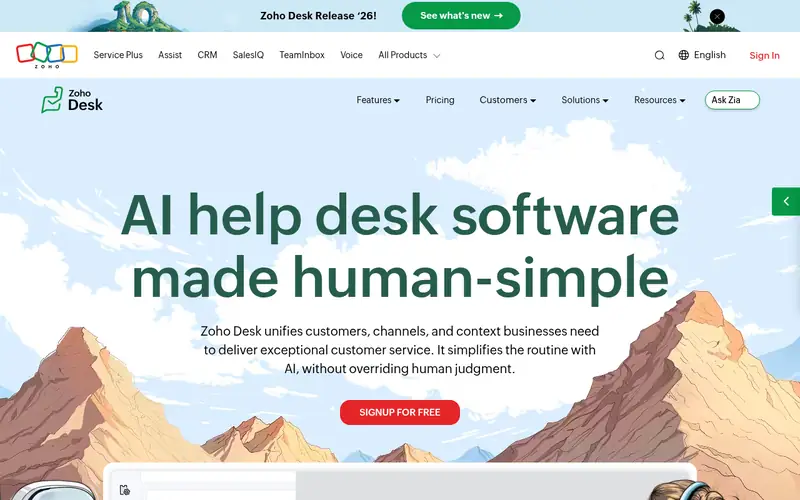
Zoho Desk is Zoho's help desk product, and it connects to Zoho CRM so support agents see contact and account data alongside tickets. It includes time tracking on tickets, which suits teams that bill or report on support hours. If your time tracking need is mostly about client support rather than project work, this is a direct fit. Zoho Desk has a free plan for small teams and paid per-agent tiers above it. The free plan has agent and feature limits that Zoho lists on its pricing page. Confirm those limits before you plan around the free tier. Skip Zoho Desk if your work is project-based rather than ticket-based. It is a support tool first, and its time tracking follows ticket workflows.

Free plan: Yes

Website: zoho.com/desk

Strengths

  • Native Zoho CRM connection for support tickets
  • Built-in time tracking on tickets

Watch out for

  • Built for support, not general project work
  • Time tracking is tied to ticket workflows

3

Harvest

Teams that bill clients from tracked hours
See vendor pricing page
getharvest.comHomepage, Nov 2026
Harvest homepage

Harvest is a time tracking and invoicing tool built around billable work. You track hours against projects and clients, then turn them into invoices. For teams that use Zoho CRM to manage clients and want detailed billing from tracked time, Harvest covers the billing side well. Harvest does not ship a native Zoho CRM integration. Teams connect the two through Zapier, the Harvest API, or manual export. That means setup work and, in some cases, a paid automation tool. Plan for that before you commit. Harvest offers a 30-day free trial and then moves to paid per-seat plans. It publishes its rates on its pricing page. Skip it if you need a native CRM link with no middleware.

Free plan: Free trial (30 days)

Website: getharvest.com

Strengths

  • Strong invoicing and budget tracking
  • Clean timer and reporting

Watch out for

  • No native Zoho CRM integration
  • Paid only after the trial
4

Toggl Track

Simple timers with broad integration options
See vendor pricing page
toggl.comHomepage, Nov 2026
Toggl Track homepage

Toggl Track is a standalone time tracker with a simple timer and clear reports. It works well for individuals and small teams that want to start tracking quickly and connect data to other tools later. There is no native Zoho CRM integration. Connections run through Zapier, the Toggl API, or exports. If you want time entries to appear on CRM records automatically, you will need to build or buy that link. Toggl Track has a free plan with limits on users and features, plus paid tiers. Toggl lists current limits and prices on its pricing page. Skip it if a native Zoho CRM connection is a hard requirement.

Free plan: Yes

Website: toggl.com/track

Strengths

  • Fast one-click timers across devices
  • Wide integration and API options

Watch out for

  • No native Zoho CRM integration
  • Advanced features sit on paid tiers
5

Clockify

Budget-conscious teams that need a free start
See vendor pricing page
clockify.meHomepage, Nov 2026
Clockify homepage

Clockify is a time tracker with a free plan that covers unlimited users on basic features, which makes it a common starting point for small teams. It offers timers, timesheets, and project reporting. Like the other third-party tools here, Clockify has no native Zoho CRM integration. You connect it through Zapier, its API, or exports. Teams that need automatic links to CRM records should weigh that setup cost. Clockify's paid tiers add features such as more detailed reporting and admin controls. Check the vendor pricing page for current rates and for the exact free plan limits, which Clockify has adjusted over time.

Free plan: Yes

Website: clockify.me

Strengths

  • Generous free tier for small teams
  • Many integrations and an open API

Watch out for

  • No native Zoho CRM integration
  • Some reporting sits on paid plans
6

Hubstaff

Teams that need activity and timesheet tracking
See vendor pricing page
hubstaff.comHomepage, Nov 2026
Hubstaff homepage

Hubstaff combines time tracking with activity monitoring, timesheets, and payroll features. It suits teams that manage remote or contract workers and want more than a simple timer. Hubstaff does not offer a native Zoho CRM integration. Connections go through its API, Zapier, or exports. Its activity tracking is a fit for some teams and a poor fit for others, so decide whether you want that level of monitoring before you sign up. Hubstaff offers a 14-day free trial and then paid per-user plans. It publishes current prices on its pricing page. Skip it if you only need lightweight time capture.

Free plan: Free trial (14 days)

Website: hubstaff.com

Strengths

  • Timesheets with activity data
  • Payroll and billing features

Watch out for

  • No native Zoho CRM integration
  • Activity tracking does not suit every team
7

Everhour

Teams tracking time inside project tools
See vendor pricing page
everhour.comHomepage, Nov 2026
Everhour homepage

Everhour adds time tracking inside project management tools, so teams log hours where their tasks already live. It includes budgets, estimates, and reporting. Everhour has no native Zoho CRM integration. Its strength is embedding in other project tools, so its fit depends on what your team uses for tasks. If your work lives in Zoho CRM alone, the link will be indirect. Everhour offers a 14-day free trial and then paid per-user plans. Check the vendor pricing page for current rates and for the list of supported tools.

Free plan: Free trial (14 days)

Website: everhour.com

Strengths

  • Time tracking embedded in project tools
  • Budget and estimate tracking

Watch out for

  • No native Zoho CRM integration
  • Value depends on supported project tools

Pre-purchase checklist

  • Confirm whether the tool has a native Zoho CRM integration or needs Zapier or an API.
  • Check the free plan limits on users, projects, and history before you rely on them.
  • Verify the published entry price and what each tier adds.
  • Test how time entries map to CRM records, such as accounts, deals, or contacts.
  • Review export options so your data is not locked in if you switch tools.

FAQ

Does Zoho CRM have built-in time tracking?

Zoho CRM itself is a sales and customer platform. Time tracking comes from Zoho's other apps, mainly Zoho Projects and Zoho Desk, which share the same account and connect to CRM records. Standalone trackers can also connect through integrations or APIs.

Can I connect Harvest or Toggl Track to Zoho CRM?

Neither Harvest nor Toggl Track ships a native Zoho CRM integration. Teams connect them through Zapier, each tool's API, or manual exports. That adds setup work, and some automation routes require a paid plan on the automation service.

Is there a free option for tracking time alongside Zoho CRM?

Yes. Zoho Projects and Zoho Desk both have free plans with limits that Zoho lists on its pricing pages. Clockify and Toggl Track also offer free plans. Check current limits, since vendors adjust them over time.

What should I check before buying a time tracking tool for Zoho CRM?

Confirm the integration method first, since native links are rare outside Zoho's own apps. Then check free plan limits, the published entry price, how time entries map to CRM records, and export options.

Do these tools charge per user?

Most of them do. Zoho Projects, Zoho Desk, Harvest, Hubstaff, and Everhour price by user or seat on paid tiers. Clockify's free plan covers unlimited users on basic features. Confirm current rates on each vendor's pricing page.



