How we rank
Productivity · Researched comparison

Best Time Tracking for Zoho Projects in 2026

TaskReports may earn a fee from some links on this page, and some placements are paid and labelled. Neither one decides the order. See our disclosure.

The short answer

For most teams already on Zoho, the simplest option is the native timesheet in Zoho Projects, since it needs no integration. If you want a separate timer with a free plan for unlimited users, Clockify is a strong first pick. Harvest suits teams that bill clients by the hour, and Toggl Track fits people who want a fast, simple timer across many projects.

On this page

Key takeaways

  • Zoho Projects includes built-in timesheets with billable and non-billable hours, so teams already on Zoho can track time without a second tool.
  • Clockify has a free plan with unlimited users and connects to Zoho Projects through its integrations and API.
  • Toggl Track, Harvest and TimeCamp are common choices when you need deeper reporting, invoicing or budgeting than Zoho Projects provides.
  • Most tools here bill per user per month, so the entry price is usually for one seat, not a whole team.

Quick comparison

ToolBest fitStarting price
Zoho ProjectsTeams already working inside ZohoSee vendor pricing page
ClockifyTeams that want a free tracker with unlimited usersSee vendor pricing page

Toggl TrackIndividuals and small teams wanting a fast timerSee vendor pricing page
HarvestTeams that bill clients by the hourSee vendor pricing page
TimeCampTeams wanting automatic tracking and budgetingSee vendor pricing page
HubstaffRemote teams needing activity and timesheet recordsSee vendor pricing page
EverhourTeams that want time tracking inside project toolsSee vendor pricing page
RescueTimeIndividuals reviewing where their work time goesSee vendor pricing page

How we chose

We picked tools that either include native timesheets or can work alongside Zoho Projects as a separate tracker. Criteria were fit for project and client hour tracking, the published entry price, whether a free plan or trial exists, and the main limits of each. Details come from vendor websites and public documentation. Prices and plan features change, so confirm current terms on the vendor site before buying.

★ Best overall

Zoho Projects

Teams already working inside Zoho

  • Timesheets are built in
  • no separate integration needed
PriceSee vendor pricing page
See Zoho Projects pricing
zoho.comHomepage, Nov 2026
Zoho Projects homepage

Zoho Projects is a project management tool with a built-in timesheet module. Users log hours against tasks and issues, mark them billable or non-billable, and submit them for approval. Because time tracking is part of the same product, there is no sync to set up and no second login for the team. The catch is that the depth of time reporting depends on your plan. Basic timesheet entry is available, but budget tracking and richer reports sit on higher tiers. Teams that only need to record hours against tasks will find this enough. Teams that need client invoicing or detailed utilization reports should look at a dedicated tracker. Skip it if you do not use Zoho for anything else. The value comes from staying inside one suite.

Price: See vendor pricing page

Free plan: Free trial (10 days)

Website: zoho.com/projects

Watch out for

  • Reporting is basic on lower plans
  • tied to the Zoho ecosystem
2

Clockify

Teams that want a free tracker with unlimited users
See vendor pricing page
clockify.meHomepage, Nov 2026
Clockify homepage

Clockify is a standalone time tracker with a generous free plan. You can start a timer or enter hours manually, assign entries to projects and tasks, and run basic reports. The free plan covers unlimited users and unlimited tracking, which makes it a low-risk add-on for a Zoho Projects team. Clockify does not ship a one-click Zoho Projects app in the same way it does for some other tools. Connecting the two usually means matching project names or using the API, so plan for some setup. Paid tiers add features like invoicing, scheduling and more detailed reporting. Choose it when budget is the main concern and you can accept a manual link between the two systems.

Free plan: Yes

Website: clockify.me

Strengths

  • Free plan with unlimited users
  • simple timer and manual entry

Watch out for

  • Advanced features are paid
  • Zoho connection needs setup
3

Toggl Track

Individuals and small teams wanting a fast timer
See vendor pricing page
toggl.comHomepage, Nov 2026
Toggl Track homepage

Toggl Track is a lightweight time tracker built around a start/stop timer. You create projects, start a timer, and the entry is saved. Reports show time by project, client and user, which helps when you want a view separate from Zoho Projects. The free plan covers core tracking for a small team, but features like billable rates and some report types require a paid plan. There is no native Zoho Projects integration, so teams either duplicate project names or use the API to push entries. It suits freelancers and small teams that want the fastest possible timer. Larger teams that need approvals and budgets inside Zoho should weigh the extra admin.

Free plan: Yes

Website: toggl.com/track

Strengths

  • Quick one-click timer
  • clean reports

Watch out for

  • Limited free features
  • per-user pricing adds up
4

Harvest

Teams that bill clients by the hour
See vendor pricing page
getharvest.comHomepage, Nov 2026
Harvest homepage

Harvest is a time tracker with invoicing built in. You track hours against projects and tasks, then turn those hours into invoices. Reports show billable amounts by client and project, which is useful for agencies that need to bill from tracked time. Harvest does not have a native Zoho Projects integration, so the two run side by side. Teams often keep project structure in Zoho and track billable hours in Harvest, then reconcile manually or through the API. It is a good fit for service businesses where invoicing is the main reason to track time. It is a poor fit for teams that only need internal hour logging, since the paid plan adds cost for features they will not use.

Free plan: Free trial (30 days)

Website: getharvest.com

Strengths

  • Strong invoicing from tracked time
  • clear client and project reports

Watch out for

  • No free plan
  • per-seat cost
5

TimeCamp

Teams wanting automatic tracking and budgeting
See vendor pricing page
timecamp.comHomepage, Nov 2026
TimeCamp homepage

TimeCamp records time automatically in the background and also supports manual timers. It offers budget tracking, utilization reports and billable rate support, which goes beyond what Zoho Projects timesheets show on lower plans. The free plan covers basic tracking for a small number of users. Paid plans add the automatic tracking, integrations and reporting that most teams want. There is no native Zoho Projects connector, so linking the two is a manual or API task. It suits teams that want to capture time without asking people to start timers. It is less suited to teams that need strict, approval-based timesheets, where Zoho Projects itself does that job.

Free plan: Yes

Website: timecamp.com

Strengths

  • Automatic background tracking
  • budget and utilization reports

Watch out for

  • Automatic tracking needs review
  • interface takes learning
6

Hubstaff

Remote teams needing activity and timesheet records
See vendor pricing page
hubstaff.comHomepage, Nov 2026
Hubstaff homepage

Hubstaff combines time tracking with activity monitoring. Users log hours against projects, and optional features record activity levels, app usage and screenshots. Timesheets can be reviewed and approved before they feed payroll or billing. For a Zoho Projects team, Hubstaff works as a separate tracker. There is no native Zoho Projects integration, so project names and hours are matched manually or through the API. The monitoring features are the main reason to pick it, and also the main reason some teams avoid it. Choose it when you manage remote or contract staff and need records beyond raw hours. Skip it if your team expects simple, private timers.

Free plan: Free trial (14 days)

Website: hubstaff.com

Strengths

  • Timesheets with activity data
  • screenshots and app usage optional

Watch out for

  • No free plan
  • monitoring features may not suit every team
7

Everhour

Teams that want time tracking inside project tools
See vendor pricing page
everhour.comHomepage, Nov 2026
Everhour homepage

Everhour is a time tracker designed to sit inside other project management tools, showing a timer and budget panel where the work happens. It tracks hours against tasks, sets budgets and estimates, and reports on time spent versus plan. Everhour's integrations focus on tools like Asana, Trello, Jira and Basecamp. Zoho Projects is not among its listed native integrations, so a Zoho team would use it as a standalone tracker rather than an embedded one. That reduces its main advantage. It suits teams already using one of its supported tools. For a pure Zoho Projects setup, the native timesheet or a standalone tracker is a better match.

Free plan: Free trial (14 days)

Website: everhour.com

Strengths

  • Timer embedded in project tools
  • budget tracking

Watch out for

  • No free plan
  • limited standalone use
8

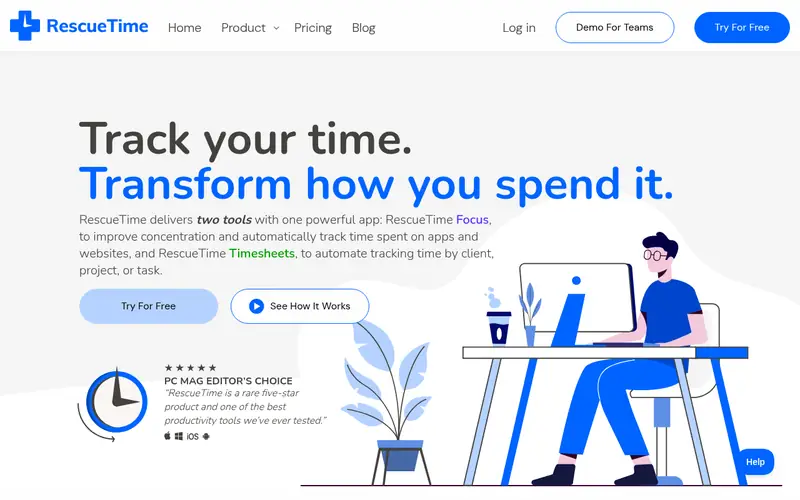
RescueTime

Individuals reviewing where their work time goes
See vendor pricing page
rescuetime.comHomepage, Nov 2026
RescueTime homepage

RescueTime runs in the background and records which apps and sites you use, then reports on focus time and distractions. It is a personal productivity tool more than a project timesheet system. For Zoho Projects, RescueTime does not log hours against tasks or projects. It can show how long you spent in Zoho Projects itself, but it will not produce billable timesheets. Teams that need hours tied to tasks should use Zoho Projects timesheets or a dedicated tracker. It fits individuals who want to understand their own work patterns. It is not a replacement for project time tracking.

Free plan: Yes

Website: rescuetime.com

Strengths

  • Automatic background tracking
  • focus and distraction reports

Watch out for

  • Not built for project billing
  • limited team timesheets

Pre-purchase checklist

  • Confirm whether the tool has a native Zoho Projects integration or requires manual matching or API work.
  • Check whether the free plan covers your team size or only a trial period.
  • Confirm that billable and non-billable hours can be separated if you invoice clients.
  • Check how timesheet approvals work if managers must sign off on hours.
  • Verify the per-user price at your team size, since entry prices are often for one seat.

FAQ

Does Zoho Projects have built-in time tracking?

Yes. Zoho Projects includes a timesheet module where users log hours against tasks and issues, mark them billable or non-billable, and submit entries for approval. The depth of reporting depends on your plan, so check which tier includes budget and report features.

Can Clockify connect to Zoho Projects?

Clockify does not offer a one-click Zoho Projects app. Teams usually match project names manually or use the API to move time entries. It remains a popular choice because its free plan covers unlimited users and unlimited tracking.

Which tool is best for billing clients from tracked time?

Harvest is built around turning tracked hours into invoices, with reports by client and project. TimeCamp also supports billable rates and budget reports. Both run alongside Zoho Projects rather than inside it, so expect some manual reconciliation.

Do these tools offer a free plan?

Clockify, Toggl Track, TimeCamp and RescueTime have free plans, though limits vary. Zoho Projects, Harvest, Hubstaff and Everhour offer free trials rather than free plans. Check current limits on each vendor site.

Is a separate tracker needed if we already use Zoho Projects?

Not always. If you only need hours logged against tasks with basic reports, the built-in timesheet is enough. A separate tracker helps when you need invoicing, automatic tracking, activity records or reporting that Zoho Projects does not provide on your plan.