How we rank
Productivity · Researched comparison

Best Time Tracking Software for Animators in 2026

TaskReports may earn a fee from some links on this page, and some placements are paid and labelled. Neither one decides the order. See our disclosure.

The short answer

Clockify is the first pick for most animators because its free plan covers unlimited users and its paid tiers are low cost, which fits small studios tracking hours per scene or shot. Harvest suits freelance animators who need to bill clients directly from tracked time. Toggl Track is a simpler option for solo animators who want a clean timer and basic reports without extra billing features.

On this page

Key takeaways

  • Clockify has a free plan with unlimited users and a paid entry price of $3.99 per user per month, which suits small animation teams tracking hours per scene.
  • Harvest starts at $12 per seat per month and pairs time tracking with client invoicing, which helps freelance animators bill by project.
  • Toggl Track has a free plan for up to 5 users and a paid entry price of $9 per user per month.
  • Most tools here track time by project or task, not by frame, so animators should set up tasks that match their pipeline stages.

Quick comparison

ToolBest fitStarting price
ClockifySmall animation teams tracking hours per scene$3.99 per user per month
HarvestFreelance animators who bill clients by project$12 per seat per month

Toggl TrackSolo animators who want a simple timer$9 per user per month
HubstaffStudios that need activity and screenshot trackingSee vendor pricing page
ClickUpTeams that want time tracking inside project managementSee vendor pricing page
PaymoSmall studios that need time tracking and invoicingSee vendor pricing page
EverhourTeams that track time inside existing project toolsSee vendor pricing page

How we chose

We picked tools that support project and task time tracking, client billing, and small-team plans, which match how animation work is usually logged. We looked at entry prices, free plan access, and main limits from vendor pricing pages and public documentation. We did not test the tools or collect user reviews. Prices and plan limits change, so confirm details on each vendor site before buying.

★ Best overall

Clockify

Small animation teams tracking hours per scene

  • Free plan with unlimited users
  • Timesheet and project views
Price$3.99 per user per month
See Clockify pricing
clockify.meHomepage, Nov 2026
Clockify homepage

Clockify tracks time by project, task, and tag, which lets animators log hours per scene, shot, or pipeline stage. The free plan supports unlimited users, so a small studio can start without a per-seat cost. Paid plans add features like invoicing, scheduling, and more detailed reports. The entry paid price is $3.99 per user per month. The tool works well for teams that need to compare estimated hours against actual hours on a shot. Animators who need frame-level tracking will not find it here, but task-level tracking covers most studio reporting needs. Teams that need advanced resource planning should compare higher tiers before committing.

Price: $3.99 per user per month

Free plan: Yes

Website: clockify.me

Watch out for

  • Free plan limits some reporting features
  • Interface can feel dense
2

Harvest

Freelance animators who bill clients by project
$12 per seat per month
getharvest.comHomepage, Nov 2026
Harvest homepage

Harvest combines time tracking with invoicing, which suits freelance animators and small studios that bill clients for project hours. You set up projects and tasks, track time against them, and turn tracked hours into invoices. The entry price is $12 per seat per month, and there is a 30-day free trial rather than a free plan. For animators working on client projects with fixed budgets, Harvest makes it easy to see hours used against the budget. It does not track frames or render time, so studios with complex pipelines may need a separate production tool. Solo animators who only need a timer may find the invoicing features more than they need.

Free plan: Free trial (30 days)

Website: getharvest.com

Strengths

  • Built-in invoicing from tracked time
  • Clean project and task setup

Watch out for

  • No free plan
  • Per-seat cost adds up for larger teams

3

Toggl Track

Solo animators who want a simple timer
$9 per user per month
toggl.comHomepage, Nov 2026
Toggl Track homepage

Toggl Track is a straightforward timer with project and tag support. Animators can start a timer for a scene or task and review time in reports. The free plan covers up to 5 users, which fits a solo animator or a very small team. The paid entry price is $9 per user per month. The tool is light on production features. It does not manage assets or render queues, so it works best as a time log rather than a studio management system. Animators who need billing and invoicing should look at Harvest instead. Those who need unlimited free users should compare Clockify.

Free plan: Yes

Website: toggl.com/track

Strengths

  • Simple one-click timer
  • Free plan for up to 5 users

Watch out for

  • Limited features on the free plan
  • Reporting depth depends on paid tier
4

Hubstaff

Studios that need activity and screenshot tracking
See vendor pricing page
hubstaff.comHomepage, Nov 2026
Hubstaff homepage

Hubstaff tracks time by project and task and adds activity monitoring and optional screenshots. Some animation studios use these features for remote contractors, though others avoid monitoring for creative work. The vendor lists a 14-day free trial and paid plans; check the pricing page for current entry rates. The tool fits studios that already want activity data alongside time logs. Animators who value privacy or work on sensitive client footage may prefer a plain timer. It does not handle frame-based tracking or production scheduling, so it is best paired with a pipeline tool.

Free plan: Free trial (14 days)

Website: hubstaff.com

Strengths

  • Activity monitoring and screenshots
  • Project and task time tracking

Watch out for

  • Monitoring features may not suit every team
  • No free plan
5

ClickUp

Teams that want time tracking inside project management
See vendor pricing page
clickup.comHomepage, Nov 2026
ClickUp homepage

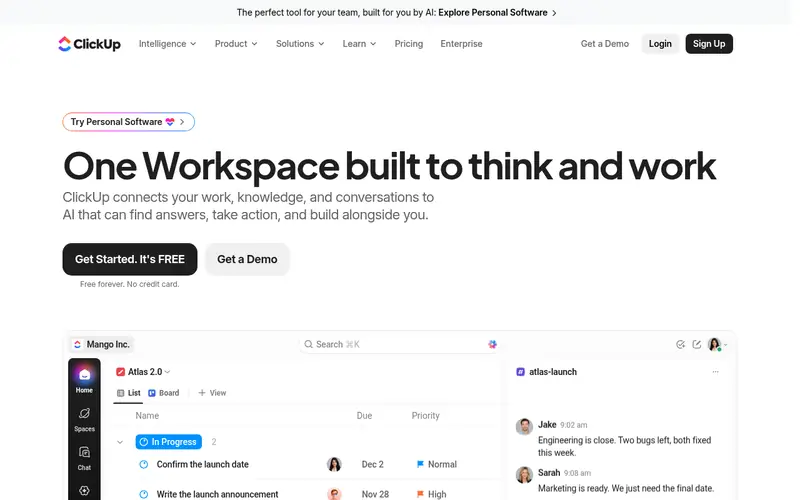
ClickUp includes a time tracking feature inside its project management platform. Animators can track time against tasks that represent scenes or shots, then view time in reports. The free plan supports a limited number of users and includes basic time tracking; check the vendor page for current limits and paid prices. The main draw is having tasks, docs, and time in one place. The trade-off is complexity. A small animation team may spend more time configuring ClickUp than using it. Teams that only need a timer should pick a simpler tool. Studios already using ClickUp for task management can keep time tracking in the same system.

Free plan: Yes

Website: clickup.com

Strengths

  • Time tracking built into tasks
  • Free plan for small teams

Watch out for

  • Feature set can be overwhelming
  • Time tracking is one part of a large platform
6

Paymo

Small studios that need time tracking and invoicing
See vendor pricing page
paymoapp.comHomepage, Nov 2026
Paymo homepage

Paymo combines time tracking, task management, and invoicing. Animators can track hours per task and turn them into client invoices. The free plan covers a small number of users with limited features; paid plans add more. Check the vendor pricing page for current entry rates. It suits freelance animators and small studios that want one tool for time and billing. It does not handle frame-level tracking or production pipelines. Larger studios with many contractors may find the per-user costs and feature limits worth comparing against Harvest and Clockify.

Free plan: Yes

Website: paymoapp.com

Strengths

  • Time tracking with invoicing and estimates
  • Free plan for small teams

Watch out for

  • Free plan limits features
  • Less suited to large studios
7

Everhour

Teams that track time inside existing project tools
See vendor pricing page
everhour.comHomepage, Nov 2026
Everhour homepage

Everhour adds time tracking to tools like Asana, Trello, and Jira. An animation team already using one of those tools can track time against tasks without switching systems. It also tracks estimates and budgets. The vendor lists a 14-day free trial; check the pricing page for current rates. The tool is a good fit for studios with an established task workflow. It is not a standalone production tool and does not track frames. Teams without an existing project management tool should start with a standalone tracker like Clockify or Toggl Track.

Free plan: Free trial (14 days)

Website: everhour.com

Strengths

  • Integrates with popular project management tools
  • Budget and estimate tracking

Watch out for

  • No free plan
  • Requires an existing project tool

Pre-purchase checklist

  • Confirm the free plan user limit, since animation teams often grow during a project.
  • Check whether time can be tracked per scene, shot, or task, not just per project.
  • Confirm whether invoicing is included or requires a higher tier.
  • Check integration with any task or project tool your studio already uses.
  • Review per-seat pricing at your expected team size, not just the entry price.

FAQ

What is the best time tracking software for animators?

Clockify is a strong default because its free plan supports unlimited users and paid plans start at $3.99 per user per month. Harvest suits freelancers who need invoicing, and Toggl Track fits solo animators who want a simple timer.

Can these tools track time by frame?

No. These tools track time by project, task, or tag. Animators should create tasks for scenes, shots, or pipeline stages so reports match how the studio works. Frame-level tracking usually requires a production tracking tool, not a general time tracker.

Is there free time tracking software for animators?

Yes. Clockify offers a free plan with unlimited users, Toggl Track has a free plan for up to 5 users, and ClickUp and Paymo offer free plans with limits. Check each vendor page for current free plan terms.

Which tool is best for freelance animators who bill clients?

Harvest is built for this. It tracks time by project and task and turns tracked hours into invoices. Paymo also combines time tracking and invoicing. The entry Harvest price is $12 per seat per month with a 30-day free trial.

Do these tools replace production management software?

No. They log time and, in some cases, handle invoicing. They do not manage assets, render queues, or shot status. Most animation studios pair a time tracker with a production management tool.