How we rank
Productivity · Researched comparison

Best Time Tracking Software for Data Analysts in 2026

TaskReports may earn a fee from some links on this page, and some placements are paid and labelled. Neither one decides the order. See our disclosure.

The short answer

Toggl Track is the first pick for data analysts who want simple timers, tags and reports without setup work. Clockify is the alternative for teams that need many users on a free plan. Harvest suits analysts who bill clients and want time tracking tied to invoices. All three log hours against projects and clients, which is the core need for analysts tracking billable and internal work.

On this page

Key takeaways

  • Toggl Track fits analysts who want fast timer-based logging with a free plan for up to 5 users.
  • Clockify has a free plan with unlimited users and a per-user paid tier that starts low.
  • Harvest pairs time tracking with invoicing for analysts who bill clients by the hour.
  • Hubstaff adds activity monitoring, which suits teams that need proof of logged work.

Quick comparison

ToolBest fitStarting price
Toggl TrackAnalysts who want fast timers and clean reports$9 per user per month
ClockifyTeams that need many users on a free plan$3.99 per user per month

HarvestAnalysts who bill clients by the hour$12 per user per month
HubstaffTeams that need activity data with time logs$7 per user per month
Toggl PlanAnalysts who plan work and track time together$9 per user per month
Time DoctorDistributed teams that need detailed work reports$7 per user per month
RescueTimeAnalysts who want automatic background trackingSee vendor pricing page

How we chose

We picked tools that log hours against projects and clients, report on those hours, and stay usable for analysts who split time across tasks. Criteria were fit for the use case, published entry price, free access, and main plan limits. Sources are vendor homepages and public pricing pages. Prices change, so confirm the current price on the vendor site before you buy.

★ Best overall

Toggl Track

Analysts who want fast timers and clean reports

  • Simple one-click timer
  • Reports by project, client and tag
Price$9 per user per month
See Toggl Track pricing
toggl.comHomepage, Nov 2026
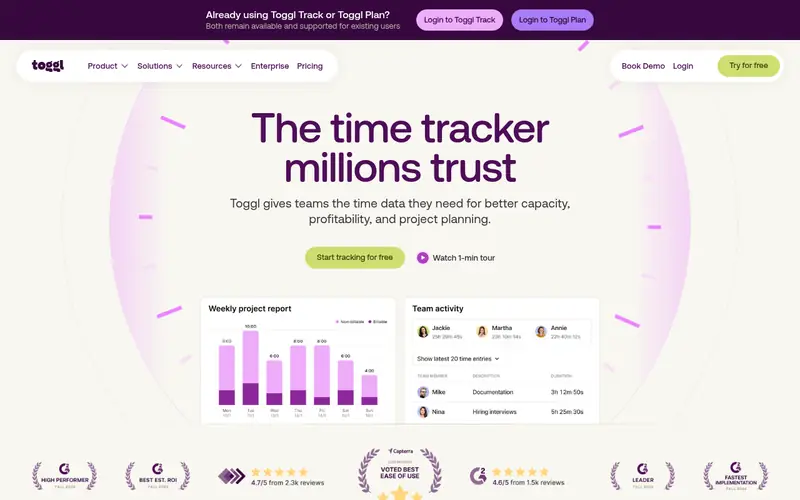
Toggl Track homepage

Toggl Track is a timer-first tool. An analyst starts a timer, names the task, and assigns a project and client. Tags let you mark work types such as ad hoc requests, dashboard builds or data cleaning. Reports group hours by project, client and tag, which helps show where analysis time goes. The free plan covers up to 5 users with core tracking and basic reports. Paid plans add billable rates, rounding and more report options. The tool is light and needs little setup, so a solo analyst can start in minutes. Teams that need approvals, screenshots or activity data should look at a monitoring tool instead.

Price: $9 per user per month

Free plan: Yes

Website: toggl.com/track

Watch out for

  • Free plan caps at 5 users
  • Billable rates sit on paid plans
2

Clockify

Teams that need many users on a free plan
$3.99 per user per month
clockify.meHomepage, Nov 2026
Clockify homepage

Clockify offers a free plan with unlimited users and unlimited tracking. For a data team that wants everyone logging hours without a per-seat bill, that is the main draw. Analysts can use a timer or enter time on a weekly timesheet, and assign entries to projects, clients and tasks. Paid tiers add features such as billable rates, approvals, custom fields and more detailed reports. The settings are broad, so an admin should set up projects and clients before the team starts. Analysts who only need a personal timer may find the setup heavier than needed.

Free plan: Yes

Website: clockify.me

Strengths

  • Free plan with unlimited users
  • Timesheet and calendar views

Watch out for

  • Some report features are paid
  • Interface has many settings
3

Harvest

Analysts who bill clients by the hour
$12 per user per month
getharvest.comHomepage, Nov 2026
Harvest homepage

Harvest combines time tracking with invoicing. An analyst logs hours against a client project, and the same entries flow into invoices and budget reports. That suits consultants and agencies that bill analysis work by the hour and want one place for hours and bills. There is no free plan, only a trial. Pricing is per user, so a large team pays more. Project budgets and alerts help keep fixed-fee analysis work on track. Analysts who do not invoice clients may get more value from a simpler tracker.

Free plan: Free trial (30 days)

Website: getharvest.com

Strengths

  • Time tracking tied to invoicing
  • Clear project budgets

Watch out for

  • No free plan
  • Per-user cost adds up for large teams
4

Hubstaff

Teams that need activity data with time logs
$7 per user per month
hubstaff.comHomepage, Nov 2026
Hubstaff homepage

Hubstaff logs time and can also record activity levels and screenshots. For data teams that work with contractors or need proof of logged hours, that extra data can matter. Reports cover time by project, client and team member, and the tool supports payroll and invoicing. The monitoring features are optional but may not fit every workplace. There is no free plan, only a trial, and pricing is per user. Analysts who just want to log hours against projects will find lighter tools easier to adopt.

Free plan: Free trial (14 days)

Website: hubstaff.com

Strengths

  • Activity and screenshot options
  • Payroll and invoicing features

Watch out for

  • No free plan
  • Monitoring may not suit every team
5

Toggl Plan

Analysts who plan work and track time together
$9 per user per month
toggl.comHomepage, Nov 2026
Toggl Plan homepage

Toggl Plan is a planning tool with a visual timeline and task boards. Analysts can block out time for dashboard builds, data pulls and reviews, then track actual hours in Toggl Track. The two products share a vendor, so a team can plan and log in one stack. The free plan covers a small team with core planning features. Time tracking inside Plan is limited, so most teams pair it with Track. Analysts who only need a timer do not need Plan. It fits teams that want to see planned versus actual time on analysis work.

Free plan: Yes

Website: toggl.com/plan

Strengths

  • Visual timeline for project work
  • Pairs with Toggl Track

Watch out for

  • Time tracking is basic
  • Free plan limits features
6

Time Doctor

Distributed teams that need detailed work reports
$7 per user per month
timedoctor.comHomepage, Nov 2026
Time Doctor homepage

Time Doctor tracks time and adds activity reports, screenshots and app usage data. For data teams spread across locations, those reports can show how logged hours map to work. The tool supports payroll and client billing, which helps teams that bill analysis hours. There is no free plan, only a trial, and pricing is per user. The monitoring depth may be more than an internal analytics team needs. Analysts who want a quiet timer should compare lighter options first.

Free plan: Free trial (14 days)

Website: timedoctor.com

Strengths

  • Detailed activity reports
  • Supports payroll and client billing

Watch out for

  • No free plan
  • Monitoring features may feel heavy
7

RescueTime

Analysts who want automatic background tracking
See vendor pricing page
rescuetime.comHomepage, Nov 2026
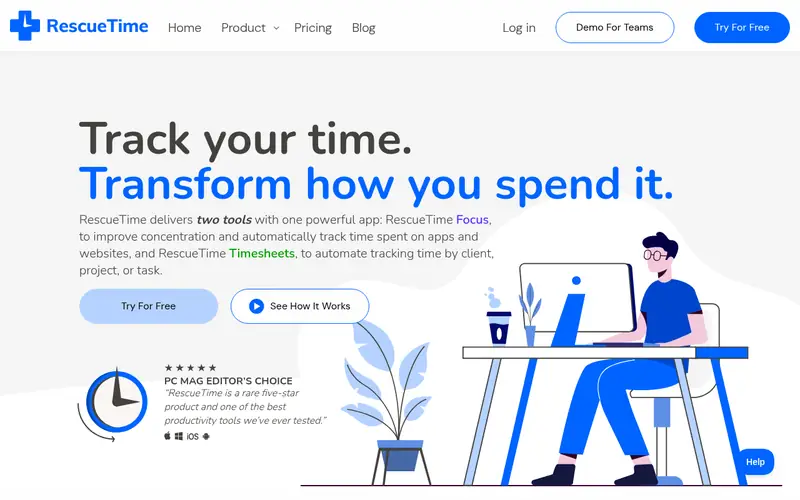
RescueTime homepage

RescueTime runs in the background and records which apps and sites an analyst uses. That gives a picture of time spent in query tools, spreadsheets, dashboards and meetings without manual timers. It suits analysts who want to see where their computer time goes before adding project-level tracking. The free plan covers basic tracking and limited reports. Paid plans add more detail. RescueTime is weaker at project and client billing than the other tools here, so teams that invoice hours should pair it with a project-based tracker.

Free plan: Yes

Website: rescuetime.com

Strengths

  • Runs in the background
  • Shows where computer time goes

Watch out for

  • Less project and client structure
  • Limited free reporting

Pre-purchase checklist

  • Confirm the tool logs time by both project and client, since analysts often split work that way.
  • Check whether reports can group hours by tag or task type, such as data cleaning or dashboard builds.
  • Compare the free plan limits against your team size before you commit.
  • Check if billable rates and invoicing are included or sit on a higher tier.
  • Confirm whether activity monitoring is optional, since it may not suit every team.

FAQ

What is the best time tracking software for data analysts?

Toggl Track is a strong first pick for simple timers and reports. Clockify suits teams that need many users on a free plan. Harvest fits analysts who bill clients by the hour. The right choice depends on team size, billing needs and whether you want monitoring.

Do data analysts need time tracking software?

Many do. Analysts often split time across ad hoc requests, dashboard work and data cleaning, and a tracker shows where hours go. Teams that bill clients need hours tied to projects. Solo analysts may only need a simple timer with tags.

Is there free time tracking software for data analysts?

Yes. Toggl Track has a free plan for up to 5 users, Clockify has a free plan with unlimited users, and RescueTime has a free tier. Free plans usually limit reports or advanced features, so check the limits before you rely on one.

Can these tools track billable client hours?

Harvest, Hubstaff, Time Doctor and Toggl Track support billable rates and client billing on paid plans. Clockify adds billable rates on paid tiers. RescueTime is weaker for client billing, so pair it with a project-based tracker if you invoice hours.

How much does time tracking software cost for a small data team?

Entry prices here range from about $3.99 to $12 per user per month, and some tools have free plans. A small team can often start free and upgrade for reports, billing or approvals. Confirm current prices on each vendor site.