How we rank
Productivity · Researched comparison

Best Time Tracking Software for DevOps Teams in 2026

TaskReports may earn a fee from some links on this page, and some placements are paid and labelled. Neither one decides the order. See our disclosure.

The short answer

Harvest is the first pick for DevOps teams that bill client hours, because it pairs timers with budgets and invoicing. Toggl Track is a lighter choice for teams that want simple timers and a free plan. Tempo is the better fit for teams that live in Jira and want time logged against issues. Teams that only need a free shared timer should look at Clockify.

On this page

Key takeaways

  • Harvest suits DevOps teams that bill client hours, with a free plan for two people and paid seats from $13 per person per month.
  • Clockify has a free plan with unlimited users and paid seats from $3.99 per person per month, which fits small platform teams.
  • Toggl Track and Jibble both offer free plans, while Tempo and Everhour bill per user on top of an existing tool.
  • Most tools here track hours per person or project, not per ticket, so check Jira or GitHub integration before you commit.

Quick comparison

ToolBest fitStarting price
HarvestDevOps teams that bill clients for project hours$13 per person per month
Toggl TrackSmall DevOps teams that want simple, low-cost timers$9 per user per month
ClockifyTeams that need a free shared timer with no user cap$3.99 per user per month
TempoDevOps teams that log time inside Jira issuesSee vendor pricing page
EverhourTeams that want time tracking inside existing project toolsSee vendor pricing page
JibbleTeams that need free time and attendance trackingSee vendor pricing page
HubstaffDistributed teams that need activity and time recordsSee vendor pricing page

How we chose

We picked tools that record hours by person or project and that fit common DevOps work such as on-call shifts, maintenance, and client billing. We looked at fit for the use case, the published entry price, whether a free plan or trial exists, and the main limits of each plan. Sources are vendor websites and public pricing pages. Prices change, so confirm the current rate on the vendor site before you buy.

★ Best overall

Harvest

DevOps teams that bill clients for project hours

  • Built-in budgets and invoicing
  • Free plan for up to two people
Price$13 per person per month
See Harvest pricing
getharvest.comHomepage, Nov 2026
Harvest homepage

Harvest is a time tracking tool with invoicing and budget tracking built in. For a DevOps team that bills clients for platform work, migrations, or retained hours, it keeps tracked time, project budgets, and invoices in one place. Timers run in the browser, desktop, and mobile apps, and entries can be tied to a client and project. The free plan covers up to two people. Paid plans start at $13 per person per month, and the vendor lists higher tiers for teams that need more features. Harvest integrates with common project tools, so time can be logged without leaving the work. Skip Harvest if you do not bill anyone. The invoicing features are the main reason to pay, and a plain timer will cost less.

Price: $13 per person per month

Free plan: Yes

Website: getharvest.com

Watch out for

  • Per-seat cost adds up on large teams
  • Limited free plan seats
2

Toggl Track

Small DevOps teams that want simple, low-cost timers

$9 per user per month
toggl.comHomepage, Nov 2026
Toggl Track homepage

Toggl Track is a general-purpose time tracker built around a start/stop timer. It runs in the browser, on desktop, and on mobile, and it can prompt users to log time based on activity. For a DevOps team, that makes it easy to record hours spent on incidents, maintenance, and project work without a heavy setup. The free plan covers a small number of users and basic tracking. Paid plans start at $9 per user per month and add reporting, billable rates, and project estimates. The vendor publishes the full feature split on its pricing page. Toggl Track is a poor fit if you need time tied to individual Jira issues. It tracks time by project and task, not by ticket, so teams that report per issue should look at Tempo instead.

Free plan: Yes

Website: toggl.com/track

Strengths

  • Simple one-click timers across apps
  • Free plan for small teams

Watch out for

  • Limited reporting on the free plan
  • Fewer billing features than Harvest

3

Clockify

Teams that need a free shared timer with no user cap
$3.99 per user per month
clockify.meHomepage, Nov 2026
Clockify homepage

Clockify offers a free plan with unlimited users and unlimited tracking, which suits a platform team that wants shared time records without a per-seat bill. Paid plans start at $3.99 per user per month and add features such as billable rates, timesheet approvals, and reporting. For DevOps work, Clockify can track time by project, client, and task, and it integrates with common issue and project tools. Teams can run it as a shared log of on-call hours, maintenance windows, and project work. The free plan has limits on some advanced features, and the higher tiers cost more. Read the vendor pricing page before you assume a feature is included. Skip Clockify if you need deep Jira time tracking, since that is not its main strength.

Free plan: Yes

Website: clockify.me

Strengths

  • Free plan with unlimited users
  • Low paid entry price

Watch out for

  • Advanced features sit behind higher tiers
  • Interface is dense for simple use
4

Tempo

DevOps teams that log time inside Jira issues
See vendor pricing page
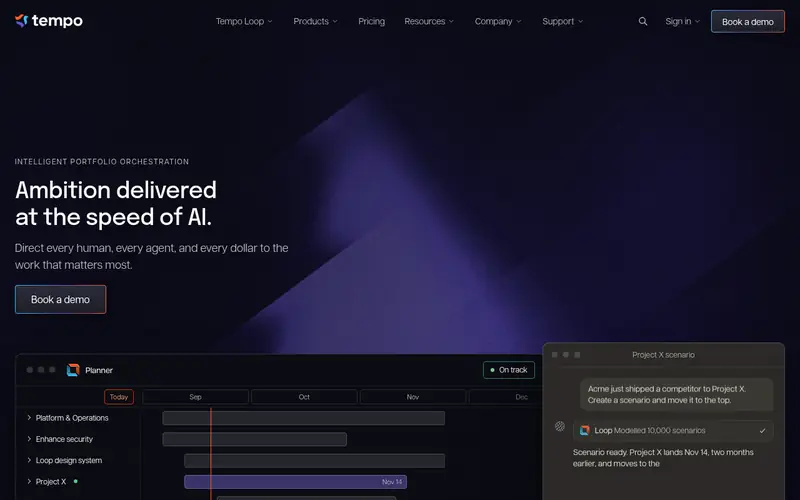
tempo.ioHomepage, Nov 2026
Tempo homepage

Tempo is a time tracking app for Jira. Teams log work against the issues they already use, so hours spent on incidents, change requests, and sprint tasks stay attached to the ticket. Tempo adds timesheets, approvals, and reports on top of Jira. This fits a DevOps team that runs its work in Jira and wants time records without a second tool. The vendor offers a free trial, and pricing is handled through the vendor rather than a published per-seat rate, so confirm the cost for your user count before you commit. Tempo only makes sense if you use Jira. Teams on other trackers, or teams that do not need per-issue time, will find it more setup than they need.

Free plan: Free trial (30 days)

Website: tempo.io

Strengths

  • Time tracking built into Jira issues
  • Timesheets and reports for teams

Watch out for

  • Requires a Jira setup
  • Pricing is not published as a simple per-seat rate
5

Everhour

Teams that want time tracking inside existing project tools
See vendor pricing page
everhour.comHomepage, Nov 2026
Everhour homepage

Everhour adds time tracking to project management tools. Teams start timers from inside the tool they already use, and Everhour rolls the hours into reports, budgets, and estimates. For a DevOps team that plans work in a project tool, this keeps time next to the tasks. The vendor offers a free trial but no permanent free plan. Pricing is per user and is published on the vendor site, so check the current rate for your team size. Because it sits on top of another tool, the total cost includes both subscriptions. Skip Everhour if your team does not already use a supported project tool. A standalone tracker will be simpler and cheaper.

Free plan: Free trial (14 days)

Website: everhour.com

Strengths

  • Time tracking embedded in project management tools
  • Budget and estimate tracking

Watch out for

  • No permanent free plan
  • Per-user pricing on top of other tools
6

Jibble

Teams that need free time and attendance tracking
See vendor pricing page
jibble.ioHomepage, Nov 2026
Jibble homepage

Jibble is a time and attendance tool. It records clock-in and clock-out times, timesheets, and activity, and it offers a free plan for small teams. For a DevOps team, it can serve as a simple shared record of hours, including on-call shifts and maintenance windows. Jibble is built around attendance rather than project billing. If your team needs to bill clients or report hours per issue, it is a weak fit. The vendor publishes paid tiers for larger teams and extra features, so check the pricing page for current limits. Use Jibble when the goal is a free record of who worked when, not when the goal is client invoicing or per-ticket reporting.

Free plan: Yes

Website: jibble.io

Strengths

  • Free plan for small teams
  • Time and attendance in one tool

Watch out for

  • Attendance focus is a weak match for project billing
  • Fewer engineering integrations
7

Hubstaff

Distributed teams that need activity and time records
See vendor pricing page
hubstaff.comHomepage, Nov 2026
Hubstaff homepage

Hubstaff combines time tracking with activity monitoring, screenshots, and reporting. It suits teams that manage distributed workers and want a record of hours plus activity. For a DevOps team, it can cover hours across time zones and shifts. The vendor offers a free trial but no permanent free plan. Pricing is per user and is published on the vendor site, so confirm the rate for your team. Activity monitoring is optional in some setups but is the product's core feature. Many engineering teams will find the monitoring features unnecessary. Skip Hubstaff if you only need a timer and reports, and pick a lighter tool.

Free plan: Free trial (14 days)

Website: hubstaff.com

Strengths

  • Time tracking with activity data
  • Supports distributed teams

Watch out for

  • No permanent free plan
  • Activity tracking can feel heavy for engineers

Pre-purchase checklist

  • Confirm the tool can log time against the unit you report on, such as project, client, or Jira issue.
  • Check the free plan limits, including user caps and feature locks, before you rely on it.
  • Add up the per-seat cost for your full team, including any tool the tracker sits on top of.
  • Check integrations with your issue tracker, chat, and CI tools.
  • Confirm how on-call and after-hours time is recorded and reported.

FAQ

What is the best time tracking software for DevOps teams?

Harvest is the best fit for teams that bill clients, because it combines timers with budgets and invoicing. Toggl Track and Clockify are better for simple, low-cost tracking, and Tempo is better for teams that log time inside Jira.

Do DevOps teams need time tracking at all?

Many do. Client billing, retained hours, and on-call reporting all need a record of time. Teams that only track delivery through issues may not need a separate tracker, and a Jira app such as Tempo can cover the basic need.

Which tool has a free plan?

Harvest has a free plan for up to two people. Toggl Track and Clockify offer free plans for small teams, and Jibble has a free plan for small teams. Tempo, Everhour, and Hubstaff offer free trials rather than permanent free plans.

Can these tools track time per Jira issue?

Tempo is built for Jira and logs time against issues. Other tools track time by project, client, or task, and some connect to Jira through integrations. Check the integration details on the vendor site if per-issue reporting is required.

How much should a small DevOps team expect to pay?

Clockify starts at $3.99 per user per month and Toggl Track at $9 per user per month. Harvest starts at $13 per person per month. Tempo, Everhour, Hubstaff, and Jibble publish pricing on their sites, so confirm the rate for your team size.