How we rank
Productivity · Researched comparison

Best Time Tracking Software for Ghostwriters in 2026

TaskReports may earn a fee from some links on this page, and some placements are paid and labelled. Neither one decides the order. See our disclosure.

The short answer

Toggl Track is the best first pick for most ghostwriters. It is quick to start, tracks billable time per client and project, and the free plan covers a solo writer. Choose Harvest if you want invoices built from tracked hours, or Clockify if you need a free plan that covers several collaborators. Writers who bill by the word or by the project rather than the hour can still use these tools to see where the hours go.

On this page

Key takeaways

  • Toggl Track is the simplest starting point for ghostwriters who bill by the hour, and it has a free plan for up to 5 users.
  • Clockify has a free plan with no user limit, which suits a ghostwriter who brings in a proofreader or editor.
  • Harvest pairs time tracking with invoicing, so a writer can bill a manuscript project without a second tool.
  • Most tools here charge per user, so a solo ghostwriter usually pays the entry seat price only.

Quick comparison

ToolBest fitStarting price
Toggl TrackSolo ghostwriters billing clients by the hour$10 per user per month
ClockifyWriters who need a free plan with several users$3.99 per user per month

HarvestGhostwriters who invoice from tracked hours$12 per user per month
My HoursSolo writers who want a low-cost trackerSee vendor pricing page
HubstaffWriters tracking time across devices with activity dataSee vendor pricing page
TimeCampWriters who want automatic tracking alongside manual timersSee vendor pricing page

How we chose

We picked tools that track time by client and project, because that is what ghostwriters need for billing and for quoting new work. We looked at the entry price, whether a free plan exists and what it covers, and the main limits such as per-seat costs or missing invoicing. The information comes from vendor websites and public documentation. Prices change, so confirm the current price on the vendor site before you buy.

★ Best overall

Toggl Track

Solo ghostwriters billing clients by the hour

  • Fast timer and simple reports
  • Free plan for up to 5 users
Price$10 per user per month
See Toggl Track pricing
toggl.comHomepage, Nov 2026
Toggl Track homepage

Toggl Track is a time tracking tool with a one-click timer and a timeline view. For a ghostwriter, the useful part is the project and client structure: each manuscript, outline or revision round can be its own project, and each project can carry a billable rate. Reports show hours by client, which is what you need at invoice time. The free plan covers up to 5 users and includes basic tracking and reports. Paid plans add billable rates, fixed fees and more detailed reporting. A solo writer who only needs hours per client can stay on the free plan for a long time. Skip it if you need invoices generated inside the same tool.

Price: $10 per user per month

Free plan: Yes

Website: toggl.com/track

Watch out for

  • Invoicing is limited
  • Billable rates sit on paid plans
2

Clockify

Writers who need a free plan with several users
$3.99 per user per month
clockify.meHomepage, Nov 2026
Clockify homepage

Clockify offers a free plan with unlimited users and unlimited tracking. For a ghostwriter, that means you can add an editor, a research assistant or a co-writer at no cost. You can set billable rates and mark time as billable on the free plan, then export a summary for invoicing. The paid tiers add admin controls, rounding, and more report options. The trade-off is a busier interface than Toggl Track. If you work alone and want the simplest possible timer, Clockify may feel like more tool than you need. If you expect to bring in help, the free plan is hard to beat.

Free plan: Yes

Website: clockify.me

Strengths

  • Free plan has no user limit
  • Billable rates on the free plan

Watch out for

  • Interface is dense
  • Some reports need a paid plan
3

Harvest

Ghostwriters who invoice from tracked hours
$12 per user per month
getharvest.comHomepage, Nov 2026
Harvest homepage

Harvest combines a timer with invoicing and project budgets. A ghostwriter can track hours against a manuscript budget, then turn those hours into an invoice without leaving the tool. Retainers and hourly projects are both supported, which fits the mix of flat-fee and hourly work many writers carry. There is no free plan, only a 30-day trial. The entry price is per user per month. For a solo writer who already pays for an invoicing tool, Harvest can replace it. Skip it if your clients pay by the word and you never send hourly invoices.

Free plan: Free trial (30 days)

Website: getharvest.com

Strengths

  • Time tracking and invoicing in one place
  • Clear project budget tracking

Watch out for

  • No free plan
  • Per-seat pricing adds up
4

My Hours

Solo writers who want a low-cost tracker
See vendor pricing page
myhours.comHomepage, Nov 2026
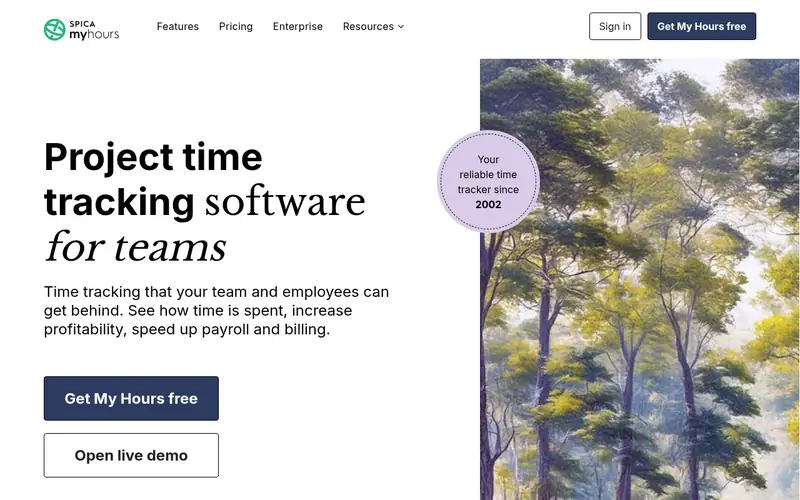
My Hours homepage

My Hours is built around tracking time by client and project, with reports you can send to a client. A ghostwriter can log hours per manuscript, set billable rates, and export a PDF or Excel report at the end of the month. The free plan covers one user, which fits a solo writer. Paid plans add more users and features. The tool is smaller than Toggl Track or Clockify, so check that it connects to anything else you use before committing. It suits a writer who wants a basic, low-cost tracker and does not need invoicing inside the app.

Free plan: Yes

Website: myhours.com

Strengths

  • Free plan for a single user
  • Simple client and project reports

Watch out for

  • Limited team features
  • Fewer integrations than larger tools
5

Hubstaff

Writers tracking time across devices with activity data
See vendor pricing page
hubstaff.comHomepage, Nov 2026
Hubstaff homepage

Hubstaff tracks time across desktop, web and mobile, and can record activity and app usage. For a ghostwriter working with a publisher or agency that asks for proof of hours, that record can be useful. Projects and tasks map to manuscripts, and reports can be filtered by client. The tool is heavier than a simple timer. Activity monitoring is optional but present, and some writers will not want it. There is a 14-day trial and no free plan. Consider it if a client requires detailed time records, not if you just want a start and stop button.

Free plan: Free trial (14 days)

Website: hubstaff.com

Strengths

  • Desktop, web and mobile timers
  • Detailed activity and app reports

Watch out for

  • No free plan
  • Activity tracking may be more than needed
6

TimeCamp

Writers who want automatic tracking alongside manual timers
See vendor pricing page
timecamp.comHomepage, Nov 2026
TimeCamp homepage

TimeCamp can track time automatically by watching which apps and documents are open, and it also has a manual timer. For a ghostwriter who moves between a word processor, email and research tabs, the automatic record can show where a writing day actually went, which helps with quoting future projects. The free plan covers a single user with basic features. Automatic entries need review, so budget a few minutes a day to clean them up. Advanced reports and invoicing sit on paid plans. It suits writers who want data on their own work habits more than client-facing invoices.

Free plan: Yes

Website: timecamp.com

Strengths

  • Automatic time capture by app and document
  • Manual timer as well

Watch out for

  • Automatic tracking needs review
  • Paid tiers for advanced reports

Pre-purchase checklist

  • Confirm the free plan covers the number of people who will log time.
  • Check whether billable rates are included on the free plan or only on paid tiers.
  • Decide if you need invoicing inside the tool or will invoice separately.
  • Test the report format your clients expect, such as hours by project.
  • Check that the timer works on the devices you write on, including mobile.

FAQ

Do ghostwriters need time tracking software?

Not always. If you bill by the word or a flat project fee, tracking is optional. It helps when you bill hourly, when you want to quote a flat fee from real hours, or when a client asks for a record of time spent on a manuscript.

Which tool has the best free plan for a solo ghostwriter?

Toggl Track's free plan covers up to 5 users and includes basic reports. Clockify's free plan has no user limit and includes billable rates. My Hours offers a free plan for one user. All three are enough for a solo writer who does not need invoicing inside the app.

Can I track time per manuscript and per client?

Yes. Toggl Track, Clockify, Harvest, My Hours and TimeCamp all support projects and clients, so you can log hours per manuscript and group them by client for billing. Set up one project per book or per revision round.

Do these tools create invoices?

Harvest does. Toggl Track, Clockify and My Hours focus on time tracking and reports, so you export hours and invoice in a separate tool. Check the current plan details on each vendor site, since features move between tiers.

What should I check before paying?

Check the per-user price, whether billable rates are on your plan, and how reports export. If you work with others, confirm the free plan's user limit. Prices change, so confirm the current figure on the vendor pricing page.