How we rank
Productivity · Researched comparison

Best Time Tracking Software for Illustrators in 2026

TaskReports may earn a fee from some links on this page, and some placements are paid and labelled. Neither one decides the order. See our disclosure.

The short answer

Clockify is the first pick for most illustrators because its free plan covers unlimited users and unlimited time tracking, and paid tiers add billable rates and invoicing. Toggl Track suits solo illustrators who want a fast timer and a free plan for up to 5 users. Harvest fits illustrators who invoice clients directly and want hours tied to project budgets.

On this page

Key takeaways

  • Clockify has a free plan with unlimited users and unlimited tracking, which suits illustrators billing hourly per project.
  • Harvest ties tracked hours to project budgets and invoices, which helps illustrators who send itemized bills.
  • Toggl Track offers a free plan for up to 5 users and simple one-click timers for solo studio work.
  • Most tools here charge per user, so a solo illustrator usually pays only one seat.

Quick comparison

ToolBest fitStarting price
ClockifyIllustrators who need unlimited free trackingSee vendor pricing page
Toggl TrackSolo illustrators who want a fast, simple timerSee vendor pricing page

HarvestIllustrators who invoice clients from tracked hoursSee vendor pricing page
HubstaffIllustrators working with remote clients who want activity recordsSee vendor pricing page
Time DoctorIllustrators on retainer who need detailed time recordsSee vendor pricing page
PaymoIllustrators who want time tracking, tasks and invoicing togetherSee vendor pricing page
RescueTimeIllustrators who want automatic background time trackingSee vendor pricing page

How we chose

We picked tools that support hourly tracking, project grouping and client billing, which matter for illustration work. Criteria were fit for the use case, entry price, free access and main limits. Sources are vendor homepages and public documentation. Prices change, so confirm current rates on the vendor site.

★ Best overall

Clockify

Illustrators who need unlimited free tracking

  • Unlimited users and tracking on the free plan
  • billable rates and reports on paid tiers
PriceSee vendor pricing page
See Clockify pricing
clockify.meHomepage, Nov 2026
Clockify homepage

Clockify is a time tracker built around a free tier that does not cap users or tracked hours. For an illustrator, that means you can log hours per sketch, revision or client project without paying for a seat. The timer runs in a browser or desktop app, and you can group entries by client and project. Paid plans add billable rates, invoicing and more detailed reports. The free plan covers the basics: manual and timer entries, project grouping and summary reports. If you only need to know where your hours go, the free tier is enough. Skip Clockify if you need built-in invoicing on the free plan, since that sits on paid tiers. Check the vendor pricing page for current rates.

Price: See vendor pricing page

Free plan: Yes

Website: clockify.me

Watch out for

  • Some advanced features sit behind paid plans
  • interface can feel busy for solo users
2

Toggl Track

Solo illustrators who want a fast, simple timer
See vendor pricing page
toggl.comHomepage, Nov 2026
Toggl Track homepage

Toggl Track is a lightweight timer with a free plan for up to 5 users. For an illustrator working alone, that covers you and a few collaborators. You start a timer, tag the entry with a client or project, and review hours later. The tool works in a browser, desktop app and mobile app, so you can track time at the desk or on a tablet. Reports show time by project and client, which helps when you quote the next job. The free plan limits some reporting and billable features. Toggl Track does not send invoices, so pair it with your own billing method. Check the vendor pricing page for paid tiers.

Free plan: Yes

Website: toggl.com/track

Strengths

  • One-click timer across devices
  • free plan for up to 5 users

Watch out for

  • Free plan limits some reporting
  • invoicing is not built in
3

Harvest

Illustrators who invoice clients from tracked hours
See vendor pricing page
getharvest.comHomepage, Nov 2026
Harvest homepage

Harvest is a time tracker with invoicing built in. An illustrator can track hours per project, set a budget, and turn tracked time into an invoice without leaving the tool. That suits freelance work where clients expect itemized bills. Projects can carry hourly or fixed budgets, and Harvest shows how much of the budget is used. Client-facing reports look clean, which matters when you share progress. There is no free plan, only a trial, so solo illustrators should weigh the monthly cost against how often they invoice. Check the vendor pricing page for current per-seat rates.

Free plan: Free trial (30 days)

Website: getharvest.com

Strengths

  • Hours link to project budgets and invoices
  • clean client-facing reports

Watch out for

  • No permanent free plan
  • per-seat pricing adds up for teams
4

Hubstaff

Illustrators working with remote clients who want activity records
See vendor pricing page
hubstaff.comHomepage, Nov 2026
Hubstaff homepage

Hubstaff is a time tracker with optional activity monitoring and screenshots. For an illustrator, that can help when a client asks for proof of hours on a retainer or a long project. You can set billable rates per project and client, and reports show hours and amounts. The tool works across desktop and mobile, with a dashboard for teams. The monitoring features are optional but may feel heavy for solo creative work. There is no free plan, only a trial. Illustrators who value privacy over client proof may prefer a simpler timer. Check the vendor pricing page.

Free plan: Free trial (14 days)

Website: hubstaff.com

Strengths

  • Tracks time with optional activity and screenshot records
  • supports client billing rates

Watch out for

  • Activity monitoring may feel intrusive for creative work
  • no permanent free plan
5

Time Doctor

Illustrators on retainer who need detailed time records
See vendor pricing page
timedoctor.comHomepage, Nov 2026
Time Doctor homepage

Time Doctor records time with optional screenshots and activity data, and produces reports by project and client. An illustrator on a retainer can use it to show how hours were spent across revisions and deliverables. The tool supports billable rates and payroll-style reporting, which helps when a client wants a breakdown. It runs on desktop and mobile. Like Hubstaff, the monitoring side may not suit everyone. There is no free plan, only a trial. Solo illustrators who just need a timer can find cheaper options. Check the vendor pricing page.

Free plan: Free trial (14 days)

Website: timedoctor.com

Strengths

  • Detailed reports by project and client
  • optional screenshots and activity data

Watch out for

  • Monitoring features can feel invasive
  • no permanent free plan
6

Paymo

Illustrators who want time tracking, tasks and invoicing together
See vendor pricing page
paymoapp.comHomepage, Nov 2026
Paymo homepage

Paymo bundles time tracking, task management and invoicing. An illustrator can track hours against a task, then turn those hours into an invoice. That suits freelance work with several stages per project. The free plan covers a small number of users and core features. Paid tiers add more users, budgeting and advanced invoicing. The interface has more parts than a plain timer, so it takes time to set up. Illustrators who only need hours may find it heavy. Check the vendor pricing page for current limits and rates.

Free plan: Yes

Website: paymoapp.com

Strengths

  • Free plan for small teams
  • time tracking links to tasks and invoices

Watch out for

  • Free plan caps users and features
  • interface takes time to learn
7

RescueTime

Illustrators who want automatic background time tracking
See vendor pricing page
rescuetime.comHomepage, Nov 2026
RescueTime homepage

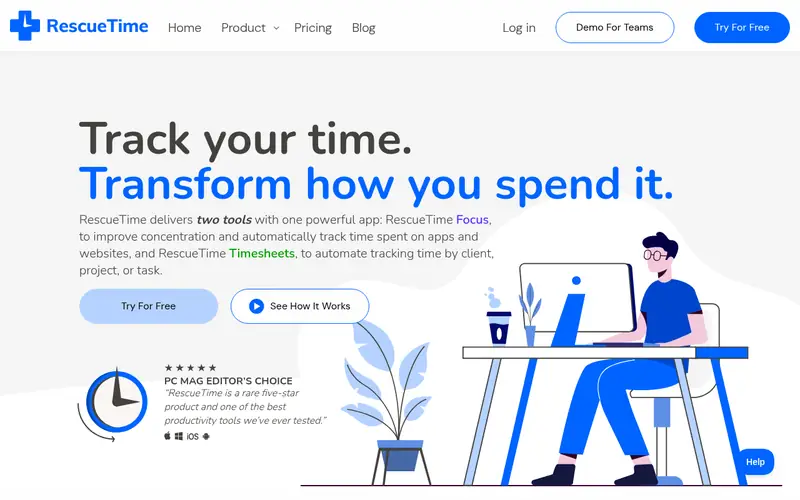
RescueTime tracks time automatically in the background and reports how long you spend in apps and sites. For an illustrator, that can show how much time goes to drawing apps versus email or reference browsing. It is not built for client billing. There are no per-client invoices, and the reports focus on categories and focus time rather than billable hours. The free plan limits detailed reports and history. Illustrators who need itemized client bills should pair it with a billing tool or choose Harvest or Paymo. Check the vendor pricing page.

Free plan: Yes

Website: rescuetime.com

Strengths

  • Runs in the background without manual timers
  • shows where hours go across apps

Watch out for

  • Less suited to client billing
  • free plan limits detailed reports

Pre-purchase checklist

  • Confirm the free plan limits, such as user count and report access, before you rely on it.
  • Check whether billable rates and invoicing are included or sit on a paid tier.
  • Test the timer on the devices you draw with, including tablet and desktop.
  • Confirm how hours group by client and project for your invoices.
  • Read the per-seat price if you work with an agent or assistant.

FAQ

What is the best time tracking software for illustrators?

Clockify is a strong first pick because its free plan covers unlimited users and tracking. Toggl Track suits solo illustrators who want a simple timer. Harvest fits illustrators who invoice clients directly from tracked hours.

Do illustrators need paid time tracking software?

Not always. Clockify and Toggl Track have free plans that cover basic tracking and project grouping. Paid tiers add billable rates, invoicing and more reports. If you bill clients hourly and send itemized invoices, a paid plan may save time.

Can time tracking software create client invoices?

Some can. Harvest and Paymo link tracked hours to invoices. Clockify and Toggl Track focus on tracking and reports, so you bill through another tool. Check each vendor's plan details before you commit.

Is automatic background tracking better for illustrators?

It depends. RescueTime tracks automatically and shows where hours go, but it is not built for client billing. Manual timers like Clockify and Toggl Track give cleaner per-client records, which most illustrators need for invoices.

Do these tools monitor screenshots?

Some do, as an optional feature. Hubstaff and Time Doctor offer activity and screenshot records. Clockify, Toggl Track and Harvest focus on time entries. Read each vendor's documentation to see what is optional and what is on by default.