How we rank
Productivity · Researched comparison

Best Time Tracking Software for IT Consultants in 2026

TaskReports may earn a fee from some links on this page, and some placements are paid and labelled. Neither one decides the order. See our disclosure.

The short answer

Harvest is the first pick for IT consultants who bill clients by the hour. It tracks billable time against project budgets and turns timesheets into invoices. Toggl Track is a lighter alternative for solo consultants who want simple timers and reports. FreshBooks suits consultants who want time tracking and invoicing in one place. Consultants who manage larger teams should look at Hubstaff or QuickBooks Time.

On this page

Key takeaways

  • Harvest fits IT consultants who bill by the hour, with project budgets, billable rates and invoice-ready timesheets.
  • Clockify has a free plan for solo consultants, and Toggl Track offers a free plan with limited features.
  • FreshBooks combines time tracking with invoicing and accounting for consultants who want one tool.
  • QuickBooks Time and Hubstaff focus on time capture and team monitoring, while Wrike and Teamwork add project management.

Quick comparison

ToolBest fitStarting price
HarvestConsultants who bill hourly and invoice from timesheetsSee vendor pricing page
Toggl TrackSolo consultants who want simple timers and reportsSee vendor pricing page

ClockifyBudget-conscious consultants who want a free startSee vendor pricing page
FreshBooksConsultants who want tracking and invoicing togetherSee vendor pricing page
QuickBooks TimeConsultants who need mobile and team time captureSee vendor pricing page
HubstaffConsultancies that manage remote teams and contractorsSee vendor pricing page
WrikeConsultants who need project management with time trackingSee vendor pricing page
TeamworkConsultancies that bill clients from project tasksSee vendor pricing page

How we chose

We selected tools that support billable hour tracking, client and project reporting, and invoicing or billing workflows that IT consultants use. Criteria included fit for the use case, published entry price, free access, and documented plan limits. We did not run hands-on tests or collect user reviews. Details come from vendor websites and public documentation. Prices and plan limits change, so confirm current terms on the vendor pricing page before buying.

★ Best overall

Harvest

Consultants who bill hourly and invoice from timesheets

  • Billable rates and project budgets
  • timesheet-to-invoice workflow
PriceSee vendor pricing page
See Harvest pricing
getharvest.comHomepage, Nov 2026
Harvest homepage

Harvest is built around billable time. IT consultants can set hourly rates per project or per person, track time with a timer or a weekly timesheet, and watch budget usage as hours are logged. Reports show billable versus non-billable time by client and project. Invoices can be created from tracked time and sent from the same tool. The plan structure is per seat, and the entry plan covers the core tracking and invoicing features. A free trial is available. Consultants who need deep help desk or ticketing features will need a separate tool, because Harvest does not include those. It suits small consultancies and independent contractors who bill by the hour.

Price: See vendor pricing page

Free plan: Free trial (30 days)

Website: getharvest.com

Watch out for

  • No free plan
  • per-seat pricing adds up for teams
2

Toggl Track

Solo consultants who want simple timers and reports
See vendor pricing page
toggl.comHomepage, Nov 2026
Toggl Track homepage

Toggl Track is a time tracking tool with a free plan for individuals. Consultants can start a timer from the web app, desktop app or browser extension, tag entries as billable, and group time by client and project. Reports summarize billable hours and estimated earnings, which helps when preparing client invoices. The paid plans add features such as billable rates, project estimates and more detailed reporting. Toggl Track does not handle invoicing or accounting, so consultants usually pair it with a separate billing tool. It is a good fit for independent IT consultants who want low setup effort and do not need heavy project management.

Free plan: Yes

Website: toggl.com/track

Strengths

  • Fast one-click timers
  • clear billable reports

Watch out for

  • Limited project budgeting
  • invoicing needs another tool
3

Clockify

Budget-conscious consultants who want a free start
See vendor pricing page
clockify.meHomepage, Nov 2026
Clockify homepage

Clockify offers a free plan that supports unlimited users and unlimited tracking, which makes it a low-cost entry point for a new consultancy. Consultants can log time against clients and projects, mark entries as billable, and review summary reports. Paid plans add features such as billable rates, invoicing and project budgets. Because the free plan is broad, some advanced controls are reserved for paid tiers. Consultants who need detailed budget alerts or invoice generation should check the plan comparison on the vendor site. Clockify suits small IT consultancies that want to start tracking without a subscription and upgrade as billing needs grow.

Free plan: Yes

Website: clockify.me

Strengths

  • Free plan for unlimited users
  • billable rates on paid plans

Watch out for

  • Advanced features sit behind paid tiers
  • interface can feel busy
4

FreshBooks

Consultants who want tracking and invoicing together
See vendor pricing page
freshbooks.comHomepage, Nov 2026
FreshBooks homepage

FreshBooks is accounting software with built-in time tracking. IT consultants can log hours against clients and projects, mark time as billable, and pull tracked hours into an invoice. The same tool handles expenses, payments and basic accounting reports, which reduces the number of separate apps a solo consultant needs. Plan tiers differ by the number of billable clients, so consultants with many small clients should check the limits before choosing a tier. A free trial is offered. FreshBooks is less suited to consultancies that need detailed project budgets or resource planning, because its project features are basic compared with dedicated project management tools.

Free plan: Free trial (30 days)

Website: freshbooks.com

Strengths

  • Timesheets linked to invoices
  • built-in accounting features

Watch out for

  • No free plan
  • client limits on lower tiers
5

QuickBooks Time

Consultants who need mobile and team time capture
See vendor pricing page
quickbooks.intuit.comHomepage, Nov 2026
QuickBooks Time homepage

QuickBooks Time, formerly TSheets, focuses on capturing time from mobile devices and linking it to payroll and accounting. IT consultants who work on client sites can clock in and out from a phone, and managers can review timesheets and approve them. The tool integrates with QuickBooks for billing and payroll workflows. The product is priced per user with a base fee, and some features such as scheduling and approvals sit on higher tiers. Consultants who only need simple billable timers may find it heavier than needed. It fits consultancies with field staff or teams that need to track hours across multiple locations and job codes.

Free plan: Free trial (30 days)

Website: quickbooks.intuit.com/time-tracking

Strengths

  • Mobile time tracking with GPS
  • payroll and accounting links

Watch out for

  • No free plan
  • advanced features cost extra
6

Hubstaff

Consultancies that manage remote teams and contractors
See vendor pricing page
hubstaff.comHomepage, Nov 2026
Hubstaff homepage

Hubstaff combines time tracking with team monitoring features. Consultants who manage remote contractors can track hours, set project budgets, and review activity reports. The tool supports online timesheets, payroll integrations and client billing rates. Monitoring features such as screenshots and activity levels are optional, but consultants should disclose them to contractors and check client expectations before using them. Hubstaff is priced per user, and a short free trial is available. It suits agencies and consultancies with distributed teams rather than solo consultants who only need a timer.

Free plan: Free trial (14 days)

Website: hubstaff.com

Strengths

  • Activity and screenshot options
  • project budgets and payroll

Watch out for

  • Monitoring features may not suit every client
  • no free plan
7

Wrike

Consultants who need project management with time tracking
See vendor pricing page
wrike.comHomepage, Nov 2026
Wrike homepage

Wrike is project management software with time tracking features. IT consultants who run multi-step client projects can plan tasks, assign work and log time against them. Timesheets and billable reporting are available, but they are part of a broader project management platform rather than the main focus. The free plan has user and feature limits, and time tracking features vary by tier. Consultants who mainly need to bill hours should compare Wrike with a dedicated tracking tool, because the project management layer adds cost and setup time. It fits consultancies that want planning, collaboration and time capture in one system.

Free plan: Yes

Website: wrike.com

Strengths

  • Project planning and task tracking in one tool
  • timesheets on paid plans

Watch out for

  • Time tracking is not the core feature
  • plan limits apply
8

Teamwork

Consultancies that bill clients from project tasks
See vendor pricing page
teamwork.comHomepage, Nov 2026
Teamwork homepage

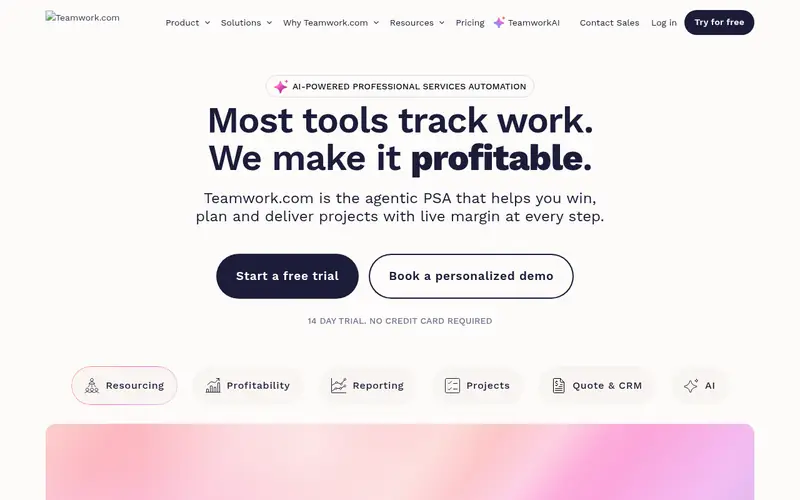
Teamwork is project management software with built-in time tracking and billing. Consultants can log time against tasks, set billable rates, track project budgets and generate client invoices. The tool is designed for client-facing teams that need to see project progress and hours together. Pricing is per user, and a free trial is offered. The feature set is broad, which can be more than a solo consultant needs. Teamwork suits small consultancies that want project delivery and time billing in one place, and it works best when the whole team uses the same task structure.

Free plan: Free trial (30 days)

Website: teamwork.com

Strengths

  • Task-level time tracking
  • client billing and budgets

Watch out for

  • No free plan
  • feature set is broad for solo use

Pre-purchase checklist

  • Confirm the tool supports billable rates and client-level reporting, not just raw timers.
  • Check whether invoicing is included or requires a separate accounting tool.
  • Review per-seat pricing and any base fee before adding contractors.
  • Verify free plan limits, such as user counts and feature access, on the vendor site.
  • Check export formats and integrations with your accounting or payroll software.

FAQ

What is the best time tracking software for IT consultants?

Harvest is a strong fit for hourly billing because it links timesheets to invoices and project budgets. Toggl Track suits solo consultants who want simple timers, and FreshBooks suits those who want time tracking and accounting in one tool. The right choice depends on team size and billing needs.

Do IT consultants need invoicing in their time tracking tool?

Not always. Tools such as Toggl Track and Clockify focus on tracking and reporting, so invoices are created elsewhere. Harvest, FreshBooks and Teamwork include invoicing or billing features. Consultants who already use accounting software may not need a second invoicing tool.

Is there free time tracking software for IT consultants?

Yes. Clockify offers a free plan with unlimited users and tracking, and Toggl Track has a free plan for individuals. Wrike also has a free plan with limits. Free plans usually reserve billable rates, budgets or invoicing for paid tiers, so check the vendor comparison before relying on one.

Can these tools track billable hours by client and project?

Most tools listed here support clients and projects, and several support billable rates. Harvest, FreshBooks, Teamwork and Hubstaff include billing-oriented features. Toggl Track and Clockify offer billable reporting on paid plans. Confirm the specific feature on the vendor pricing page.

How much does time tracking software cost for a small consultancy?

Prices vary by vendor and seat count, and several tools charge per user with a base fee. We list entry prices as "See vendor pricing page" where we could not confirm a current figure. Check each vendor's pricing page for the latest cost and plan limits before choosing.