How we rank
Productivity · Researched comparison

Best Time Tracking Software for Landscape Architects in 2026

TaskReports may earn a fee from some links on this page, and some placements are paid and labelled. Neither one decides the order. See our disclosure.

The short answer

Harvest is the first pick for most landscape architecture studios because it tracks hours by project and task, which maps to design phases, and turns them into invoices. Monograph is a better fit for firms that want fees, phase budgets and time in one tool. Clockify suits small studios that need a free option with unlimited users. All three handle billable and non-billable hours.

On this page

Key takeaways

  • Harvest fits landscape architecture studios that bill by project phase, with a free plan for two users and paid seats from $13 per user per month.
  • Clockify offers a free plan with unlimited users and tracked time, which suits small studios tracking schematic design and construction administration hours.
  • Monograph and BQE CORE bundle time tracking with project fees and phase-based budgets, so hours and invoices stay in one system.
  • Toggl Track, Time Doctor, Hubstaff and QuickBooks Time cover simpler hourly tracking but need extra setup for multi-phase landscape projects.

Quick comparison

ToolBest fitStarting price
HarvestStudios billing clients by project phase$13 per user per month
ClockifySmall studios that need a free tierSee vendor pricing page

Toggl TrackIndividual architects and small teamsSee vendor pricing page
MonographFirms tying fees to phase budgetsSee vendor pricing page
BQE COREMid-size firms needing time and billingSee vendor pricing page
HubstaffField and office teams tracking site hoursSee vendor pricing page
QuickBooks TimeFirms already using QuickBooks for billingSee vendor pricing page

How we chose

We picked tools that support project and phase-based time tracking, client billing and budget reporting, which landscape architecture studios need. Criteria were fit for the use case, published entry price, free access, and main limits such as user caps or missing invoicing. Sources are vendor websites and public documentation. Prices change, so confirm the current rate on the vendor's pricing page before buying.

★ Best overall

Harvest

Studios billing clients by project phase

  • Task and phase-level time tracking
  • Built-in invoicing from tracked hours
Price$13 per user per month
See Harvest pricing
getharvest.comHomepage, Nov 2026
Harvest homepage

Harvest tracks time against projects and tasks, so a studio can log schematic design, design development, construction documents and construction administration as separate tasks. Hours roll up into reports and invoices, which helps when a client wants a breakdown by phase. The free plan covers two users with limited features. Paid plans start at $13 per user per month and add project budgets, alerts and deeper reporting. Studios with larger teams should compare the per-seat cost against project volume before committing.

Price: $13 per user per month

Free plan: Yes

Website: getharvest.com

Watch out for

  • Free plan caps at two users
  • Budget alerts need paid plans
2

Clockify

Small studios that need a free tier
See vendor pricing page
clockify.meHomepage, Nov 2026
Clockify homepage

Clockify's free plan allows unlimited users and unlimited tracked time, which suits a small landscape architecture practice that needs basic hour logging without a subscription. You can create projects per site or client and use tasks for design phases. Paid tiers add invoicing, budgeting and approval workflows. The trade-off is configuration: phase-based billing and budget alerts take manual setup, and the free plan does not include invoicing. Firms that bill complex multi-phase contracts should look at Harvest or Monograph instead.

Free plan: Yes

Website: clockify.me

Strengths

  • Free plan with unlimited users
  • Timesheet and calendar views

Watch out for

  • Advanced features sit on paid tiers
  • Reports need setup for phase billing
3

Toggl Track

Individual architects and small teams
See vendor pricing page
toggl.comHomepage, Nov 2026
Toggl Track homepage

Toggl Track is a straightforward timer with project and client tags, so a landscape architect can separate billable site visits from internal work. Reports summarize hours by project, client and tag, which helps when preparing a fee proposal or checking time against a phase estimate. The free plan covers a small team with basic reporting. Paid plans add billable rates, estimates and scheduled reports. It does not handle invoicing or detailed project budgets, so studios that need those should pair it with accounting software or choose a tool built for professional services billing.

Free plan: Yes

Website: toggl.com/track

Strengths

  • Fast one-click timer
  • Clean reports by project and client

Watch out for

  • Limited project budgeting
  • Invoicing is not built in
4

Monograph

Firms tying fees to phase budgets
See vendor pricing page
monograph.comHomepage, Nov 2026
Monograph homepage

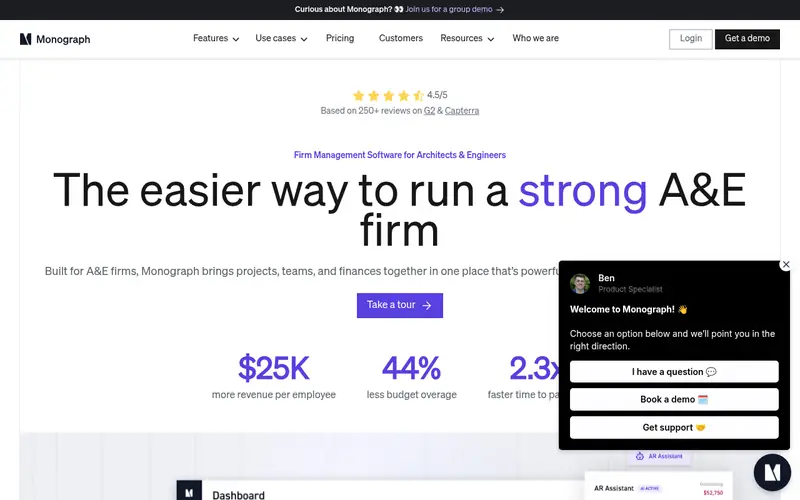
Monograph is built for architecture and design practices, and its time tracking connects to project fees and phase budgets. A landscape architecture firm can set a fee per phase, log hours against it, and see remaining budget on a project dashboard. That structure fits the way landscape projects move from concept through construction observation. There is a 10-day free trial and no free plan. Pricing is quoted by the vendor, so confirm the current rate on the pricing page. Small solo practices may find it more than they need.

Free plan: Free trial (10 days)

Website: monograph.com

Strengths

  • Phase-based fee and budget tracking
  • Project dashboard with time and fees

Watch out for

  • Aimed at architecture and design firms
  • No free plan after trial
5

BQE CORE

Mid-size firms needing time and billing
See vendor pricing page
bqe.comHomepage, Nov 2026
BQE CORE homepage

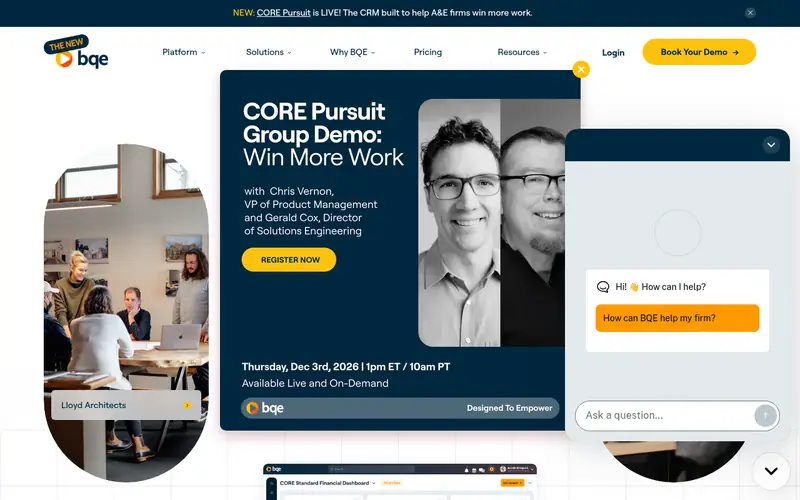
BQE CORE combines time tracking with project accounting, billing and resource planning. For a landscape architecture firm with several project managers, it keeps hours, phase budgets and invoices in one place. Time entries can be tied to projects, phases and tasks, and reports show profitability by project. There is no free plan; pricing is quoted after a demo. Setup takes more effort than a standalone timer, and the system suits firms that have outgrown spreadsheets. Solo practitioners and very small studios should weigh the setup time against their billing volume.

Free plan: No

Website: bqe.com

Strengths

  • Time, billing and project accounting in one system
  • Phase and task-level tracking

Watch out for

  • Higher setup effort
  • No free plan
6

Hubstaff

Field and office teams tracking site hours
See vendor pricing page
hubstaff.comHomepage, Nov 2026
Hubstaff homepage

Hubstaff tracks time on desktop and mobile, which helps when landscape architects split hours between the office and project sites. Timesheets, project budgets and client reporting are included, and paid plans add location and activity tracking. The 14-day free trial lets a firm test the workflow. There is no free plan after that. Some studios may not want activity monitoring for professional staff, so check which features are optional. It fits teams that need to capture site time accurately and report it against project budgets.

Free plan: Free trial (14 days)

Website: hubstaff.com

Strengths

  • Mobile time tracking for site visits
  • Activity and location options on paid plans

Watch out for

  • No free plan after trial
  • Employee monitoring features may not suit all firms
7

QuickBooks Time

Firms already using QuickBooks for billing
See vendor pricing page
quickbooks.intuit.comHomepage, Nov 2026
QuickBooks Time homepage

QuickBooks Time handles timesheets, project tracking and payroll, and it connects to QuickBooks for invoicing. A landscape architecture firm that already runs its books in QuickBooks can keep hours and billing in one ecosystem. The 30-day free trial covers evaluation. There is no free plan. Project and customer tracking is available, but phase-level reporting for design fees is less detailed than in Monograph or BQE CORE. It suits firms that mainly need accurate timesheets and payroll rather than fee-based project accounting.

Free plan: Free trial (30 days)

Website: quickbooks.intuit.com/time-tracking

Strengths

  • Connects to QuickBooks payroll and invoicing
  • Mobile and crew time tracking

Watch out for

  • No free plan after trial
  • Phase-level project reporting is limited

Pre-purchase checklist

  • Confirm the tool tracks time by project phase, not just by project.
  • Check whether invoicing from tracked hours is included or costs extra.
  • Verify the free plan user limit before you build a workflow on it.
  • Test mobile time entry if staff log hours on site.
  • Confirm the tool exports hours to your accounting software.

FAQ

What is the best time tracking software for landscape architects?

Harvest is a strong fit for studios that bill by phase because it tracks hours by project and task and turns them into invoices. Monograph suits firms that want fees and phase budgets alongside time. Clockify is the free option for small teams.

Can I track time by design phase?

Yes. Harvest, Monograph and BQE CORE let you set up tasks or phases such as schematic design and construction documents, then report hours against each one. Simpler timers like Toggl Track use projects and tags, which takes more manual setup.

Is there a free option?

Clockify offers a free plan with unlimited users and tracked time. Harvest has a free plan for two users. Toggl Track has a free plan for small teams. Monograph, Hubstaff and QuickBooks Time offer free trials but no free plan.

Do these tools handle client invoicing?

Harvest and BQE CORE include invoicing from tracked hours. Monograph connects fees and time for billing. Toggl Track, Clockify's free plan and QuickBooks Time need separate invoicing or accounting software.

How much should a small studio expect to pay?

Harvest publishes $13 per user per month as its entry paid price. Other vendors quote pricing on their sites or after a demo. Confirm current rates on each vendor's pricing page, since plans and prices change.