How we rank
Productivity · Researched comparison

Best Time Tracking Software for Music Producers in 2026

TaskReports may earn a fee from some links on this page, and some placements are paid and labelled. Neither one decides the order. See our disclosure.

The short answer

Toggl Track is the first pick for most music producers. It is simple, works on desktop and mobile, and tracks time per project and client without extra setup. Choose Clockify if you want a free plan with no cap on tracked hours. Choose Harvest if you send invoices and want time entries to feed them directly. Producers who run a commercial studio should also look at studio management tools that combine booking with time records.

On this page

Key takeaways

  • Toggl Track is the easiest general-purpose pick for logging studio sessions and billable client hours.
  • Clockify has a free plan with unlimited users and unlimited tracked time, which suits producers who bill by the hour.
  • Harvest pairs time tracking with invoicing, so client work and payment can stay in one place.
  • Most music-specific tools here are built for studio management, not for general freelance time tracking, so check the fit before paying.

Quick comparison

ToolBest fitStarting price
Toggl TrackSolo producers tracking sessions and client hoursSee vendor pricing page
ClockifyProducers who want a free plan with unlimited trackingSee vendor pricing page

HarvestProducers who bill clients and send invoicesSee vendor pricing page
My HoursFreelance producers who need simple free trackingSee vendor pricing page
EverhourProducers tracking time inside project toolsSee vendor pricing page
HubstaffSmall studios tracking a team of producersSee vendor pricing page
TimelyProducers who want automatic time captureSee vendor pricing page

How we chose

We picked tools that support the way music producers track work: sessions per client, project hours, and billing. Criteria were fit for the use case, published entry price, free access, and main limits. Sources are vendor websites and public documentation. Prices change, so confirm current pricing on the vendor site before buying.

★ Best overall

Toggl Track

Solo producers tracking sessions and client hours

  • Fast one-click timer
  • Works across desktop and mobile
PriceSee vendor pricing page
See Toggl Track pricing
toggl.comHomepage, Nov 2026
Toggl Track homepage

Toggl Track is a general time tracker that fits studio work well. You create a project per client or per track, start a timer when a session begins, and stop it when you finish. Reports show total hours by project, client, or tag, which helps when you quote a mix or a production job. The paid plans add billable rates, rounding, and more detailed reports. The free tier is a 30-day trial, so long-term use needs a subscription. It does not handle studio bookings or invoices, so it works best alongside your own invoicing method. Skip it if you need booking calendars and room schedules in the same tool.

Price: See vendor pricing page

Free plan: Free trial (30 days)

Website: toggl.com/track

Watch out for

  • Free access is a trial, not a permanent plan
  • Invoicing is limited
2

Clockify

Producers who want a free plan with unlimited tracking
See vendor pricing page
clockify.meHomepage, Nov 2026
Clockify homepage

Clockify offers a free plan with unlimited users and unlimited tracked time. For a producer, that means you can log every session, split time by client, and keep a running record without paying. You can tag entries by task type, such as writing, recording, or mixing. Paid plans add billable rates, invoicing, and more report options. The free plan covers basic time entry and summary reports, which is enough for many solo producers. It is a good fit if cost is the main concern. Skip it if you need deep invoicing or studio scheduling.

Free plan: Yes

Website: clockify.me

Strengths

  • Free plan with unlimited users and tracked time
  • Simple project and client structure

Watch out for

  • Advanced reports need a paid plan
  • Interface can feel busy
3

Harvest

Producers who bill clients and send invoices
See vendor pricing page
getharvest.comHomepage, Nov 2026
Harvest homepage

Harvest combines time tracking with invoicing. You track hours against a client project, then turn those hours into an invoice with a few steps. For producers who charge by the hour for production, mixing, or session work, this removes a separate billing step. Projects can have budgets and hourly rates, and reports show how much time went into each job. The trial is 30 days, and paid plans are priced per seat, so a small studio pays for each person who needs access. Skip it if you only need a timer and already invoice through another service.

Free plan: Free trial (30 days)

Website: getharvest.com

Strengths

  • Time tracking tied to invoicing
  • Clear client and project reports

Watch out for

  • No permanent free plan
  • Per-seat pricing adds up for teams
4

My Hours

Freelance producers who need simple free tracking
See vendor pricing page
myhours.comHomepage, Nov 2026
My Hours homepage

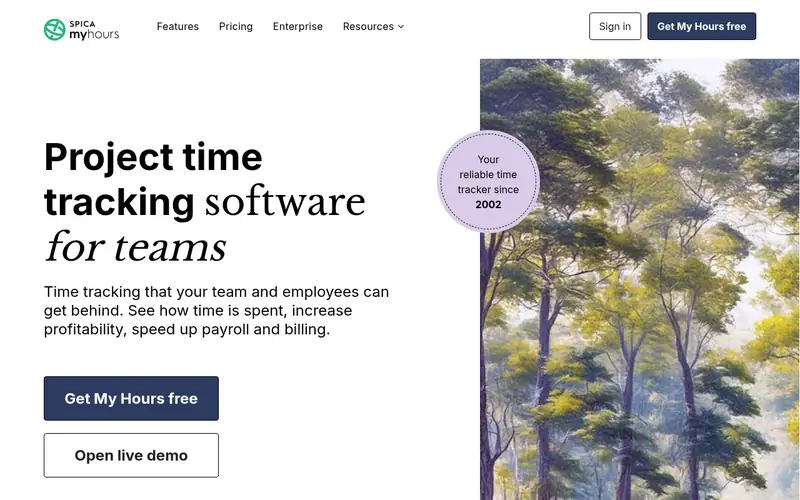
My Hours is a time tracker aimed at freelancers and small teams. A producer can set up a project per client, track sessions, and pull reports on total hours and billable amounts. The free plan covers solo use with limits on features such as team members and advanced reporting. It is lighter than Toggl Track or Harvest, which suits producers who want a basic record of studio time without extra tools. Paid plans add more projects and reporting. Skip it if you need team scheduling or deep invoicing.

Free plan: Yes

Website: myhours.com

Strengths

  • Free plan for solo use
  • Straightforward project reports

Watch out for

  • Free plan limits apply
  • Fewer integrations than larger tools
5

Everhour

Producers tracking time inside project tools
See vendor pricing page
everhour.comHomepage, Nov 2026
Everhour homepage

Everhour adds time tracking to project management tools such as Asana, Trello, and Basecamp. If you already plan your production work in one of those, you can start timers and see budgets without switching apps. For a producer, that means a client project can hold tasks, time entries, and a budget in one place. The trial is 14 days, and paid plans are priced per user. Skip it if you do not use a supported project tool, because the main benefit is the integration.

Free plan: Free trial (14 days)

Website: everhour.com

Strengths

  • Time tracking inside common project tools
  • Budget tracking per project

Watch out for

  • Short trial
  • Best value only if you already use a supported tool
6

Hubstaff

Small studios tracking a team of producers
See vendor pricing page
hubstaff.comHomepage, Nov 2026
Hubstaff homepage

Hubstaff is built for teams. A small studio can track time across several producers, see who worked on which project, and use the data for payroll or client billing. It includes screenshots and activity rates, which some studios want and many solo producers do not. Plans are priced per user, and the trial is 14 days. For a single producer, simpler tools cost less and do the same job. Skip it unless you manage a team and need oversight features.

Free plan: Free trial (14 days)

Website: hubstaff.com

Strengths

  • Team time tracking with activity data
  • Payroll and billing options

Watch out for

  • Short trial
  • Activity monitoring is more than solo producers need
7

Timely

Producers who want automatic time capture
See vendor pricing page
TimelyHomepage image unavailable

Timely records work automatically and builds a timeline you can review. For a producer, that can capture time spent in a DAW or on client files without manual timers, then let you assign entries to projects. The trade-off is that automatic capture needs checking, and the trial is 14 days. It suits producers who forget to start timers and want a record to review later. Skip it if you prefer a simple manual timer.

Free plan: Free trial (14 days)

Website: timelyapp.com

Strengths

  • Automatic time capture from work activity
  • Memory-based timeline of work

Watch out for

  • Short trial
  • Automatic capture can need review

Pre-purchase checklist

  • Confirm the free plan limits, especially tracked hours and users.
  • Check whether the tool supports billable rates and client invoicing.
  • Make sure it works on the devices you use in the studio.
  • Look for export options so you can move time data later.
  • Confirm the price per seat if more than one person needs access.

FAQ

What is the best time tracking software for music producers?

Toggl Track is the best general pick for solo producers. Clockify is the best free option. Harvest is best if you invoice clients from your time records.

Do music producers need special time tracking software?

Most do not. A general tracker with projects and clients covers session logging and billing. Studio-specific tools matter mainly for commercial rooms with bookings and staff.

Is there free time tracking software for producers?

Yes. Clockify has a free plan with unlimited tracked time and users. My Hours also has a free plan for solo use, with limits on features.

Can I bill clients from my time tracking records?

Yes, if the tool supports billable rates and invoicing. Harvest is built for this. Toggl Track and Clockify offer billing features on paid plans.

How much does time tracking software cost for a producer?

Prices vary by tool and plan. Many tools publish per-seat pricing, and some offer free plans with limits. Check each vendor's pricing page for current rates.