How we rank
Productivity · Researched comparison

Best Time Tracking Software for QA Testers in 2026

TaskReports may earn a fee from some links on this page, and some placements are paid and labelled. Neither one decides the order. See our disclosure.

The short answer

Toggl Track is the first pick for QA testers who want quick, low-friction time logging on test cycles, regression runs and bug investigations. Harvest suits QA contractors who bill clients for test hours and need invoicing. Clockify is the alternative for small QA teams that need a free plan with unlimited users. Teams already running test cases in Jira, Wrike or ClickUp can log time inside those tools instead.

On this page

Key takeaways

  • Toggl Track is the simplest pick for QA testers who need to log test cycles and bug hunts against a project or client.
  • Clockify has a free plan with unlimited users and unlimited tracking, which suits QA teams that log time across many test runs.
  • Harvest pairs billable-hour tracking with invoicing, which fits QA contractors and test consultancies.
  • Jira, Wrike and ClickUp are project tools with built-in time tracking, so QA teams already working in them can log test time without a second app.

Quick comparison

ToolBest fitStarting price
Toggl TrackQA testers who want fast, simple time loggingSee vendor pricing page
ClockifySmall QA teams that need a free planSee vendor pricing page
HarvestQA contractors who bill clients for test hoursSee vendor pricing page
JiraQA teams that already track tests and bugs in JiraSee vendor pricing page
WrikeQA teams that manage test work as projectsSee vendor pricing page
ClickUpQA teams that want tracking and task management togetherSee vendor pricing page
HubstaffQA teams that need activity and attendance recordsSee vendor pricing page

How we chose

We picked tools that support the way QA testers log time: per test run, per bug, per release and per client. Criteria were fit for that use case, published entry price, free access, and the main limits of each plan. Sources are vendor websites and public documentation. Prices and plan limits change, so confirm current details on the vendor site before you buy.

★ Best overall

Toggl Track

QA testers who want fast, simple time logging

  • One-click timer and a detailed time entry list
  • reports group hours by project, client and tag
PriceSee vendor pricing page
See Toggl Track pricing
toggl.comHomepage, Nov 2026
Toggl Track homepage

Toggl Track is a dedicated time tracker. QA testers can start a timer when a test cycle begins, tag the entry with a release or bug ID, and stop it when the run ends. Manual entries cover work you forgot to time. Reports break hours down by project, client and tag, which helps when you need to show how much time a regression suite took. The product is built around individual tracking and team reporting rather than test management. There is no test case library and no defect workflow. Teams that need those features usually pair Toggl Track with a separate issue tracker. Skip it if you need time tracking to live inside your test management tool. Choose it if you want a fast, separate timer that produces clean reports for a project manager or client.

Price: See vendor pricing page

Free plan: Free trial (30 days)

Website: toggl.com/track

Watch out for

  • No built-in test case or bug tracking
  • free access is limited to a trial
2

Clockify

Small QA teams that need a free plan

See vendor pricing page
clockify.meHomepage, Nov 2026
Clockify homepage

Clockify offers a free plan with unlimited users and unlimited time tracking, which is unusual among time trackers. A QA team can give every tester an account and log hours against projects, clients and tasks without a per-seat cost. Timesheets and summary reports show where test hours went. For QA work, the useful pattern is one project per product or release and one task per test area, such as regression, smoke or exploratory testing. Tags can mark bug verification or environment setup. The paid tiers add admin controls and more detailed reporting. Skip it if you need advanced reporting on the free plan or want a very minimal interface. Choose it if budget is the main constraint and your QA team is growing.

Free plan: Yes

Website: clockify.me

Strengths

  • Free plan with unlimited users and unlimited tracking
  • timesheet and report views

Watch out for

  • Some reporting and admin features sit on paid plans
  • interface can feel busy
3

Harvest

QA contractors who bill clients for test hours
See vendor pricing page
getharvest.comHomepage, Nov 2026
Harvest homepage

Harvest is a time tracker with invoicing built in. QA contractors can log hours per client project, mark entries as billable, and turn approved time into an invoice without exporting to another tool. Budget and retainer views show how much of a fixed test engagement has been used. For test work, the practical setup is one project per client and one task per test phase, such as test planning, execution and bug retesting. Notes on each entry can record the build or release under test. Reports show billable versus non-billable time. Skip it if you only need internal time logs and do not invoice clients. Choose it if you are an independent QA tester or a small test consultancy that bills by the hour.

Free plan: Free trial (30 days)

Website: getharvest.com

Strengths

  • Billable-hour tracking tied to invoices
  • clear project budgets and retainer tracking

Watch out for

  • No free plan
  • test-specific features are limited
4

Jira

QA teams that already track tests and bugs in Jira
See vendor pricing page
atlassian.comHomepage, Nov 2026
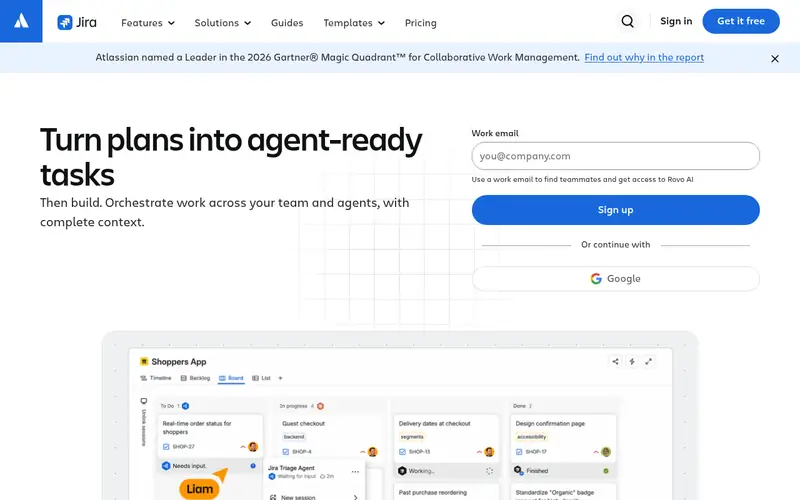
Jira homepage

Jira is a project and issue tracker with built-in time tracking. QA testers log work against issues, so a bug fix, a test case or a test run can carry its own time entry. Worklogs feed into reports and dashboards, which means test hours sit next to the work they relate to. The free plan has user limits, and paid plans are priced per user, so cost grows with team size. Time tracking in Jira is functional but not as deep as a dedicated tracker: expect worklogs and reports rather than detailed timer workflows. Skip it if you only need a timer and do not manage issues in Jira. Choose it if your QA team already lives in Jira and wants time entries attached to bugs and test cases.

Free plan: Yes

Website: atlassian.com/software/jira

Strengths

  • Time tracking sits next to issues, test cases and bugs
  • worklogs roll into reports

Watch out for

  • Time tracking is basic compared with dedicated trackers
  • cost rises with user count
5

Wrike

QA teams that manage test work as projects
See vendor pricing page
wrike.comHomepage, Nov 2026
Wrike homepage

Wrike is a work management platform with time tracking built into tasks. A QA team can create a project per release, add tasks for test phases, and have testers start a timer from the task. Timesheets and reports show hours by project, user and custom field. Custom fields are the useful part for QA: you can add fields for test type, environment or build number and then filter time reports by them. The free plan has limits on users and features, so check the current plan details before committing a team. Skip it if you want a lightweight timer and nothing else. Choose it if QA work is planned and tracked as projects alongside development and other teams.

Free plan: Yes

Website: wrike.com

Strengths

  • Timers and timesheets inside project tasks
  • custom fields for releases and test types

Watch out for

  • Time tracking is one part of a larger platform
  • setup takes effort
6

ClickUp

QA teams that want tracking and task management together
See vendor pricing page
clickup.comHomepage, Nov 2026
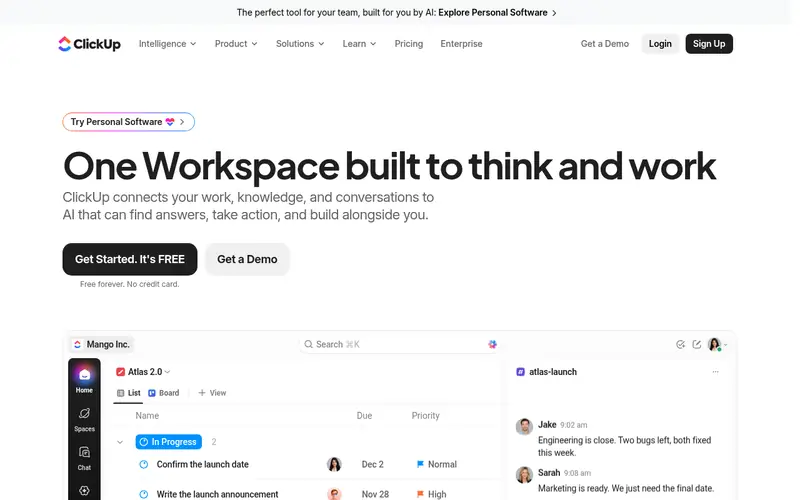
ClickUp homepage

ClickUp combines tasks, docs and time tracking. QA testers can start a timer from a task, log manual time, and review timesheets by list or space. Custom statuses can model a test workflow, such as ready to test, in progress, blocked and passed. For QA use, the pattern is a list per test area or release, with tasks for test cases or bug verification. Time entries attach to those tasks, so reports show hours per test area. The free plan has storage and feature limits, and some time tracking options depend on the plan tier. Skip it if you need a simple, single-purpose timer. Choose it if your QA team wants test tasks and time tracking in one workspace.

Free plan: Yes

Website: clickup.com

Strengths

  • Built-in timer and timesheets on tasks
  • custom statuses fit test workflows

Watch out for

  • Large feature set takes time to configure
  • time tracking depth varies by plan
7

Hubstaff

QA teams that need activity and attendance records
See vendor pricing page
hubstaff.comHomepage, Nov 2026
Hubstaff homepage

Hubstaff is a time tracker aimed at teams that need records of when and how work happened. For QA, that can mean tracking hours on test shifts, confirming attendance for distributed testers, and exporting timesheets for payroll or client billing. The timer can run with optional activity monitoring and screenshots. Those features are optional, but teams should agree on them before rollout because they change how tracking feels. Timesheets and reports summarize hours by project and team member. Skip it if your QA team only needs project-level hours and would find monitoring intrusive. Choose it if you manage distributed testers and need attendance and activity records alongside time.

Free plan: Free trial (14 days)

Website: hubstaff.com

Strengths

  • Timer with optional activity and screenshot records
  • timesheets and payroll exports

Watch out for

  • No free plan
  • monitoring features may not suit every team

Pre-purchase checklist

  • Confirm the tool can tag or group time by release, build or test cycle, not just by project.
  • Check whether the free plan covers your whole QA team or only a few users.
  • Decide whether you need billable hours and invoicing, or internal reporting only.
  • Check if time tracking must sit inside your existing issue or test management tool.
  • Review whether activity monitoring or screenshots are part of the plan and whether your team accepts them.

FAQ

What is the best time tracking software for QA testers?

Toggl Track is a strong general pick for fast logging and clean reports. Harvest suits QA contractors who bill clients. Clockify is the best free option for small teams. The right choice depends on whether you need invoicing, a free plan, or tracking inside an existing project tool.

Can QA testers track time inside Jira?

Yes. Jira has built-in time tracking, so testers can log work against issues, bugs and test cases. Worklogs feed into reports and dashboards. Time tracking in Jira is basic compared with dedicated trackers, but it keeps hours next to the work they relate to.

Is there a free time tracker for QA teams?

Clockify offers a free plan with unlimited users and unlimited tracking. Jira, Wrike and ClickUp also have free plans with limits on users or features. Toggl Track, Harvest and Hubstaff offer free trials rather than free plans. Check current limits on each vendor site.

How should QA testers log time for test cycles?

Use one project per product or release and one task or tag per test phase, such as smoke, regression or exploratory testing. Add a note with the build number. This makes reports show how long each test area took and helps with estimates for future cycles.

Do QA testers need a separate time tracking tool?

Not always. If your team already works in Jira, Wrike or ClickUp, built-in time tracking may be enough. A separate tool like Toggl Track, Harvest or Clockify makes sense when you need faster timers, client billing, or reporting that the project tool does not provide.