How we rank
Productivity · Researched comparison

Best Time Tracking Software for Researchers in 2026

TaskReports may earn a fee from some links on this page, and some placements are paid and labelled. Neither one decides the order. See our disclosure.

The short answer

Toggl Track is the best starting point for most researchers. It has a free plan for small teams, a one-click timer, and reports by project and client. Clockify is a good alternative for larger labs because its free plan allows unlimited users. Harvest suits researchers who need to track hours against a budget, and TimeCamp fits teams that want automatic activity tracking alongside manual entries.

On this page

Key takeaways

  • Toggl Track is the first pick for individual researchers because it has a free plan for up to 5 users and a simple start/stop timer.
  • Clockify has a free plan with unlimited users and tracks billable hours per project, which suits lab teams and grant reporting.
  • Harvest and TimeCamp add budget tracking and reporting that help with grant spending and project hours.
  • Prices below come from vendor pricing pages and can change, so confirm the entry price on the vendor site before you buy.

Quick comparison

ToolBest fitStarting price
Toggl TrackIndividual researchers and small labs$10 per user per month
ClockifyLabs and teams that need many free seatsSee vendor pricing page

HarvestResearchers tracking hours against a budgetSee vendor pricing page
TimeCampTeams that want automatic and manual time entriesSee vendor pricing page
RescueTimeResearchers who want to see where focus time goesSee vendor pricing page

How we chose

We picked tools that support manual timers, project-based reporting, and exports useful for grant and lab reporting. We looked at fit for research work, the published entry price, whether a free plan or trial exists, and the main limits of each plan. Sources are vendor websites and public pricing pages. We did not run hands-on tests or collect user reviews. Prices and plan limits change, so confirm the current details on the vendor site before you buy.

★ Best overall

Toggl Track

Individual researchers and small labs

  • Simple one-click timer
  • Reports by project, client, and tag
Price$10 per user per month
See Toggl Track pricing
toggl.comHomepage, Nov 2026
Toggl Track homepage

Toggl Track is a timer-first tool. A researcher can start a timer from the web app, desktop app, or browser extension and assign the entry to a project such as a grant, a paper, or a teaching load. Reports group hours by project and client, and you can export them as CSV or PDF for a funding report. The free plan covers up to 5 users and includes basic reporting. Paid plans add billable rates, saved reports, and more detailed exports. For a single researcher or a small lab, the free plan is often enough. Larger groups that need shared rates and admin controls should look at a paid tier. Researchers who only need a stopwatch and a weekly summary will find the setup quick.

Price: $10 per user per month

Free plan: Yes

Website: toggl.com/track

Watch out for

  • Free plan caps users at 5
  • Advanced features sit in paid tiers
2

Clockify

Labs and teams that need many free seats
See vendor pricing page
clockify.meHomepage, Nov 2026
Clockify homepage

Clockify offers a free plan with unlimited users, which matters for a lab with students, postdocs, and staff. You can create projects for each grant or study, mark hours as billable, and run summary and detailed reports. Timesheets can be submitted for approval, which helps a principal investigator review hours before a report is filed. The paid tiers add features such as custom fields, rounding, and more report options. The free plan is broad but has limits on some advanced reporting and admin controls, so check the plan page for the current list. It suits teams that want many seats at no cost and can live with fewer report options. A solo researcher may find the settings menu larger than needed.

Free plan: Yes

Website: clockify.me

Strengths

  • Free plan with unlimited users
  • Tracks billable hours per project

Watch out for

  • Free plan has limited advanced reports
  • Interface has many settings
3

Harvest

Researchers tracking hours against a budget
See vendor pricing page
getharvest.comHomepage, Nov 2026
Harvest homepage

Harvest pairs time tracking with project budgets. You set an hourly rate or a fixed budget for a project, and Harvest shows how much of the budget the logged hours have used. That view is useful when a grant has a set number of funded hours and you need to watch the remaining balance. The tool has a timer, timesheets, and reports by project, task, and team member. It also creates invoices, which matters less for academic work but helps for contract research. There is no permanent free plan, only a trial, so a lab should confirm the per-seat cost on the pricing page. It fits researchers who need budget visibility more than a large free seat count.

Free plan: Free trial (30 days)

Website: getharvest.com

Strengths

  • Budget tracking per project
  • Clean reports and invoices

Watch out for

  • No permanent free plan
  • Per-seat pricing adds up for large teams
4

TimeCamp

Teams that want automatic and manual time entries
See vendor pricing page
timecamp.comHomepage, Nov 2026
TimeCamp homepage

TimeCamp records time automatically on a desktop computer and also offers manual timers and timesheets. For a researcher who moves between writing, analysis, and meetings, the automatic record can show where the day went without constant start and stop clicks. You can assign entries to projects and correct them later. Reports cover project time, billable hours, and attendance. The free plan has limits on users and features, so check the plan page before you commit a lab to it. Some researchers will not want automatic activity tracking on a work machine, and that is a fair reason to skip it. It suits teams that value passive capture and are comfortable with the privacy trade-off.

Free plan: Yes

Website: timecamp.com

Strengths

  • Automatic activity tracking on desktop
  • Manual timers and timesheets

Watch out for

  • Automatic tracking can feel intrusive
  • Free plan limits some features
5

RescueTime

Researchers who want to see where focus time goes
See vendor pricing page
rescuetime.comHomepage, Nov 2026
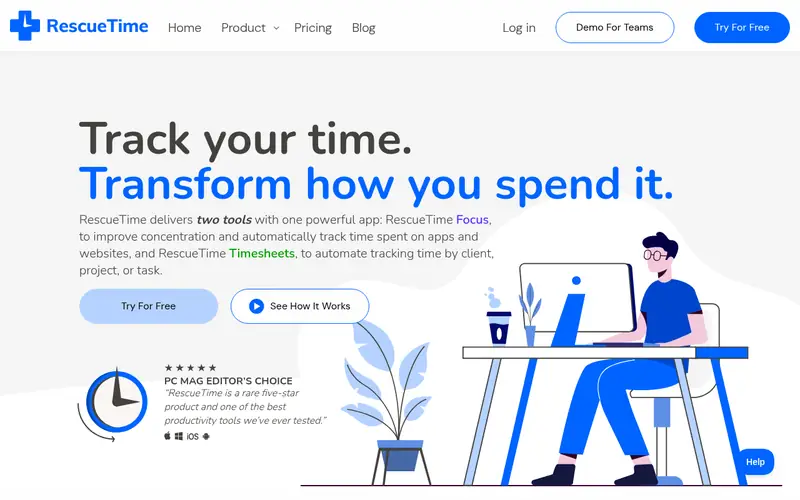
RescueTime homepage

RescueTime runs in the background and records time by application and website. A researcher can see how much time went to a reference manager, a writing tool, or a statistics package, and how much went to email and browsing. That picture helps with personal focus habits and weekly planning. It is not built for billable project hours or grant reporting. Reports center on categories and productivity scores rather than client invoices. The free plan covers core tracking, and paid tiers add features such as alerts and detailed reports. Use it alongside a project timer if you need both focus data and grant hours. Researchers who need formal timesheets for a funder should choose a project-based tool instead.

Free plan: Yes

Website: rescuetime.com

Strengths

  • Runs in the background with little setup
  • Shows time by app and website

Watch out for

  • Focused on activity, not grant billing
  • Limited project and client reports

Pre-purchase checklist

  • Confirm the free plan's user limit, since lab size decides whether a free tier works.
  • Check that reports can be exported as CSV or PDF for grant and progress reports.
  • Verify whether billable rates and budgets are included or sit in a paid tier.
  • Review data retention and privacy terms if automatic activity tracking is involved.
  • Confirm the current entry price on the vendor pricing page before you commit.

FAQ

What is the best time tracking software for researchers?

Toggl Track is a strong first choice for individuals and small labs because it has a free plan for up to 5 users and simple project reports. Clockify suits larger labs because its free plan allows unlimited users. Harvest fits researchers who need budget tracking against funded hours.

Is there free time tracking software for research teams?

Yes. Toggl Track and Clockify both offer free plans. Toggl Track's free plan covers up to 5 users. Clockify's free plan allows unlimited users but limits some advanced reports. Check each vendor's plan page for the current limits before you set up a lab.

Can these tools track hours by grant or project?

Most of these tools let you create projects and assign time entries to them. Toggl Track, Clockify, Harvest, and TimeCamp all report hours by project. That structure lets you group hours by grant, study, or paper and export the totals for a report.

Do I need automatic tracking as a researcher?

Not always. A manual timer is enough for grant and project hours. Automatic tracking, as in TimeCamp and RescueTime, helps show where focus time goes but is less suited to formal billing. Many researchers use a manual timer for reports and a separate tool for focus habits.

Are the prices in this guide final?

No. Prices come from vendor pricing pages and can change. Some entries say "See vendor pricing page" because the published entry price was not confirmed. Always check the vendor site for the current price, free plan limits, and trial length before you buy.