How we rank
Productivity · Researched comparison

Best Time Tracking Software for Tutors in 2026

TaskReports may earn a fee from some links on this page, and some placements are paid and labelled. Neither one decides the order. See our disclosure.

The short answer

Clockify is the first pick for most tutors because its free plan covers unlimited users and tracks billable hours by student or client. Tutors who want time tracking and invoicing in one place should look at Harvest, which starts at $12 per seat per month. Tutors who need session scheduling plus billing should consider TutorBird, which is built for tutoring businesses. Each option below handles a different mix of time tracking, billing, and scheduling.

On this page

Key takeaways

  • Clockify has a free plan with unlimited users and tracks billable hours by client, which suits solo tutors who bill per session.
  • Harvest starts at $12 per seat per month and combines time tracking with invoicing for tutors who bill clients directly.
  • Toggl Track offers a free plan for up to 5 users and paid plans from $9 per user per month.
  • Tutors who also schedule sessions and send reminders should look at tools with built-in calendars, such as TutorBird.

Quick comparison

ToolBest fitStarting price
ClockifySolo tutors who need free billable hour trackingSee vendor pricing page
HarvestTutors who want time tracking and invoicing together$12 per seat per month
Toggl TrackTutors who want simple one-click session timers$9 per user per month
TutorBirdTutoring businesses that need scheduling and billingSee vendor pricing page
My HoursSolo tutors who bill by the hourSee vendor pricing page
ClockSharkSmall tutoring teams that track staff hoursSee vendor pricing page
HubstaffTutoring teams that need staff time and activity recordsSee vendor pricing page

How we chose

We selected tools that support the core needs of tutors: tracking billable session time, organizing hours by student or client, and producing reports or invoices. We looked at entry price, whether a free plan or trial exists, and the main limits of each plan. Sources are vendor websites and public pricing pages. Prices and plan details change, so confirm the current price on the vendor site before buying.

★ Best overall

Clockify

Solo tutors who need free billable hour tracking

  • Free plan with unlimited users
  • Billable rates by client and project
PriceSee vendor pricing page
See Clockify pricing
clockify.meHomepage, Nov 2026
Clockify homepage

Clockify is a time tracking tool with a free plan that supports unlimited users. Tutors can set up a client or project for each student, start a timer at the start of a session, and mark the entry as billable. Rates can be set per client, so the billable amount is calculated as sessions are logged. Reports group hours by student, subject, or date range. The free plan covers core time tracking and basic reports. Paid plans add features such as more detailed reporting and admin controls. A tutor who only needs to log session hours and export a summary will likely stay on the free plan. Tutors who need integrated invoicing or automatic payment collection should look at a tool built for billing, since Clockify focuses on tracking time rather than sending invoices.

Price: See vendor pricing page

Free plan: Yes

Website: clockify.me

Watch out for

  • Advanced reporting needs a paid tier
  • Interface has many options to learn
2

Harvest

Tutors who want time tracking and invoicing together

$12 per seat per month
getharvest.comHomepage, Nov 2026
Harvest homepage

Harvest combines time tracking with invoicing. A tutor starts a timer for a session, assigns it to a client, and later turns tracked hours into an invoice. Billable rates can be set per client or per project, and the invoice pulls the hours and rates automatically. This removes the step of copying hours into a separate billing tool. Harvest pricing is per seat, so a solo tutor pays for one seat. The 30-day free trial lets a tutor test the invoice workflow before paying. There is no permanent free plan. Tutors who bill a small number of students each month and want one tool for hours and invoices are a good fit. Tutors who only need to log hours and bill through another system may find the paid plan unnecessary.

Free plan: Free trial (30 days)

Website: getharvest.com

Strengths

  • Invoices generated from tracked time
  • Clear per-client budget tracking

Watch out for

  • No permanent free plan
  • Per-seat pricing adds up for teams
3

Toggl Track

Tutors who want simple one-click session timers
$9 per user per month
toggl.comHomepage, Nov 2026
Toggl Track homepage

Toggl Track is a time tracking tool built around a simple timer. A tutor can create a project for each student, click start when a session begins, and stop when it ends. Entries can be marked billable, and rates can be attached so the tool calculates billable amounts. The interface is light, which helps tutors who do not want to manage a complex setup. The free plan supports up to 5 users and covers basic tracking. Paid plans start at $9 per user per month and add features such as more reporting and project controls. Toggl Track does not focus on invoicing, so tutors who need to send invoices from the same tool should pair it with a billing app or choose Harvest instead. It suits tutors who want quick time capture and a clean record of hours per student.

Free plan: Yes

Website: toggl.com/track

Strengths

  • Fast timer with minimal setup
  • Free plan for up to 5 users

Watch out for

  • Invoicing is limited
  • Some reports sit behind paid plans
4

TutorBird

Tutoring businesses that need scheduling and billing
See vendor pricing page
tutorbird.comHomepage, Nov 2026
TutorBird homepage

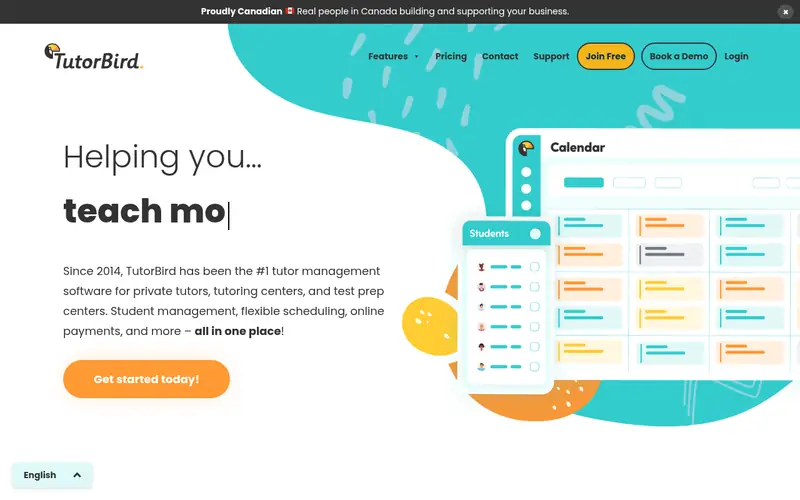
TutorBird is software made for tutoring businesses. It handles student records, scheduling, attendance, and billing in one system. A tutor can log session attendance, track hours, and generate invoices for families. Because it is built around tutoring, the fields and reports match how tutoring businesses work, such as per-student balances and recurring lesson schedules. TutorBird is a better fit for a tutoring business with multiple students and recurring sessions than for a solo tutor who only needs a timer. Pricing is published on the vendor site and depends on the size of the business. Tutors who want a general time tracker with a free plan should compare Clockify or Toggl Track first. Tutors who want scheduling, attendance, and billing in one place should review TutorBird's plans on its pricing page.

Free plan: Free trial (30 days)

Website: tutorbird.com

Strengths

  • Built for tutoring workflows
  • Combines scheduling, billing, and records

Watch out for

  • Not a general-purpose time tracker
  • Pricing scales with business size
5

My Hours

Solo tutors who bill by the hour
See vendor pricing page
myhours.comHomepage, Nov 2026
My Hours homepage

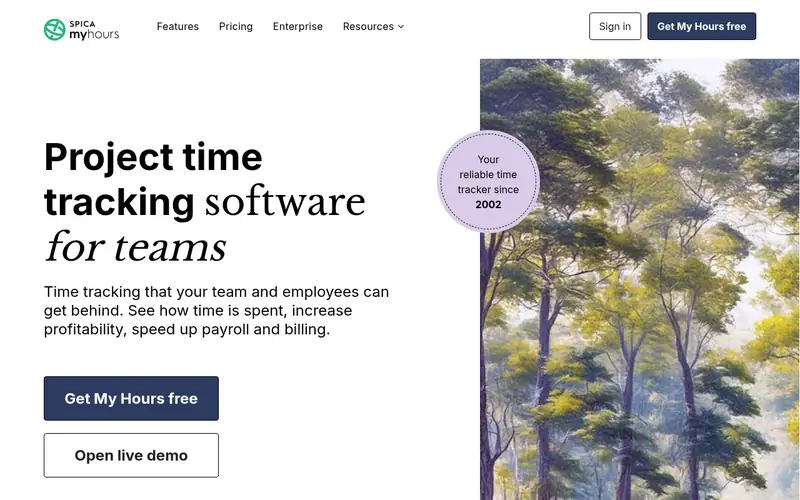
My Hours is a time tracking tool aimed at freelancers and small teams. A tutor can track time per client, set an hourly rate, and run reports that show billable hours and amounts. The free plan is designed for individual users, which fits a solo tutor who bills students or families by the hour. Paid plans add team features and more reporting. The tool is simpler than a full practice-management system, so it does not handle scheduling or invoicing in depth. Tutors who want a free tracker with billable rates and clean reports should consider it. Tutors who need to send invoices from the same app should check whether My Hours supports their billing workflow or pair it with an invoicing tool.

Free plan: Yes

Website: myhours.com

Strengths

  • Free plan for solo users
  • Billable rates and simple reports

Watch out for

  • Team features need a paid plan
  • Less known than larger trackers
6

ClockShark

Small tutoring teams that track staff hours
See vendor pricing page
ClockSharkHomepage image unavailable

ClockShark is time tracking software with scheduling and GPS features, built mainly for field service teams. A small tutoring company with several tutors could use it to track staff hours, assign sessions to staff, and review time records. The scheduling view shows who is booked and when, and time entries can be tied to a job or client. The tool is designed for service businesses, so some features, such as GPS tracking, matter less for tutoring. Pricing is on the vendor site, and there is a 14-day free trial but no permanent free plan. A solo tutor will likely find it heavier than needed. A tutoring business with several employees who need staff time records and scheduling in one place may find it useful.

Free plan: Free trial (14 days)

Website: clockshark.com

Strengths

  • GPS and job tracking for staff
  • Scheduling with time records

Watch out for

  • Built for field service work
  • No permanent free plan
7

Hubstaff

Tutoring teams that need staff time and activity records
See vendor pricing page
hubstaff.comHomepage, Nov 2026
Hubstaff homepage

Hubstaff is time tracking software for teams, with features such as screenshots, activity levels, and payroll support. A tutoring company with remote staff could use it to track hours and review work records. Time can be assigned to projects or clients, and reports summarize hours by person or client. The monitoring features are more than a solo tutor needs and may not fit every tutoring arrangement. Pricing is on the vendor site, and there is a 14-day free trial but no permanent free plan. A small tutoring business that pays staff by the hour and wants time records tied to payroll should review it. A solo tutor should start with a lighter tool such as Clockify or Toggl Track.

Free plan: Free trial (14 days)

Website: hubstaff.com

Strengths

  • Time tracking with screenshots and activity
  • Payroll and reporting features

Watch out for

  • Activity monitoring may not suit all tutors
  • No permanent free plan

Pre-purchase checklist

  • Confirm the tool tracks billable hours by student or client, not just total time.
  • Check whether a free plan covers your number of users or whether you need a paid seat.
  • Confirm the tool can export hours to a spreadsheet or invoice format you use.
  • Check whether scheduling and reminders are included or need a second tool.
  • Read the plan limits on reports, clients, and storage before paying.

FAQ

What is the best time tracking software for tutors?

Clockify is a strong first choice for solo tutors because its free plan covers unlimited users and billable rates by client. Harvest is a good paid option when you want invoicing in the same tool. TutorBird fits tutoring businesses that need scheduling and billing together.

Do tutors need paid time tracking software?

Not always. A solo tutor who logs sessions and bills by the hour can often stay on a free plan such as Clockify or Toggl Track. Paid plans matter when you need invoicing, team management, or detailed reports. Compare the free plan limits before paying.

Can time tracking software handle student billing?

Some tools can. Harvest turns tracked hours into invoices using client rates. TutorBird handles billing for tutoring businesses. General trackers such as Clockify and Toggl Track calculate billable amounts but may need a separate invoicing tool.

What should I check before choosing a tool?

Check the free plan limits, the per-seat price, and whether billable rates are supported. Confirm that reports can be exported and that the tool fits how you bill students. If you need scheduling, check whether it is included or requires another app.

Is a general time tracker enough for a tutoring business?

For a solo tutor, a general tracker is often enough. For a business with several tutors, staff hours, and recurring sessions, a tool built for tutoring such as TutorBird may reduce the number of separate apps. Compare the total cost of one system against a tracker plus separate billing and scheduling tools.