
How we rank
Productivity · Researched comparison

Best Time Tracking Software for Virtual Assistants in 2026

TaskReports may earn a fee from some links on this page, and some placements are paid and labelled. Neither one decides the order. See our disclosure.

The short answer

Clockify is the first pick for most virtual assistants because its free plan covers unlimited users and tracks billable hours by client and project. Toggl Track suits assistants who want a simple timer with a free plan. Harvest fits assistants who invoice clients directly from tracked time. All three handle multiple clients, which is the core need for virtual assistant work.

On this page

Key takeaways

  • Clockify has a free plan with unlimited users and tracks billable hours per client, which suits virtual assistants billing multiple clients.
  • Toggl Track, Harvest and TimeCamp all offer free plans or trials and focus on client billing and invoicing.
  • Hubstaff adds screenshots and activity tracking, which fits assistants whose clients require proof of work.
  • Entry prices below are published list prices as of late 2025; confirm current prices on each vendor page before buying.

Quick comparison

ToolBest fitStarting price
ClockifyAssistants billing many clients on a budget$3.99 per user per month (Basic, annual billing)
Toggl TrackSolo assistants who want a simple timer$9 per user per month (Starter, annual billing)

HarvestAssistants who invoice clients from tracked time$12 per user per month (annual billing)
TimeCampAssistants who want automatic activity trackingSee vendor pricing page
HubstaffAssistants whose clients require activity proof$7 per user per month (Starter, annual billing)
RescueTimeAssistants who want to see where hours goSee vendor pricing page
PaymoAssistants who want tracking plus project tasksSee vendor pricing page

How we chose

We picked tools that support multiple clients, billable hours and simple reporting, since those are the core needs for virtual assistant work. We looked at entry price, free plan limits and main restrictions using vendor pricing pages and public documentation. We did not run hands-on tests or collect user reviews. Prices and plan limits change, so confirm details on each vendor site before buying.

Best overall

Clockify

Assistants billing many clients on a budget

  • Free plan with unlimited users
  • billable hours and client grouping
Price$3.99 per user per month (Basic, annual billing)
See Clockify pricing
clockify.meHomepage, Nov 2026
Clockify homepage

Clockify is a time tracker built around projects, clients and billable rates. A virtual assistant can start a timer per task, tag it to a client, and mark it billable. The free plan supports unlimited users and unlimited tracking, which covers most solo assistants. Paid plans add features such as invoicing and more detailed reports. For assistants who bill several clients, the client field and billable flag make it easy to pull hours per client at the end of a week. The main limit is that some reporting and admin controls require a paid seat. Assistants who only need a timer and a weekly summary can stay on the free plan. Those who need invoicing from the same tool should check the paid tiers first.

Price: $3.99 per user per month (Basic, annual billing)

Free plan: Yes

Website: clockify.me

Watch out for

  • Some reporting features sit behind paid plans
  • interface can feel dense
2

Toggl Track

Solo assistants who want a simple timer
$9 per user per month (Starter, annual billing)
toggl.comHomepage, Nov 2026
Toggl Track homepage

Toggl Track is a timer-first tool. A virtual assistant clicks start, names the task, and assigns it to a client or project. Reports show hours by client, project or tag, which is useful for weekly client updates. The free plan covers solo use with basic reporting. Paid plans add features such as billable rates and more report options. The tool is light and quick, which suits assistants who switch tasks often during a day. It does not try to be a full project manager. Assistants who need invoicing or screenshots should look at other options on this list. Those who mainly need accurate hours per client will find the timer and reports enough.

Free plan: Yes

Website: toggl.com/track

Strengths

  • Fast one-click timer
  • clean reports by client and project

Watch out for

  • Free plan limits some reporting
  • paid tiers needed for team features
3

Harvest

Assistants who invoice clients from tracked time
$12 per user per month (annual billing)
getharvest.comHomepage, Nov 2026
Harvest homepage

Harvest combines time tracking with invoicing. A virtual assistant tracks hours against a client and project, then turns those hours into an invoice without exporting to another tool. Project budgets show how much of a retainer has been used, which helps assistants who work on fixed monthly hours. The tool has no free plan, only a trial, so assistants should test it before committing. Pricing is per seat, which matters if an assistant works with subcontractors. For solo assistants who bill by the hour and want invoices in one place, Harvest removes a manual step. Those who only need a timer can find cheaper options.

Free plan: Free trial (30 days)

Website: getharvest.com

Strengths

  • Invoicing built into the same tool
  • clear client and project budgets

Watch out for

  • No permanent free plan
  • per-seat pricing adds up for teams
4

TimeCamp

Assistants who want automatic activity tracking
See vendor pricing page
timecamp.comHomepage, Nov 2026
TimeCamp homepage

TimeCamp records time automatically based on which apps and websites are open, and assistants can also start manual timers. For client work, hours can be assigned to projects and marked billable. Reports show time by client, project and task. The free plan covers solo use with core tracking. Paid plans add features such as invoicing and more detailed reports. Automatic tracking helps assistants who forget to start a timer, but it also records more detail than some clients need. Assistants should check what data is shared before using it with a client. The tool suits assistants who want a record of where the day went, not just billable hours.

Free plan: Yes

Website: timecamp.com

Strengths

  • Automatic time capture by app and website
  • billable rates per client

Watch out for

  • Automatic tracking can feel intrusive
  • some features need paid plans
5

Hubstaff

Assistants whose clients require activity proof
$7 per user per month (Starter, annual billing)
hubstaff.comHomepage, Nov 2026
Hubstaff homepage

Hubstaff adds screenshots, activity rates and app usage to time tracking. Virtual assistants whose clients ask for proof of work can share reports that show hours plus activity. Projects and tasks can be tied to clients, and hours can be marked billable. The tool has a trial but no free plan. Paid plans start at a per-seat rate. The extra tracking is the point for some clients and a drawback for others. Assistants should agree with the client on what is recorded before turning screenshots on. Hubstaff fits assistants on teams or on contracts that require monitoring. Solo assistants with simple hourly billing may find it more than they need.

Free plan: Free trial (14 days)

Website: hubstaff.com

Strengths

  • Screenshots and activity rates
  • client-facing reports

Watch out for

  • No free plan
  • tracking features can feel heavy for solo work
6

RescueTime

Assistants who want to see where hours go
See vendor pricing page
rescuetime.comHomepage, Nov 2026
RescueTime homepage

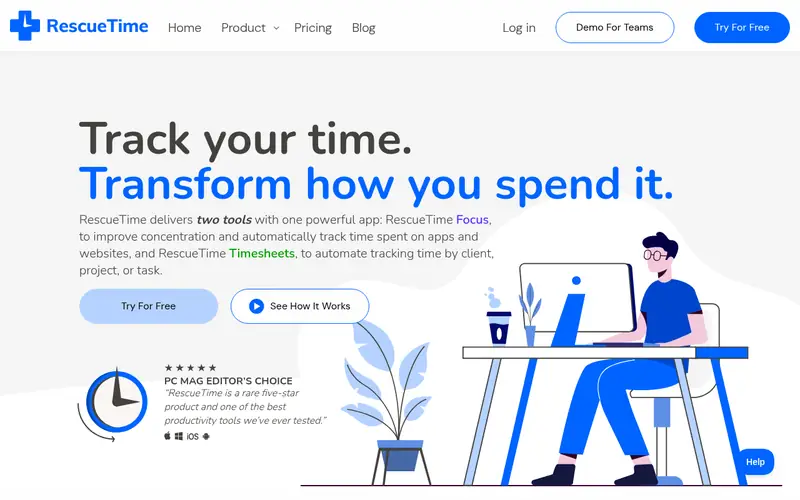
RescueTime runs in the background and records time by app and website. A virtual assistant can see how much of the day went to client work versus distractions. The free plan covers basic tracking and reports. Paid plans add features such as focus sessions and more detail. This tool is about personal awareness, not client invoicing. It does not replace a billable-hours tracker for assistants who invoice by the hour. It works best as a second tool next to a billing tracker, or for assistants who bill by retainer and want to check their own time use. Assistants who need client-ready invoices should pick another tool on this list.

Free plan: Yes

Website: rescuetime.com

Strengths

  • Automatic background tracking
  • weekly focus reports

Watch out for

  • Not built for client billing
  • limited invoicing support
7

Paymo

Assistants who want tracking plus project tasks
See vendor pricing page
paymoapp.comHomepage, Nov 2026
Paymo homepage

Paymo combines time tracking, task management and invoicing. A virtual assistant can track hours against a client project, manage the task list, and create an invoice from the same data. The free plan covers a small team with core features. Paid plans add more users and features. For assistants who also manage projects for clients, Paymo keeps tasks and hours in one place. The trade-off is a larger tool with more setup than a simple timer. Assistants who only need hours per client can start with a lighter option. Those who run client projects end to end may find the combined view useful.

Free plan: Yes

Website: paymoapp.com

Strengths

  • Time tracking with tasks and project boards
  • invoices from tracked hours

Watch out for

  • More features than a solo assistant may need
  • free plan limits users

Pre-purchase checklist

  • Confirm the tool supports multiple clients and billable rates, not just projects.
  • Check the free plan limits on users, reports and history before relying on it.
  • Confirm whether invoicing is included or needs a higher tier.
  • Ask clients what tracking detail they expect, such as screenshots or activity rates.
  • Check export options so hours can move to a spreadsheet or accounting tool.

FAQ

What is the best time tracking software for virtual assistants?

Clockify is a strong first pick because its free plan supports unlimited users and billable hours by client. Toggl Track and Harvest are good alternatives depending on whether you want a simple timer or built-in invoicing.

Do virtual assistants need paid time tracking software?

Not always. Clockify and Toggl Track have free plans that cover solo tracking and basic reports. Paid plans help when you need invoicing, more detailed reports, or team features.

Can I track time for multiple clients in one tool?

Yes. Clockify, Toggl Track, Harvest and TimeCamp all let you group hours by client and project. This makes weekly client summaries and invoices easier to prepare.

Which tool is best if my client wants screenshots?

Hubstaff includes screenshots and activity rates in its tracking. Agree with the client on what is recorded before you turn these features on.

Are these prices final?

No. Prices and plan limits change. The figures here reflect published list prices as of late 2025, so check each vendor's pricing page before you buy.



