How we rank
Productivity · Researched comparison

Best Time Tracking Software That Integrates With SAP in 2026

TaskReports may earn a fee from some links on this page, and some placements are paid and labelled. Neither one decides the order. See our disclosure.

The short answer

Replicon is the first pick for teams that need a dedicated time tracking product with documented SAP integration and support for large payroll and project hour volumes. SAP SuccessFactors Time Tracking suits companies already running SAP HR. Tempo is a good fit for teams that track hours inside Jira and want that data to reach SAP. Each option needs a scoping call with your SAP administrators before you commit.

On this page

Key takeaways

  • SAP's own modules, SAP SuccessFactors Time Tracking and SAP Fieldglass, are the native paths for hours data inside SAP.
  • Third-party tools such as Replicon, Tempo, Kimai and Jibble can send time entries to SAP through APIs or connectors.
  • Entry prices range from free self-hosted software to per-user monthly subscriptions, so confirm current rates on vendor pages.
  • Most third-party connectors require setup work with your SAP team or an implementation partner.

Quick comparison

ToolBest fitStarting price
RepliconLarge teams needing configurable SAP time data feedsSee vendor pricing page
SAP SuccessFactors Time TrackingCompanies already running SAP SuccessFactors for HRSee vendor pricing page
SAP FieldglassTracking hours for external workers and services procurementSee vendor pricing page
TempoTeams tracking hours in Jira that report into SAPSee vendor pricing page
KimaiBudget-conscious teams that can self-host and build exportsFree (self-hosted)
JibbleSmall teams wanting simple hours capture with export optionsSee vendor pricing page
ClockifyTeams wanting a free start with API-based SAP exportsSee vendor pricing page

How we chose

We selected tools that either come from SAP or publish a credible path for sending time data into SAP systems, such as native modules, documented integrations, APIs or structured exports. We looked at fit for the use case, published entry pricing, free access and the main limits stated by each vendor. Sources are vendor homepages and public product documentation. Prices and plan limits change, so confirm current details on the vendor site before buying.

★ Best overall

Replicon

Large teams needing configurable SAP time data feeds

  • Documented integration options for SAP and payroll systems
  • strong project and client hour tracking
PriceSee vendor pricing page
See Replicon pricing
RepliconHomepage image unavailable

Replicon is a time tracking and workforce management platform built for project hours, client billing and payroll data. For SAP users, the value is in exporting structured time and attendance data that can feed SAP HR or payroll processes, either through integration options or scheduled exports. The platform handles timesheets, approvals, expense capture and project costing. Replicon does not publish a public price list. You request a quote, and cost depends on user count and modules. A 14-day trial is available. The SAP connection is not a one-click switch; expect a scoping phase with your SAP team or a partner. Teams that want a simple standalone timer should skip it. It suits mid-size and large organizations that need audit trails and configurable approval flows before hours reach SAP.

Price: See vendor pricing page

Free plan: Free trial (14 days)

Website: replicon.com

Watch out for

  • Pricing is quote-based
  • setup needs IT involvement
2

SAP SuccessFactors Time Tracking

Companies already running SAP SuccessFactors for HR
See vendor pricing page
SAP SuccessFactors Time TrackingHomepage image unavailable

SAP SuccessFactors Time Tracking is SAP's own module for recording working time, overtime, leave and absences inside the SuccessFactors HCM suite. Because it lives in the same stack as SAP employee records, hours data does not need a third-party bridge. It supports time sheets, time valuation and integration with payroll processes. There is no free plan and no public entry price; licensing is quoted through SAP or a partner, and the module typically comes as part of a broader SuccessFactors agreement. Implementation takes planning and usually a systems integrator. This is the natural choice for existing SAP HR customers. Companies without SuccessFactors, or small teams wanting a quick standalone tool, should look at the third-party options instead.

Free plan: No

Website: sap.com/products/hcm/time-tracking.html

Strengths

  • Native fit with SAP HR data and processes
  • covers timesheets, leave and overtime

Watch out for

  • Requires SuccessFactors licensing
  • implementation is a project, not a signup
3

SAP Fieldglass

Tracking hours for external workers and services procurement
See vendor pricing page
SAP FieldglassHomepage image unavailable

SAP Fieldglass is a vendor management system for contingent workers, services procurement and statements of work. For time tracking, it captures hours submitted by external workers and contractors and connects those hours to approval and invoicing flows that can align with SAP procurement and finance processes. It is not a general employee timesheet tool. If your SAP time tracking need is about contractors, staffing agencies and SOW-based work, Fieldglass is the native option. Pricing is quoted and depends on modules and worker volume. There is no free plan. Small businesses with only internal staff should skip it and use a simpler product.

Free plan: No

Website: fieldglass.com

Strengths

  • Built for contingent worker time and statements of work
  • ties hours to SAP procurement

Watch out for

  • Focused on external workforce, not internal staff timesheets
  • quote-based pricing
4

Tempo

Teams tracking hours in Jira that report into SAP
See vendor pricing page
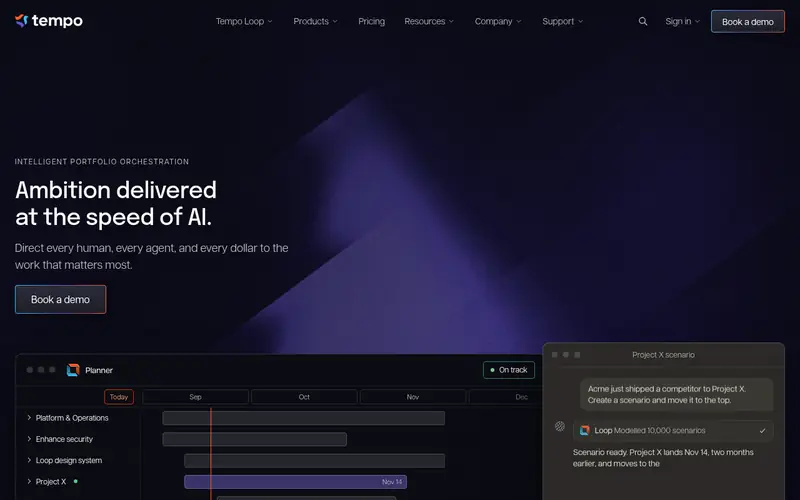
tempo.ioHomepage, Nov 2026
Tempo homepage

Tempo is a time tracking and resource planning app for Atlassian Jira. Teams log hours against Jira issues, submit timesheets for approval and report on project effort. For SAP users, the practical route is exporting approved time data in a structured format that your SAP integration layer can ingest, or building a connector with your IT team. Tempo offers a 30-day free trial. Pricing is per user and tiered by product, so check the vendor page for current rates. It fits software and project teams that already live in Jira and need those hours to reach SAP project accounting or payroll. It is a poor fit for organizations without Jira, and it does not include a native SAP connector out of the box.

Free plan: Free trial (30 days)

Website: tempo.io

Strengths

  • Deep Jira time tracking with approvals and reporting
  • supports structured data export for downstream systems

Watch out for

  • Built around Jira, so non-Jira teams get little value
  • SAP connection needs configuration
5

Kimai

Budget-conscious teams that can self-host and build exports
Free (self-hosted)
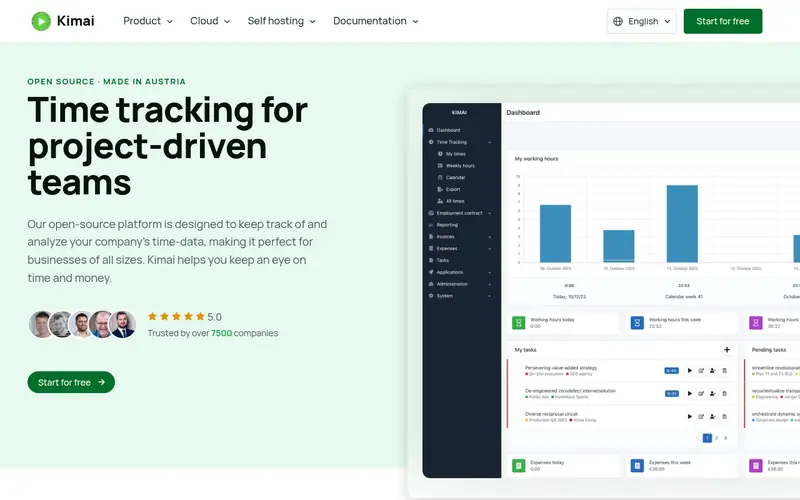
kimai.orgHomepage, Nov 2026
Kimai homepage

Kimai is an open-source time tracking application. You can self-host it at no license cost or pay for a hosted plan. It records project and client hours, supports approvals and produces reports and exports. Because it has an API, a technical team can push approved time entries toward SAP using a custom script or middleware. The free option is the self-hosted edition; hosting, maintenance and integration work fall to your team. There is no official SAP connector, so treat SAP integration as a small development project. Kimai suits small and mid-size teams with in-house technical staff and a limited budget. Organizations that need vendor-supported SAP integration should choose a commercial product instead.

Free plan: Yes

Website: kimai.org

Strengths

  • Open source with no license fee
  • API supports custom SAP export scripts

Watch out for

  • Self-hosting and SAP integration are your responsibility
  • no vendor-managed SAP connector
6

Jibble

Small teams wanting simple hours capture with export options
See vendor pricing page
jibble.ioHomepage, Nov 2026
Jibble homepage

Jibble is a time and attendance tool with clock-in, timesheets, approvals and reporting. It offers a free plan with limits on features and users, and paid tiers add more. For SAP, the route is exporting approved hours or using the API to pass data to an SAP integration layer. Jibble does not advertise a native SAP connector, so plan for configuration or middleware work. Its strength is ease of use for small teams that need clean hours data. It is a weaker fit for large enterprises with complex SAP payroll rules, multi-country compliance needs or high-volume project accounting. Confirm the free plan's current user and feature limits on the vendor site before relying on it.

Free plan: Yes

Website: jibble.io

Strengths

  • Straightforward clock-in and timesheet tools
  • exports and API for downstream systems

Watch out for

  • Limited native SAP tooling
  • advanced integration needs paid plans or custom work
7

Clockify

Teams wanting a free start with API-based SAP exports
See vendor pricing page
clockify.meHomepage, Nov 2026
Clockify homepage

Clockify is a time tracking tool for projects and client hours. It has a free plan for unlimited users with core tracking features, and paid plans add admin controls, approvals and reporting. For SAP, teams typically export approved time entries or use the API to feed an integration layer that writes into SAP. There is no native SAP connector, so the integration is a build project, often handled by an internal developer or partner. Clockify fits small teams and agencies that want to start free and add structure later. Large organizations with strict SAP payroll requirements, complex approval matrices or audit needs should evaluate a vendor-supported option first.

Free plan: Yes

Website: clockify.me

Strengths

  • Generous free tier for basic time tracking
  • open API for custom integrations

Watch out for

  • No native SAP connector
  • advanced controls sit on paid plans

Pre-purchase checklist

  • Confirm which SAP module receives the data: SAP HCM, SuccessFactors, Fieldglass, SAP S/4HANA or another target.
  • Ask the vendor for written integration documentation, including supported SAP versions and data formats.
  • Check whether the integration is native, partner-built or a custom API project, and who maintains it.
  • Verify approval, audit trail and payroll-relevant fields match your SAP processes.
  • Confirm current pricing, user limits and free plan terms on the vendor site before signing.

FAQ

Does SAP have its own time tracking software?

Yes. SAP SuccessFactors Time Tracking covers employee time, leave and overtime inside the SuccessFactors HCM suite. SAP Fieldglass handles hours for external workers and services procurement. Both are licensed through SAP or a partner and require implementation work.

Can third-party time tracking tools send data to SAP?

Some can. Replicon, Tempo, Kimai, Jibble and Clockify offer APIs or exports that a team can use to pass approved hours to SAP. Most require configuration or a custom connector. Confirm the supported SAP modules and data formats with the vendor before you commit.

What is the cheapest way to track time and report to SAP?

Self-hosted Kimai has no license fee, and Jibble and Clockify offer free plans. In each case the SAP integration is your own project. Add up hosting, developer time and maintenance before assuming a free tool is cheaper than a supported commercial product.

Do these tools replace SAP payroll?

No. Time tracking tools capture and approve hours. Payroll calculation and payment stay in SAP or your payroll system. The integration passes approved time data into SAP, where payroll rules apply.

How long does SAP time tracking integration take?

It depends on the target module and data rules. A simple export can take days, while a native or partner-built connector with approvals and payroll mapping can take weeks or months. Ask the vendor and your SAP team for a scoping estimate before starting.