How we rank
Productivity · Researched comparison

Best Time Tracking Software That Integrates With Zoho Books in 2026

TaskReports may earn a fee from some links on this page, and some placements are paid and labelled. Neither one decides the order. See our disclosure.

The short answer

Zoho Projects is the most direct pick for teams already on Zoho Books, because both are Zoho products and share native billing links. Harvest suits freelancers and small studios that want clean time-to-invoice flow with a Zoho Books connector. Clockify is a good fit for budget-conscious teams that need a free tier and a paid path to Zoho Books sync. Confirm current integration details on each vendor's site before you commit.

On this page

Key takeaways

  • Zoho's own tools, including Zoho Projects and Zoho People, connect to Zoho Books natively, so billable hours can flow into invoices without a third-party bridge.
  • Harvest, Toggl Track, Clockify, and Everhour all offer Zoho Books integrations through their own connectors or Zapier, with entry prices starting at free or low per-seat rates.
  • Most of these tools charge per user per month, so cost scales with team size rather than with the number of clients or projects.
  • Check whether the integration supports invoice creation, time import, or both, since the depth of each Zoho Books connection varies by vendor.

Quick comparison

ToolBest fitStarting price
Zoho ProjectsTeams already using the Zoho suiteSee vendor pricing page
HarvestFreelancers and small studios billing clientsSee vendor pricing page

Toggl TrackIndividuals and teams wanting simple timersSee vendor pricing page
ClockifyBudget-focused teams needing a free tierSee vendor pricing page
EverhourTeams tracking time inside project toolsSee vendor pricing page
Zoho PeopleHR-led time and attendance with Zoho BooksSee vendor pricing page
HubstaffRemote teams needing activity and time logsSee vendor pricing page
PaymoSmall agencies managing projects and billingSee vendor pricing page

How we chose

We selected tools that document a Zoho Books connection, either native or through a supported integration platform such as Zapier, and that are standalone products with public pricing pages. We looked at fit for billing and project hour tracking, entry price, free access, and main limits. Details come from vendor documentation and public pricing pages. Prices and integration features change, so confirm current terms on each vendor's site before you buy.

★ Best overall

Zoho Projects

Teams already using the Zoho suite

  • Native Zoho Books link
  • bundled with the wider Zoho ecosystem
PriceSee vendor pricing page
See Zoho Projects pricing
zoho.comHomepage, Nov 2026
Zoho Projects homepage

Zoho Projects is a project management tool with built-in time tracking. Because it is a Zoho product, it connects to Zoho Books directly, so logged billable hours can be pulled into invoices without a third-party connector. That makes it the simplest path for a business already running Zoho Books for accounting. The free plan covers a limited number of users and projects, which suits small teams testing the workflow. Paid tiers add more projects, storage, and automation. The time tracking is functional rather than specialized, so teams that want detailed timesheet rules or deep reporting may find it basic. Skip it if you do not use other Zoho products and want a dedicated time tracker.

Price: See vendor pricing page

Free plan: Yes

Website: zoho.com/projects

Watch out for

  • Best value only if you stay in Zoho
  • interface differs from standalone trackers
2

Harvest

Freelancers and small studios billing clients
See vendor pricing page
getharvest.comHomepage, Nov 2026
Harvest homepage

Harvest is a time tracking and invoicing tool built around billable hours. It tracks time by project and task, then turns those hours into invoices. Harvest documents an integration with Zoho Books, so you can move tracked time and invoice data into your accounting records. Plans are priced per seat, and there is no free tier beyond the trial. The tool is strong for client billing and budget tracking, with reports on project profitability. Teams that only need internal time logs may find it heavier than needed. It fits service businesses that invoice by the hour and want a clean handoff to Zoho Books.

Free plan: Free trial (30 days)

Website: getharvest.com

Strengths

  • Clear time-to-invoice workflow
  • documented Zoho Books integration

Watch out for

  • No permanent free plan
  • per-seat pricing adds up
3

Toggl Track

Individuals and teams wanting simple timers
See vendor pricing page
toggl.comHomepage, Nov 2026
Toggl Track homepage

Toggl Track is a lightweight time tracker with a strong free plan for solo users and small teams. It focuses on fast timers across web, desktop, and mobile, plus reports on where hours go. The Zoho Books connection runs through Zapier, so you set up the automation yourself rather than using a built-in connector. The free plan covers basic tracking for a small number of users. Paid plans add billable rates, project estimates, and more reporting. Because the Zoho Books link depends on Zapier, teams that want a native, maintained integration may prefer another tool. It suits people who want minimal setup for tracking and are comfortable building a Zap.

Free plan: Yes

Website: toggl.com/track

Strengths

  • Simple one-click timers
  • Zoho Books connection via Zapier

Watch out for

  • Invoicing is limited
  • deeper Zoho sync needs automation setup
4

Clockify

Budget-focused teams needing a free tier
See vendor pricing page
clockify.meHomepage, Nov 2026
Clockify homepage

Clockify offers time tracking with a free plan that covers unlimited users and projects, which makes it one of the more accessible options for small teams. It tracks billable and non-billable hours and produces reports. Clockify lists a Zoho Books integration so tracked time can be connected to your accounting workflow. Paid tiers add features such as invoicing, approvals, and advanced reporting. The free plan has limits on some add-ons, so check what the Zoho Books connection requires on your plan. It suits teams that want to start free and scale up, but those needing deep native accounting sync should verify the integration details first.

Free plan: Yes

Website: clockify.me

Strengths

  • Generous free plan
  • Zoho Books integration available

Watch out for

  • Advanced features sit behind paid tiers
  • setup can take time
5

Everhour

Teams tracking time inside project tools
See vendor pricing page
everhour.comHomepage, Nov 2026
Everhour homepage

Everhour is a time tracking tool that embeds inside project management platforms, so teams log hours where they already work. It offers budgets, estimates, and reporting on project time. Everhour lists a Zoho Books integration for moving time data into accounting. Pricing is per seat, and there is no free tier beyond the trial. The tool is strongest for teams that live inside another project tool and want time tracking without switching apps. If your team does not use a supported project platform, the value drops. Confirm that the Zoho Books connection covers your plan before signing up.

Free plan: Free trial (14 days)

Website: everhour.com

Strengths

  • Integrates with many project tools
  • Zoho Books connection offered

Watch out for

  • No free plan
  • priced per seat
6

Zoho People

HR-led time and attendance with Zoho Books
See vendor pricing page
zoho.comHomepage, Nov 2026
Zoho People homepage

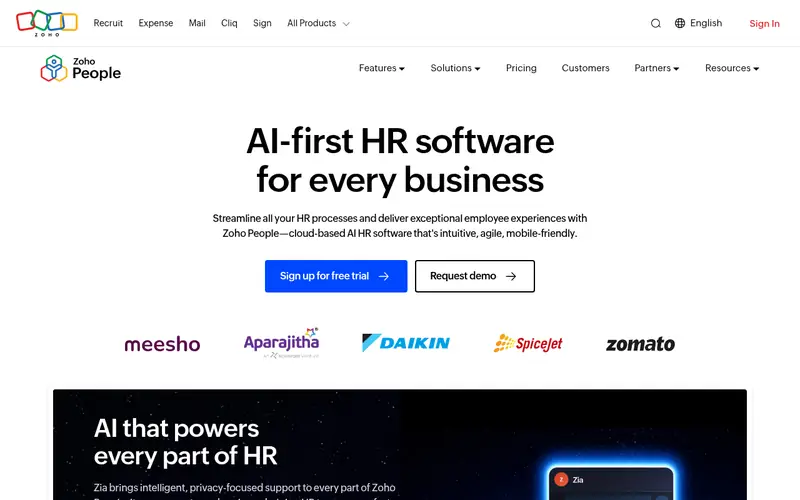
Zoho People is an HR management tool with time tracking, attendance, and leave management. Because it is part of Zoho, it connects to Zoho Books, which helps when payroll and billing data need to align. It is a better fit for tracking employee hours and attendance than for client project billing. The free plan covers a small team with core HR features. Paid plans add modules for leave, attendance, and payroll-adjacent functions. Teams that mainly need project-based billable hour tracking may find it indirect. It suits organizations that want HR records and time data connected to Zoho Books in one suite.

Free plan: Yes

Website: zoho.com/people

Strengths

  • Native Zoho Books link
  • covers attendance and leave

Watch out for

  • HR-focused rather than project billing
  • setup is broader
7

Hubstaff

Remote teams needing activity and time logs
See vendor pricing page
hubstaff.comHomepage, Nov 2026
Hubstaff homepage

Hubstaff is a time tracking tool aimed at remote and distributed teams. It combines timers with activity monitoring, screenshots, and reporting. Hubstaff lists a Zoho Books integration so tracked hours can feed into accounting and invoicing. Plans are priced per seat, and there is no free tier beyond the trial. The activity monitoring features are useful for some teams and unwelcome for others, so consider your culture before adopting it. It fits businesses that want proof of work alongside billable hours and a path to Zoho Books.

Free plan: Free trial (14 days)

Website: hubstaff.com

Strengths

  • Time tracking with activity data
  • Zoho Books integration listed

Watch out for

  • No free plan
  • activity tracking may not suit all teams
8

Paymo

Small agencies managing projects and billing
See vendor pricing page
paymoapp.comHomepage, Nov 2026
Paymo homepage

Paymo is a work management tool that combines task management, time tracking, and invoicing. It tracks billable hours by project and turns them into invoices. Paymo lists a Zoho Books integration for syncing financial data. The free plan covers a small number of users and projects, which suits freelancers testing the tool. Paid plans add more users, features, and reporting. Because Paymo covers many functions, teams that only want a timer may find it heavy. It suits small agencies that want project, time, and billing tools in one place with a Zoho Books link.

Free plan: Yes

Website: paymoapp.com

Strengths

  • Combines tasks, time, and invoicing
  • Zoho Books connection available

Watch out for

  • Free plan is limited
  • feature set can feel broad

Pre-purchase checklist

  • Confirm whether the Zoho Books connection is native or runs through Zapier, since setup effort differs.
  • Check whether the integration imports time entries, creates invoices, or both.
  • Verify which plan tier includes the Zoho Books connection, as some tools gate it behind paid plans.
  • Review per-seat pricing against your team size, since most tools charge per user per month.
  • Test the free plan or trial with a real project before committing to an annual contract.

FAQ

Does Zoho Books have built-in time tracking?

Zoho Books itself is accounting software and does not include full time tracking. Zoho offers time tracking through Zoho Projects and Zoho People, which connect to Zoho Books natively. Third-party tools can also connect through their own integrations or Zapier.

Which tool has the best native Zoho Books integration?

Zoho Projects and Zoho People have the most direct connection because they are Zoho products. Third-party tools such as Harvest and Clockify document Zoho Books integrations, but these may rely on connectors or automation platforms. Confirm the current integration method on each vendor's site.

Can I track billable hours and send them to Zoho Books?

Yes. Tools like Harvest, Paymo, and Everhour track billable hours by project and offer a Zoho Books connection to move that data into accounting. The exact flow depends on the tool and plan, so check whether it imports time entries or creates invoices.

Is there a free option that connects to Zoho Books?

Clockify and Zoho Projects both offer free plans, and both list a Zoho Books connection. Free plan limits vary, and some integration features may require a paid tier. Review the free plan details on each vendor's pricing page before relying on it.

Do these tools charge per user?

Most tools on this list, including Harvest, Everhour, Hubstaff, and Paymo, charge per seat per month. Clockify's free plan covers unlimited users, and Zoho Projects and Zoho People have free tiers with user limits. Check current pricing for your team size.