How we rank
Productivity · Researched comparison

Best Timesheet Software for Auditors in 2026

TaskReports may earn a fee from some links on this page, and some placements are paid and labelled. Neither one decides the order. See our disclosure.

The short answer

Clockify is the first pick for most audit teams because its free plan covers unlimited users and its paid tiers are inexpensive per seat. Harvest suits small practices that want time tracking and invoicing in one tool. Wrike fits firms that need timesheets inside a larger engagement and project management system. All three record billable hours, but check seat limits and approval features before you commit.

On this page

Key takeaways

  • Clockify offers a free plan for unlimited users and paid plans from $3.99 per user per month, which suits audit teams that bill by the hour.
  • Harvest starts at $12 per seat per month and pairs time tracking with invoicing for small audit practices.
  • Toggl Track, TimeCamp and Hubstaff all record detailed time entries, but each has different limits on free users and features.
  • Wrike and monday.com add timesheets to broader work management, which helps firms that run many client engagements at once.

Quick comparison

ToolBest fitStarting price
ClockifyAudit teams that need low-cost billable hour tracking$3.99 per user per month
HarvestSmall audit practices that bill clients directly$12 per seat per month

Toggl TrackIndividual auditors who need simple time capture$9 per user per month
TimeCampTeams that want automatic time capture alongside manual entriesSee vendor pricing page
HubstaffAudit teams that need activity and location contextSee vendor pricing page
WrikeFirms that run many client engagements at onceSee vendor pricing page
monday.comTeams that want timesheets inside a work OSSee vendor pricing page

How we chose

We compared tools on fit for audit time capture, entry price, free access and main limits. Sources are vendor websites and public documentation, not hands-on testing. Prices and plan features change, so confirm current details on the vendor site before you buy.

★ Best overall

Clockify

Audit teams that need low-cost billable hour tracking

  • Free plan for unlimited users
  • Detailed billable and non-billable reports
Price$3.99 per user per month
See Clockify pricing
clockify.meHomepage, Nov 2026
Clockify homepage

Clockify records time against clients and projects, which maps well to audit engagements. You can mark entries as billable, set hourly rates and pull reports by client, project or team member. The free plan covers unlimited users with basic tracking and reporting. Paid plans add features such as required fields, approvals and more detailed reporting. The entry paid tier starts at $3.99 per user per month when billed annually. Higher tiers add more administrative controls. Small firms can stay on the free plan for a long time, while larger firms may need paid tiers for approval workflows. Teams that need deep audit-specific workpaper features should look at practice management software instead.

Price: $3.99 per user per month

Free plan: Yes

Website: clockify.me

Watch out for

  • Some advanced controls sit in higher tiers
  • Interface can feel busy at first
2

Harvest

Small audit practices that bill clients directly
$12 per seat per month
getharvest.comHomepage, Nov 2026
Harvest homepage

Harvest combines time tracking with invoicing and project budgets. Auditors can log hours per client, track budget against actuals and turn approved time into invoices. Reports show billable amounts and team utilization. The free plan is limited to a 30-day trial, so ongoing use requires a paid subscription. Paid plans start at $12 per seat per month for the entry tier, with higher tiers adding more team and reporting features. The tool suits small firms that invoice clients directly and want fewer separate systems. Larger audit teams with many seats should compare total cost against Clockify before choosing.

Free plan: Free trial (30 days)

Website: getharvest.com

Strengths

  • Time tracking and invoicing in one tool
  • Clear project budget tracking

Watch out for

  • No free plan
  • Per-seat pricing adds up for larger teams

3

Toggl Track

Individual auditors who need simple time capture
$9 per user per month
toggl.comHomepage, Nov 2026
Toggl Track homepage

Toggl Track focuses on quick time entry with a timer and manual entries. Auditors can tag entries by client and project and review summaries by day or week. Reports cover time by client, project and team member, which helps with billing and utilization checks. The free plan supports a small number of users, so it fits solo auditors or very small teams. Paid plans start at $9 per user per month and add more reporting and admin features. Teams that need formal timesheet approvals should confirm the current plan features on the vendor site before buying.

Free plan: Yes

Website: toggl.com/track

Strengths

  • Fast timer and simple entry
  • Useful summary and detailed reports

Watch out for

  • Limited free plan seats
  • Fewer approval controls than some rivals
4

TimeCamp

Teams that want automatic time capture alongside manual entries
See vendor pricing page
timecamp.comHomepage, Nov 2026
TimeCamp homepage

TimeCamp records time automatically based on computer activity and also supports manual timesheets. For audit work, that means you can capture time on client files and then review entries before billing. Reports break down time by client, project and task. A free plan exists with limited features, and paid tiers add integrations and more reporting. Because plan details and prices change, confirm the current entry price on the vendor pricing page. Teams that prefer fully manual, approval-driven timesheets may find the automatic capture needs more cleanup.

Free plan: Yes

Website: timecamp.com

Strengths

  • Automatic activity-based time tracking
  • Project and client reporting

Watch out for

  • Automatic tracking needs review to stay accurate
  • Plan limits change, so check the site
5

Hubstaff

Audit teams that need activity and location context
See vendor pricing page
hubstaff.comHomepage, Nov 2026
Hubstaff homepage

Hubstaff tracks time with optional activity levels, screenshots and location data. For audit firms, that can support accountability on remote engagements. Timesheets and reports show time by project and team member, and the tool connects to payroll and invoicing. There is no permanent free plan, only a trial, so ongoing use requires a subscription. Pricing tiers depend on features and billing cycle, so check the vendor pricing page for current numbers. Firms that value privacy and simple manual entry may prefer a lighter tool.

Free plan: Free trial (14 days)

Website: hubstaff.com

Strengths

  • Time tracking with activity and screenshot options
  • Payroll and invoicing features

Watch out for

  • Activity monitoring can feel intrusive
  • No permanent free plan
6

Wrike

Firms that run many client engagements at once
See vendor pricing page
wrike.comHomepage, Nov 2026
Wrike homepage

Wrike combines project management with time tracking and timesheets. Audit teams can create a project per client engagement, assign tasks and log hours against them. Timesheet views and reports help managers review time before billing. A free plan exists with limited features, and paid tiers add more automation and reporting. Because timesheet depth depends on the plan, confirm what each tier includes on the vendor site. Wrike suits firms that want one system for tasks and time, not just a timer.

Free plan: Yes

Website: wrike.com

Strengths

  • Timesheets inside project and task management
  • Custom workflows and approvals

Watch out for

  • Timesheet features vary by plan
  • Setup takes more effort
7

monday.com

Teams that want timesheets inside a work OS
See vendor pricing page
monday.comHomepage, Nov 2026
monday.com homepage

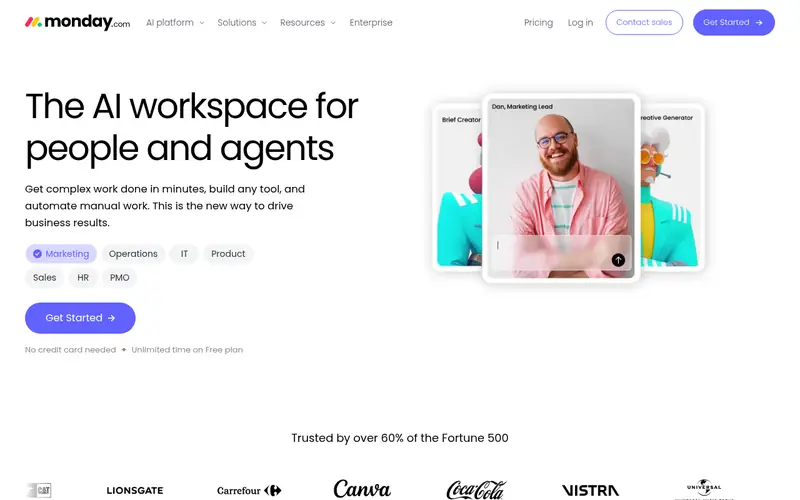
monday.com is a work management platform with boards, dashboards and a time tracking column. Audit teams can build a board per client, log hours in the time column and summarize billable time in dashboards. Automations can route entries for review. A free plan is available for small teams, and paid tiers add more automation and reporting. Time tracking depth depends on the plan and setup, so check the vendor pricing page. Firms that only need timesheets may find the platform broader than necessary.

Free plan: Yes

Website: monday.com

Strengths

  • Flexible boards for client engagements
  • Time tracking column and dashboards

Watch out for

  • Time tracking is one feature among many
  • Costs rise with seats and tiers

Pre-purchase checklist

  • Confirm the plan supports billable rates and client-level reporting.
  • Check whether timesheet approvals are included or cost extra.
  • Count the seats you need and compare per-user pricing.
  • Verify export formats for payroll and client billing.
  • Read the free plan limits before relying on them.

FAQ

What is the best timesheet software for auditors?

Clockify is a strong default because its free plan covers unlimited users and paid plans start at $3.99 per user per month. Harvest suits small practices that invoice clients, and Wrike fits firms that want timesheets inside project management.

Do auditors need billable hour tracking?

Most audit work is billed by time or budget, so billable hour tracking helps with client invoices and utilization checks. Look for tools that mark entries as billable and report by client and project.

Is there free timesheet software for audit teams?

Clockify offers a free plan for unlimited users with basic tracking. Toggl Track, TimeCamp, Wrike and monday.com also have free plans, but limits vary by tool, so check each vendor site.

Can these tools handle multiple clients and engagements?

Yes. Clockify, Harvest, Wrike and monday.com all support separate clients or projects, which maps to individual audit engagements. Reporting by client is available in each, though depth varies by plan.

What should I check before buying?

Confirm billable rates, approval workflows, export options and seat pricing. Also check whether the features you need sit in the entry tier or a higher one, since timesheet depth often varies by plan.