How we rank
Productivity · Researched comparison

Best Work Hours Tracker App Options for Teams in 2026

TaskReports may earn a fee from some links on this page, and some placements are paid and labelled. Neither one decides the order. See our disclosure.

The short answer

Clockify is the first pick for most teams because its free plan covers unlimited users and its paid tiers start low. Harvest fits freelancers and small agencies that bill client hours directly. Hubstaff is the better choice when you need activity monitoring and screenshots alongside the time clock. All three track work hours, but they differ in billing features, free limits and add-ons.

On this page

Key takeaways

  • Clockify offers a free plan with unlimited users and a paid entry price from $3.99 per user per month.
  • Harvest suits freelancers and small teams that bill hours, with a free plan limited to one user and two projects.
  • Toggl Track and Hubstaff both offer free trials, and Hubstaff adds screenshots and activity monitoring.
  • QuickBooks Time and Homebase bundle hours tracking with payroll or scheduling, so check the wider plan cost.

Quick comparison

ToolBest fitStarting price
ClockifyTeams that need free unlimited-user time tracking$3.99 per user per month
HarvestFreelancers and agencies that bill client hours$13 per user per month

Toggl TrackIndividuals and small teams that want simple timersSee vendor pricing page
HubstaffRemote teams that need activity monitoring with hoursSee vendor pricing page
QuickBooks TimeBusinesses already using QuickBooks for payrollSee vendor pricing page
HomebaseSmall businesses that combine scheduling and hoursSee vendor pricing page
RescueTimeIndividuals tracking where work time goesSee vendor pricing page
TimeCampTeams that want automatic time tracking by appSee vendor pricing page

How we chose

We picked apps that record work hours and fit common team or freelance workflows. Criteria were fit for the use case, published entry price, free access and main limits. Sources are vendor homepages, pricing pages and public documentation. We did not run hands-on tests or collect user reviews. Prices change, so confirm current pricing on each vendor site before you buy.

Best overall

Clockify

Teams that need free unlimited-user time tracking

  • Unlimited users on the free plan
  • Timesheet and reporting views included
Price$3.99 per user per month
See Clockify pricing
clockify.meHomepage, Nov 2026
Clockify homepage

Clockify is a time tracking app built around a timer and manual timesheets. You can start a timer per task, log hours after the fact, and group entries by project and client. The free plan supports unlimited users and includes timesheet views, which matters for teams that need a work hours tracker without per-seat cost. Paid plans add features such as invoicing, scheduling and more detailed reporting. The entry price applies per user per month, so cost grows with headcount. Admins can review hours by person, project or client and export reports. Skip Clockify if you need built-in payroll or deep activity monitoring. It focuses on recording and reporting hours, not on running payroll.

Price: $3.99 per user per month

Free plan: Yes

Website: clockify.me

Watch out for

  • Some advanced features sit behind higher tiers
  • Interface can feel dense for solo users
2

Harvest

Freelancers and agencies that bill client hours
$13 per user per month
getharvest.comHomepage, Nov 2026
Harvest homepage

Harvest combines a timer with timesheets and invoicing. You track hours against projects and tasks, then turn those hours into invoices. Budget tracking shows how much of a project's hours or budget you have used, which helps agencies avoid overruns. The free plan is limited to one user and two projects, so it suits solo freelancers testing the tool. Paid plans are billed per user per month and add more projects, clients and reporting. Invoicing and payment integration are included in paid tiers. Skip Harvest if you need a free plan for a larger team or if you do not bill clients for hours. Its strength is the billing loop, not general workforce management.

Free plan: Yes

Website: getharvest.com

Strengths

  • Strong invoicing tied to tracked hours
  • Clear project and client budgets

Watch out for

  • Free plan limited to one user and two projects
  • Per-user pricing adds up for larger teams

3

Toggl Track

Individuals and small teams that want simple timers
See vendor pricing page
toggl.comHomepage, Nov 2026
Toggl Track homepage

Toggl Track is a time tracking app centered on a start/stop timer. It works in the browser and on desktop and mobile, and it stores entries by project, client and tag. Reports summarize hours by person or project, which covers basic work hours tracking. A free plan is available for individuals and small teams, with paid plans adding more features and team controls. The vendor publishes current pricing on its site, so confirm the entry price there before you buy. Skip Toggl Track if you need payroll, scheduling or activity monitoring in the same tool. It is a focused timer and reporting app.

Free plan: Yes

Website: toggl.com/track

Strengths

  • Fast one-click timer across devices
  • Simple reports by project and client

Watch out for

  • Advanced features require paid plans
  • Limited payroll or scheduling features
4

Hubstaff

Remote teams that need activity monitoring with hours
See vendor pricing page
hubstaff.comHomepage, Nov 2026
Hubstaff homepage

Hubstaff records work hours and adds activity monitoring. It can take screenshots at intervals and report activity rates, which some remote teams use to verify hours. Time can be tracked per project and task, and reports summarize hours by person. Hubstaff offers a free trial rather than a permanent free plan. Paid plans are billed per user per month, and some features such as payroll and invoicing may cost extra. Check the vendor pricing page for current tiers. Skip Hubstaff if your team objects to screenshots or activity tracking, or if you only need a simple timer. The monitoring features are the main reason to choose it.

Free plan: Free trial (14 days)

Website: hubstaff.com

Strengths

  • Screenshots and activity rates alongside time logs
  • Supports payroll and invoicing add-ons

Watch out for

  • Monitoring features may not suit every team
  • No permanent free plan
5

QuickBooks Time

Businesses already using QuickBooks for payroll
See vendor pricing page
quickbooks.intuit.comHomepage, Nov 2026
QuickBooks Time homepage

QuickBooks Time is a time tracking app for hourly work. Employees clock in and out on mobile or desktop, and hours can flow into QuickBooks payroll. It supports GPS tracking and job costing on some plans, which suits field and shift-based teams. The vendor offers a free trial, and paid plans are billed per user per month. Pricing varies by plan and region, so confirm the current entry price on the vendor site. The tool is most useful if you already run payroll in QuickBooks. Skip QuickBooks Time if you do not use QuickBooks or if you need detailed project billing for client work. It is built around payroll and job hours.

Free plan: Free trial (30 days)

Website: quickbooks.intuit.com/time-tracking

Strengths

  • Connects hours to QuickBooks payroll
  • Mobile time clock with GPS options

Watch out for

  • Best value only inside the QuickBooks ecosystem
  • No permanent free plan
6

Homebase

Small businesses that combine scheduling and hours
See vendor pricing page
joinhomebase.comHomepage, Nov 2026
Homebase homepage

Homebase combines employee scheduling with a time clock. Staff clock in and out from a shared device or their phone, and hours feed into timesheets. It suits small businesses such as retail and restaurants that need both schedules and hours in one place. A free plan is available and covers one location, with paid plans adding payroll, hiring and more. The vendor publishes current pricing on its site, so check the entry price there. Some features are add-ons rather than part of the base plan. Skip Homebase if you need detailed project or client billing, or if you run many locations on a tight budget. It is aimed at shift scheduling and hourly work.

Free plan: Yes

Website: joinhomebase.com

Strengths

  • Scheduling and time clock in one app
  • Free plan covers one location

Watch out for

  • Payroll and advanced features cost extra
  • Free plan limits locations
7

RescueTime

Individuals tracking where work time goes
See vendor pricing page
rescuetime.comHomepage, Nov 2026
RescueTime homepage

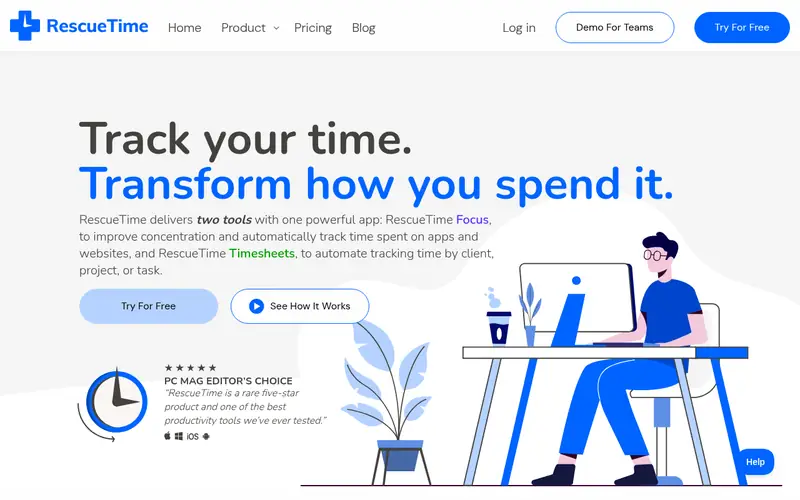
RescueTime runs in the background and records time spent in apps and websites. It categorizes activity and produces reports on where hours go, which helps individuals see how much time goes to focused work versus distractions. A free plan is available with limited reporting, and paid plans add more detail and features. The vendor publishes current pricing on its site. RescueTime is not a team timesheet tool, so it does not replace Clockify or Harvest for billing hours. Skip RescueTime if you need team timesheets, approvals or client invoicing. It is a personal time awareness tool.

Free plan: Yes

Website: rescuetime.com

Strengths

  • Automatic background tracking of app and site use
  • Weekly reports on time habits

Watch out for

  • Focused on personal productivity, not team timesheets
  • Limited project billing features
8

TimeCamp

Teams that want automatic time tracking by app
See vendor pricing page
timecamp.comHomepage, Nov 2026
TimeCamp homepage

TimeCamp tracks time automatically by watching which apps and documents are open, and it also supports manual timers and timesheets. Entries can be assigned to projects and clients, and reports summarize hours for billing or internal review. A free plan is available with limits on features and users, and paid plans are billed per user per month. The vendor publishes current pricing on its site. Automatic tracking works best after you set rules for how activity maps to projects. Skip TimeCamp if you want a minimal timer with no setup, or if you need payroll and scheduling in one tool. It rewards some configuration.

Free plan: Yes

Website: timecamp.com

Strengths

  • Automatic tracking plus manual timesheets
  • Project and client reporting

Watch out for

  • Automatic tracking needs setup and rules
  • Some features limited on the free plan

Pre-purchase checklist

  • Confirm the free plan limits, such as user count, project count and locations.
  • Check whether the entry price is per user per month and how it scales with headcount.
  • Verify that timesheets support approvals if managers must sign off on hours.
  • Check whether hours export to your payroll or invoicing tool.
  • Review monitoring features such as screenshots or GPS and confirm your team accepts them.

FAQ

What is the best work hours tracker app for a small team?

Clockify is a common choice for small teams because its free plan supports unlimited users. Harvest is a good fit if you bill clients and need invoicing. Compare free limits and per-user pricing before you decide.

Do these apps have free plans?

Clockify, Harvest, Toggl Track, Homebase, RescueTime and TimeCamp offer free plans with limits. Hubstaff and QuickBooks Time offer free trials instead. Check each vendor's site for current limits.

Can I track hours for client billing?

Yes. Harvest, Clockify and TimeCamp support project and client tracking with reports you can use for invoices. Harvest also creates invoices directly from tracked hours.

Do any apps monitor screenshots or activity?

Hubstaff offers screenshots and activity rates alongside time logs. RescueTime tracks app and site use for personal reports. Check whether monitoring fits your team policy before you enable it.

Are prices the same for every team size?

No. Most paid plans are billed per user per month, so cost rises with headcount. Some tools charge per location or per feature add-on. Confirm the current price on the vendor site.