Productivity · Researched comparison

The 8 Best Mind Map Software Options to Shortlist in 2026

TaskReports may earn a fee from some links on this page, and some placements are paid and labelled. Neither one decides the order. See our disclosure.

The short answer

If you need teams that require diagrams and mind maps in one tool, Lucidchart is the first tool to look at here. For a different need, Miro covers team workshops and visual collaboration at scale and MindManager covers power users turning maps into project plans. Prices, free plans and limits for all 8 tools follow.

On this page

Key takeaways

  • Lucidchart takes the first slot, best suited to teams that require diagrams and mind maps in one tool.
  • The main caution on MindManager: $179 a year is steep for casual use.
  • SimpleMind is the one to check for offline mind mapping with a one-time purchase.
  • 4 of 8 tools offer a free plan: Lucidchart, Coggle, MindMeister, SimpleMind.
  • Coggle is the lowest-priced starter here at $5 per month.

Quick comparison

ToolSuited toPrice fromVendor site
------------
LucidchartTeams that require diagrams and mind maps in one toolSee websitelucidchart.com
MiroTeam workshops and visual collaboration at scaleSee websitemiro.com
MindManagerPower users turning maps into project plans$179 per yearmindmanager.com
CoggleStraightforward, beautiful online mind maps on a budget$5 per monthcoggle.it
MilanoteCreative projects that mix maps, images and notesSee websitemilanote.com
MindMeisterLive team brainstorming in the browser$6.50 per monthmindmeister.com
XMindSolo thinkers, students and writersSee websitexmind.app
SimpleMindOffline mind mapping with a one-time purchaseSee websitesimplemind.eu
★ Best overall

Lucidchart

Teams that require diagrams and mind maps in one tool

  • Full diagramming suite (flowcharts, org charts, ERDs) alongside mind maps
  • 100+ integrations
PriceSee website
See Lucidchart pricing

Lucidchart works best for teams that require diagrams and mind maps in one tool. The AI features can create diagrams from prompts or data imports, and live collaboration is solid. Honest limits: Mind mapping is one feature among numerous, not the specialty. Beyond that, a free plan exists for light use. For everyday use, Lucidchart is the diagramming standard that also does mind maps. This comparison lists no price for Lucidchart; ask the vendor. Lucidchart includes a free tier.

Price: See website

Free plan: Yes

Website: lucidchart.com

Watch out for

  • Can feel heavy for fast personal maps
2

Miro

Team workshops and visual collaboration at scale

See website

Miro is aimed squarely at team workshops and visual collaboration at scale. For personal mind mapping, Miro's vastness gets in the way: more clicks, more chrome, more loading than a dedicated app. On top of that, pricing lives on a separate pricing page, and costs scale per user. Points against: Mind mapping is one template among hundreds. The mind map templates work fine, and the AI features can cluster and summarize what the group produced. But a workshop tool is not a thinking tool. In practice, Miro is where businesses run their workshops: hundreds of people on one board, sticky notes everywhere, breakout groups mapping ideas in parallel. Choose Miro when the team workshop is the use case; choose a dedicated mapper when the use case is your own head. Check the vendor site for Miro pricing; none is listed in this comparison. Trial and free access: Not stated.

Free plan: Not stated

Website: miro.com

Strengths

  • 250+ integrations
  • Infinite canvas with 6,000+ templates

Watch out for

  • Overkill for personal note-taking
3

MindManager

Power users turning maps into project plans
$179 a year

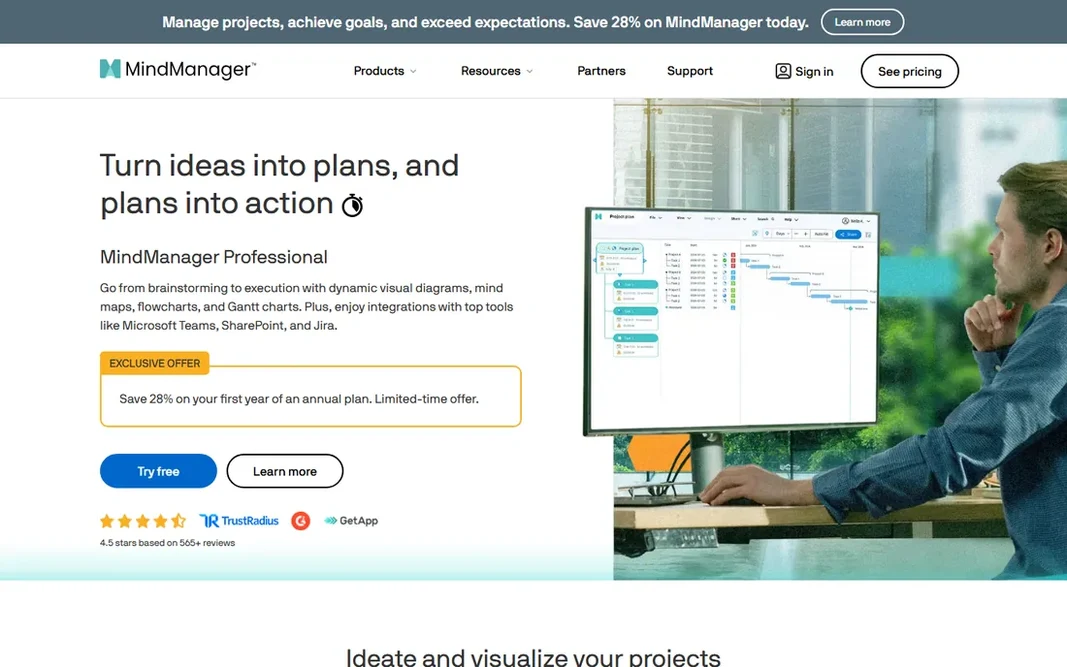
Pick MindManager if this describes you: power users turning maps into project plans. A brainstorm can grow task info, deadlines and dependencies, then switch into a Gantt view when it is time to execute. The price reflects the enterprise positioning: $179 a year per the vendor's own site data, with no free level. What to check first: Interface carries years of accumulated features. But if your mind maps on a regular basis become project plans with owners and dates, MindManager earns its keep in a way more straightforward tools cannot. The integrations with Teams, SharePoint and Jira mean the map can sit inside the tools a corporate team already uses. MindManager cost at the entry level: $179 per year. Free options: Free trial (30 days).

Free plan: Free trial (30 days)

Website: mindmanager.com

Strengths

  • Goes beyond maps into Gantt charts
  • Flowcharts and dashboards

Watch out for

  • $179 a year is steep for casual use
4

Coggle

Straightforward, beautiful online mind maps on a budget
$5 a month

Coggle is designed for straightforward, beautiful online mind maps on a budget. The free level provides you unlimited public diagrams and 3 private ones, with live collaboration and unlimited image uploads included. Worth adding: the $5 a month Awesome plan brings unlimited private diagrams, more shapes and line controls. For students, teachers and small teams who want something that just works, Coggle is the value pick. The maps look good with minimal effort, and sharing by link or QR code means collaborators need no account. In practice, what you provide up is depth: fewer layout types and styling choices than XMind or MindMeister. The serious flowcharting sits behind the paywall. In daily use, the $8 per member Organisation plan brings SSO and consolidated billing for teams. Coggle starts at: $5 per month. Coggle includes a free tier. What to check first: Free level limits private diagrams to 3.

Free plan: Yes

Website: coggle.it

Strengths

  • Cheapest premium plan on this list at $5 a month
  • Live collaboration with no setup

Watch out for

  • Flowchart features need the premium plan
5

Milanote

Creative projects that mix maps, images and notes
See website

Milanote targets creative projects that mix maps, images and notes. Milanote is the mood board that grew up. For a design agency planning a campaign or a filmmaker breaking down a production, mixing maps with reference images and notes in one place beats a pure mapping tool. What to check first: Not a dedicated mind mapping tool. In practice, if you want rigorous hierarchical mapping, look at MindMeister or XMind instead. Client sharing is straightforward. If your work is visual and collaborative and maps are part of a bigger creative mess, Milanote suits. Check the vendor site for Milanote pricing; none is listed in this comparison. Free access: Not stated.

Free plan: Not stated

Website: milanote.com

Strengths

  • Made for designers and agencies
  • Video and links

Watch out for

  • Can feel unstructured for rigorous planning
6

MindMeister

Live team brainstorming in the browser
$6.50 per month

MindMeister was built for live team brainstorming in the browser. MindMeister has been doing this since 2007, and it displays in the polish. Where it is weaker: No offline desktop app. For everyday use, premium plans start at $6.50 per month. MindMeister starts at: $6.50 per month. Free access exists with MindMeister.

Free plan: Yes

Website: mindmeister.com

Strengths

  • Runs entirely in the browser with live collaboration
  • Clean presentation mode

Watch out for

  • Free plan caps you at 3 maps
7

XMind

Solo thinkers, students and writers
See website

Pick XMind if this describes you: solo thinkers, students and writers. Writers plot novels in it, students revise exams with it, and designers plan features in it. Trade-offs to know: Pricing is not published on the homepage. Structures range from classic mind maps to timelines, matrices and org charts. The ZEN mode strips everything away when you need to concentrate. XMind shows no starting price here, so confirm the cost on the vendor site. Free plan details: Not stated.

Free plan: Not stated

Website: xmind.app

Strengths

  • Desktop and mobile
  • Focus (ZEN) mode for deep work

Watch out for

  • AI features need a premium plan
8

SimpleMind

Offline mind mapping with a one-time purchase
See website

Think of SimpleMind for offline mind mapping with a one-time purchase. Your maps live on your device, which privacy-conscious users and anyone working offline will appreciate. Worth adding: if your mind maps are personal and your internet is unreliable, SimpleMind is made for you. The main drawbacks: Sync between devices needs your own cloud storage. Where it shines: Your data stays on your device. In daily use, syncing between your phone and laptop means using your own Dropbox or iCloud. That is a fair trade for plenty of solo users, and the one-time price beats years of subscriptions. The free version includes entry-level mapping; the premium Pro version brings media, styling and export choices. This comparison lists no price for SimpleMind; ask the vendor. SimpleMind includes a free tier.

Free plan: Yes

Website: simplemind.eu

Strengths

  • Works completely offline
  • One-time purchase per product

Watch out for

  • No live collaboration

FAQ

What is the best free mind mapping software?

For most readers this guide would start with Lucidchart, built for teams that require diagrams and mind maps in one tool. Miro is the alternative for team workshops and visual collaboration at scale, and MindManager for power users turning maps into project plans. The right answer depends on budget and workflow.

Can I use mind mapping software offline?

Yes, with the right pick. SimpleMind and XMind both offer desktop apps that work completely offline. MindMeister and Coggle are browser-based and need a connection.

What is the cheapest option for mind map software in this list?

On published monthly entry prices, Coggle is the lowest here at $5 per month. Entry price is only part of the cost, because seats, add-ons and billing terms can change the total.

MindMeister vs XMind: which is better?

They serve different jobs. MindMeister is better for teams: it runs in the browser, collaboration is live, and sharing is one link. XMind is better for individuals: the desktop and mobile apps are more refined for solo thinking, with focus modes and more map structures.

Can I try these options before paying?

Often, yes. Lucidchart, Coggle, MindMeister and SimpleMind have a free plan and MindManager offers a free trial. Use your own data and a real task during the test, and check what the free tier or trial limits before you rely on it.

Is Lucidchart the right pick for everyone comparing mind map software?

No single tool suits every team. Lucidchart comes first because it fits teams that need diagrams and mind maps in one tool, while Miro suits team workshops and visual collaboration at scale and MindManager suits power users turning maps into project plans. Match the tool to your own size, budget and workflow before deciding.