Productivity · Researched comparison

Rated PDF Extractor Software: 6 Options Side by Side (2026)

TaskReports may earn a fee from some links on this page, and some placements are paid and labelled. Neither one decides the order. See our disclosure.

The short answer

Docparser comes first here, mainly for fixed-layout invoice parsing. Tabula is the stronger choice for free native table extraction, while Amazon Textract suits AWS developer pipelines. All 6 tools are compared below on price, free plan and limits.

On this page

Key takeaways

  • Number one here is Docparser, a fit for fixed-layout invoice parsing.
  • A free plan is available from 2 of the 6 tools: Tabula, Nanonets.
  • A fair warning about Amazon Textract: developer only, no turnkey UI.
  • ABBYY FineReader PDF suits multilingual scanned extraction.
  • The lowest published monthly entry price here is $8.25 per user per month, from ABBYY FineReader PDF.

Quick comparison

ToolBest fitStarting priceFree access
------------
DocparserFixed-layout invoice parsing$39 per monthNo
TabulaFree native table extractionFreeYes
Amazon TextractAWS developer pipelines$1.50 per 1,000 pagesNo
NanonetsHigh-volume custom modelsSee websiteYes
Adobe AcrobatAll-round PDF extraction$19.99 per monthNo
ABBYY FineReader PDFMultilingual scanned extraction$8.25 per user per monthNo
★ Best overall

Docparser

Fixed-layout invoice parsing

  • Bank statements
  • Email
Price$39 a month
See Docparser pricing

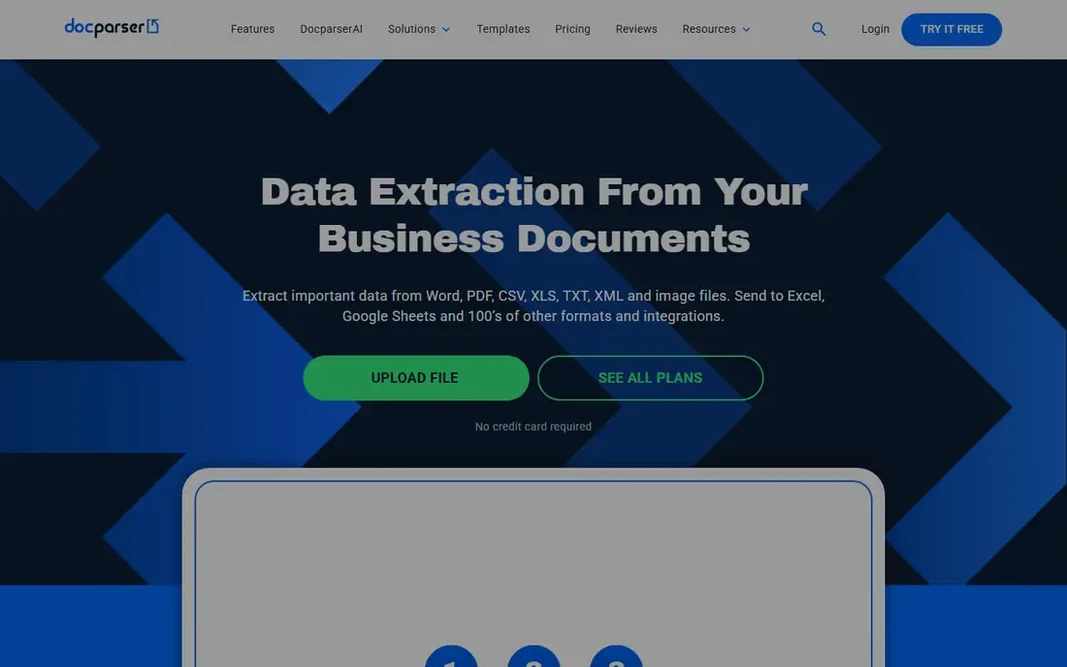
Docparser is designed for fixed-layout invoice parsing. A 14-day free trial includes all core features with no credit card required. Main advantages: No-code rule customization; cloud storage. Also, the trade off is control against setup time. On top of that, Docparser suits accounting teams with repeating document layouts. Starting cost for Docparser: $39 per month. Docparser has no free tier. Where it is weaker: Documents with different layouts need separate inboxes; Rules take time to learn.

Price: $39 a month

Free plan: No

Website: docparser.com

Watch out for

  • Template-based extraction struggles when vendors change layout
2

Tabula

Free native table extraction

Free

Tabula is a good fit for free native table extraction. The trade off is free simplicity against scanned limits. Also, Tabula extracts native tables beautifully but cannot read scanned images, so scanned PDFs need OCR first. Where Tabula stands out: Outputs CSV and structured cells. In daily use, Tabula is the free native table extraction pick, letting users define table areas on a PDF page and output structured cells to CSV, which fits journalists, researchers, and analysts pulling tables from reports. It is free and open source with no account needed, and its zone-based selection suits tables in consistent locations. What you pay to start with Tabula: Free. You can start on Tabula without paying. Watch-outs: Native tables only, no scanned OCR; Desktop app only.

Free plan: Yes

Website: tabula.technology

Strengths

  • No account needed
  • Good for journalists and researchers

Watch out for

  • Struggles with complicated layouts
3

Amazon Textract

AWS developer pipelines
$1.50 per 1,000 pages

Amazon Textract targets AWS developer pipelines. The trade off is scale against usability. Textract scales cheaply for developers, but non-developers need a wrapper tool. Amazon Textract is the AWS developer pick, extracting text, tables, and forms from PDFs through APIs at $1.50 per 1,000 pages for text in one comparison, with higher rates for tables and forms. Starting cost for Amazon Textract: $1.50 per 1,000 pages. Amazon Textract has no free tier. What to check first: AWS lock-in; Developer only, no turnkey UI.

Free plan: No

Website: aws.amazon.com/textract

Strengths

  • Well suited to developer pipelines
  • Pay-as-you-go per page

Watch out for

  • Costs scale with pages and features
4

Nanonets

High-volume custom models
See website

Nanonets works best for high-volume custom models. The trade off is custom accuracy against training effort. In daily use, Nanonets boosts accuracy on unusual templates, but training takes time and continuing maintenance. Where it shines: Approval workflows and 2-way matching. More specifically, a pay-as-you-go plan gives you $200 in free credits in one report, but the free plan is restricted, for example it cannot extract table data. From a buyer's view, Nanonets is the high-volume custom model pick, an AI system for building and deploying custom document recognition models that teams train on their own invoices and layouts. Nanonets shows no starting price here, so confirm the cost on the vendor site. Free access exists with Nanonets. Honest limits: Ramp-up time is high.

Free plan: Yes

Website: nanonets.com

Strengths

  • Built to scale to high volumes
  • Integrations with QuickBooks, Xero, NetSuite, Sage

Watch out for

  • Price conflicts across sources
5

Adobe Acrobat

All-round PDF extraction
$19.99 a month

Adobe Acrobat is designed for all-round PDF extraction. Its table export manages native tables well, and its compatibility makes it the safe default for official documents. What works well: Broad system support. Beyond that, Acrobat suits teams that want one PDF tool for viewing, editing, and extraction. On cost, Adobe Acrobat starts like this: $19.99 per month. Adobe Acrobat has no free tier. Drawbacks to consider: Pro costs $240 a year in one comparison; Free Reader exports little.

Free plan: No

Website: adobe.com/acrobat.html

Strengths

  • Export to Word, Excel, PowerPoint
  • Solid table export

Watch out for

  • Heavier than rivals
6

ABBYY FineReader PDF

Multilingual scanned extraction
$8.25 per user a month

In short, ABBYY FineReader PDF is for multilingual scanned extraction. ABBYY FineReader PDF is the multilingual scanned extraction pick, with Standard at $8.25 per user a month billed yearly, Corporate at $13.75 per user per month with Hot Folder automation and up to 5,000 pages a month automatic conversion. A Mac version at $69 a year. It preserves layout, tables, and graphics during conversion, even with multi-column and mixed-language documents. One comparison credits it with 99.8 percent accuracy using AI layout analysis. The starting price for ABBYY FineReader PDF: $8.25 per user per month. ABBYY FineReader PDF does not include a free plan. Downsides: Subscription only; Accuracy drops on very low-quality scans.

Free plan: No

Website: abbyy.com/finereader

Strengths

  • OCR in 198 languages
  • Strong layout preservation

Watch out for

  • Interface ramp-up time

FAQ

Is Docparser the right pick for everyone comparing rated PDF extractor software?

No single tool suits every team. Docparser comes first because it fits fixed-layout invoice parsing, while Tabula suits free native table extraction and Amazon Textract suits AWS developer pipelines. Match the tool to your own size, budget and workflow before deciding.

Should I trust extracted numbers without checking?

No. Verify extracted numbers on a sample before automating, since OCR accuracy drops on low-quality scans and complicated layouts.

Do these tools publish their prices?

Not all of them. Nanonets publishes no starting price, so expect a quote request for it. The rest, Docparser included, show a starting price, though seats and billing terms still change the final cost.

What is the best PDF extractor overall?

The first pick on this list is Docparser, because it suits fixed-layout invoice parsing. Tabula is better for free native table extraction, and Amazon Textract for AWS developer pipelines. Check price and limits against your own needs before choosing.

Can I try these options before paying?

Often, yes. Tabula and Nanonets have a free plan. Use your own data and a real task during the test, and check what the free tier or trial limits before you rely on it.

How are the tools for rated PDF extractor software ordered?

The order follows typical fit for rated PDF extractor software, with Docparser first and ABBYY FineReader PDF last, then price clarity and free access. It is editorial judgement, not a score, so another team could rank the tools differently.