
Design · Researched comparison

2D Animation Software in 2026: A Guide to 7 Tools

TaskReports may earn a fee from some links on this page, and some placements are paid and labelled. Neither one decides the order. See our disclosure.

The short answer

Adobe Animate leads the list, best for web animators, banner ads and teams already paying for Creative Cloud. OpenToonz fits serious animation work at zero cost, with professional features; Toon Boom Harmony fits professional studios and anyone producing animation commercially. Details, prices and limits for the rest of the 7 tools are below.

On this page

Key takeaways

  • This list starts with Adobe Animate, which is built for web animators, banner ads and teams already paying for Creative Cloud.
  • 3 of 7 tools offer a free plan: OpenToonz, Pencil2D, Synfig Studio.
  • Expect to ask for a quote from Adobe Animate, Toon Boom Harmony, Moho and Cartoon Animator; the other tools show a starting price.
  • One limit worth knowing about Moho: the interface displays its age in places.

Quick comparison

ToolBest forFree tierBiggest drawback
------------
Adobe AnimateWeb animators, banner ads and teams already paying for Creative CloudFree trialSubscription-only, so the cost never ends
OpenToonzSerious animation work at zero cost, with professional featuresYesDevelopment pace depends on volunteer contributors
Toon Boom HarmonyProfessional studios and anyone producing animation commerciallyFree trialThe learning curve is steep
MohoSolo animators and small studios doing rigged character animationFree trialThe interface shows its age in places
Pencil2DBeginners learning traditional hand-drawn animation principlesYesBest for learning and short exercises
Cartoon AnimatorTurning photos and artwork into animated characters rapidlyFree trialCharacter style can look generic without customization
Synfig StudioFree vector animation without drawing every frameYesInterface polish lags behind commercial tools
★ Best overall

Adobe Animate

Web animators, banner ads and teams already paying for Creative Cloud

  • Connects with Photoshop and Illustrator assets
  • Natural fit for web output: HTML5 canvas
PriceSee website
See Adobe Animate pricing

In short, Adobe Animate is for web animators, banner ads and teams already paying for Creative Cloud. If your team already subscribes to Creative Cloud, Animate may already be in your plan. Honest limits: Subscription-only, so the cost never ends. As for the details, character rigging is serviceable but not best in class, traditional drawing tools feel secondary. The subscription model means a decade of payments for software you could have bought once elsewhere. No starting price is listed for Adobe Animate here; confirm pricing on the vendor site. Trial and free access: Free trial.

Price: See website

Free plan: Free trial

Website: adobe.com

Watch out for

  • Weaker for traditional frame-by-frame than TVPaint or OpenToonz
2

OpenToonz

Serious animation work at zero cost, with professional features
Free

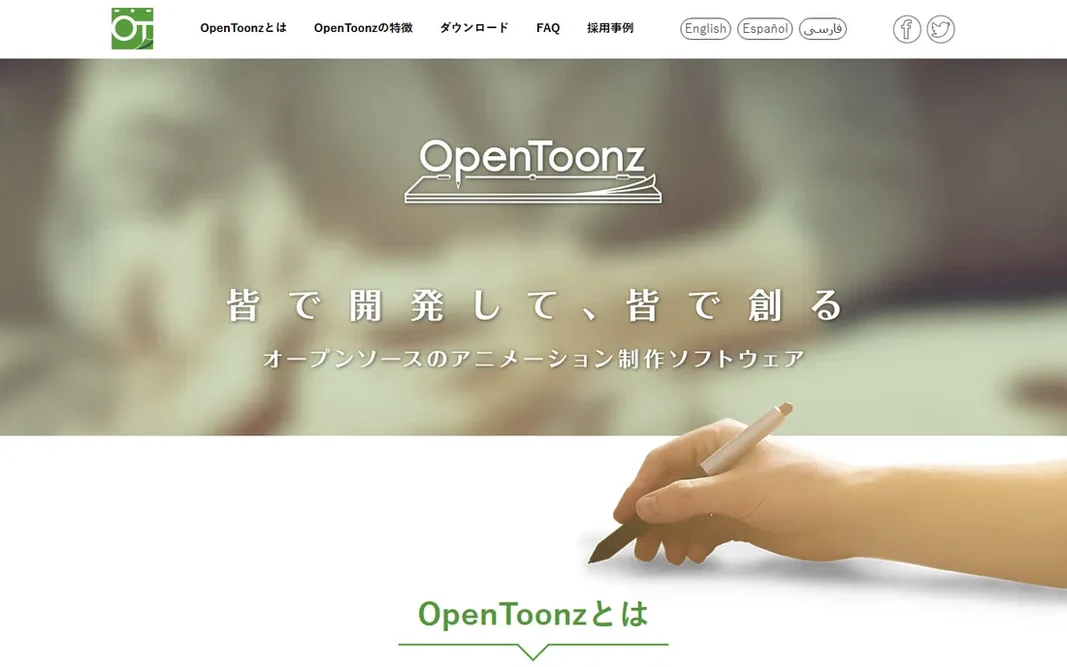
In short, OpenToonz is for serious animation work at zero cost, with professional features. OpenToonz deserves more attention than it gets. That lineage displays in the feature set: the GTS scanning toolset for paper workflows, a node-based effects system, and production-oriented frame management that free tools rarely offer. Where OpenToonz stands out: no feature locks; No watermark. Watch-outs: The interface is idiosyncratic and documentation is uneven. As for the details, the interface follows its own logic, tutorials are thinner than for commercial tools. You will spend time configuring instead of animating at first. But nothing else free comes close on capability. The price of free is friction. Entry price for OpenToonz: Free. A free plan is available with OpenToonz.

Free plan: Yes

Website: opentoonz.github.io

Strengths

  • No account
  • Fully free and open source

Watch out for

  • Development pace relies on volunteer contributors
3

Toon Boom Harmony

Professional studios and anyone producing animation commercially
See website

Toon Boom Harmony serves professional studios and anyone producing animation commercially. Major studios use it for series and features since it spans the entire pipeline: drawing, rigging, traditional frame-by-frame, compositing and final camera moves. Pricing for Toon Boom Harmony is not stated here, so ask the vendor for current figures. Free access: Free trial. Honest limits: Overkill for short social clips or straightforward explainer videos.

Free plan: Free trial

Website: toonboom.com

Strengths

  • Effects and camera tools built in
  • The industry standard for television and film production pipelines

Watch out for

  • Pricing is quote-based and pitched at professionals, not hobbyists
4

Moho

Solo animators and small studios doing rigged character animation
See website

In short, Moho is for solo animators and small studios doing rigged character animation. Moho (formerly Anime Studio) is the rigging specialist's choice. As for the details, smart bones automate head turns and joint bends that take hours by hand. The physics tools deal with secondary motion like bouncing and swaying. You draw or import a character once, build a skeleton with its bone system, and then animate by posing instead of redrawing. More specifically, the perpetual license is a genuine differentiator in 2026: you buy it, you own it, no monthly meter running. Check the vendor site for Moho pricing; none is listed in this comparison. Free access: Free trial. What to check first: Smaller community means fewer tutorials than the big names.

Free plan: Free trial

Website: moho.lostmarble.com

Strengths

  • Imports layered Photoshop files and exports for game engines and Blender
  • Perpetual license with no subscription

Watch out for

  • Frame-by-frame drawing is weaker than in TVPaint or OpenToonz
5

Pencil2D

Beginners learning traditional hand-drawn animation principles
Free

Choose Pencil2D for beginners learning traditional hand-drawn animation principles. When you outgrow it, you will know exactly which professional tool matches the workflow you actually enjoy. Reasons to shortlist it: Fully free and open source. On cost, Pencil2D starts like this: Free. Pencil2D offers a free plan. Trade-offs to know: Feature set is intentionally small: no rigging, limited effects.

Free plan: Yes

Website: pencil2d.org

Strengths

  • Minimal interface that stays out of the way
  • Deals with both raster and vector drawing

Watch out for

  • Not suited to professional production pipelines
6

Cartoon Animator

Turning photos and artwork into animated characters rapidly
See website

Cartoon Animator is built with turning photos and artwork into animated characters rapidly in mind. Import a photo or illustration, map a face rig, and drive it with your webcam for instant facial animation. Reallusion sells it as a perpetual license with optional content packs, and a free trial is available for evaluation. But for speed from zero to animated, nothing else here competes. In daily use, for YouTubers, marketers, educators and game developers who require animated characters without learning to draw, it compresses weeks of work into an afternoon. Check the vendor site for Cartoon Animator pricing; none is listed in this comparison. Free access: Free trial. Trade-offs to know: Stylized output fits explainers and games more than film.

Free plan: Free trial

Website: reallusion.com

Strengths

  • Fastest path from a static image to an animated character: facial mocap with a webcam
  • Large content library of characters and motions

Watch out for

  • Character style can look generic without customization
7

Synfig Studio

Free vector animation without drawing every frame
Free

For free vector animation without drawing every frame, Synfig Studio is a natural candidate. The interface will not win design awards and the ramp-up time is real, but for vector-style animation on a zero budget, Synfig is the most capable free choice after OpenToonz. The bone system extends the same idea to cutout-style character animation with bitmap images. What to check first: Interface polish lags behind commercial tools. It is free and open source, runs on Windows, macOS and Linux, and has been in steady development for years (version 1.5.x releases continued into 2026). On top of that, Synfig attacks the most labor-intensive part of 2D animation: the in-between frames. Synfig Studio pricing: Free. A free plan is available with Synfig Studio.

Free plan: Yes

Website: synfig.org

Strengths

  • Vector tweening automates in-between frames
  • Bone system and 50+ layer types for complicated work

Watch out for

  • Rendering can be slow on complicated scenes

FAQ

Do these tools publish their prices?

Not all of them. Adobe Animate, Toon Boom Harmony, Moho and Cartoon Animator publish no starting price, so expect a quote request for those. The rest, OpenToonz included, show a starting price, though seats and billing terms still change the final cost.

Can I try these options before paying?

Often, yes. OpenToonz, Pencil2D and Synfig Studio have a free plan and Adobe Animate, Toon Boom Harmony, Moho and Cartoon Animator offer a free trial. Use your own data and a real task during the test, and check what the free tier or trial limits before you rely on it.

Which 2D animation software is easiest for a beginner?

Pencil2D for learning the principles, Cartoon Animator for quick results without drawing skills, and Moho Debut-class tools for a gentle introduction to rigging. Avoid starting with Harmony or TVPaint: both assume animation knowledge and will frustrate a first-timer.

How are the tools for 2D Animation software ordered?

Adobe Animate sits first and Synfig Studio last because the order follows typical fit for 2D Animation software, then price clarity and free access. It is a judgement call, so read each profile for fit and limits.

Is Adobe Animate the right pick for everyone comparing 2D Animation software?

No single tool suits every team. Adobe Animate comes first because it fits web animators, banner ads and teams already paying for Creative Cloud, while OpenToonz suits serious animation work at zero cost, with professional features and Toon Boom Harmony suits professional studios and anyone producing animation commercially. Match the tool to your own size, budget and workflow before deciding.