
Design · Researched comparison

Which Animation Software Fits You? 7 Tools Compared

TaskReports may earn a fee from some links on this page, and some placements are paid and labelled. Neither one decides the order. See our disclosure.

The short answer

Autodesk Maya is the first pick on this list for Pro 3D animation for film and games. Look at Adobe After Effects for motion graphics and visual effects, and at Blender for free 3D and 2D animation for everyone. The other 4 tools in the list cover narrower or pricier cases.

On this page

Key takeaways

  • Autodesk Maya takes the first slot, best suited to Pro 3D animation for film and games.
  • Toon Boom Harmony fits professional 2D character animation.
  • One limit worth knowing about Animaker: template look is hard to completely escape.
  • Animaker has the lowest monthly starting price in this list: Basic $15/mo.

Quick comparison

ToolIdeal forFree accessWebsite
------------
Autodesk MayaPro 3D animation for film and gamesNoautodesk.com
Adobe After EffectsMotion graphics and visual effectsFree trial (7 days)adobe.com
BlenderFree 3D and 2D animation for everyoneYesblender.org
AnimakerDIY animated videos on a budgetYesanimaker.com
OpenToonzFree open-source 2D animationYesopentoonz.github.io
VyondBusiness explainer videos without animatorsNovyond.com
Toon Boom HarmonyProfessional 2D character animationNotoonboom.com
★ Best overall

Autodesk Maya

Pro 3D animation for film and games

  • Huge talent pool
  • Unmatched rigging and simulation tools
Price$2,010/yr ($168/mo billed yearly)
See Autodesk Maya pricing

For Pro 3D animation for film and games, Autodesk Maya is a natural candidate. Maya is the software behind an enormous share of animated films and AAA games. Honest limits: Far more than marketing teams need. Its rigging, character animation, and simulation toolsets are the reference point the industry hires against, which means finding trained Maya artists is simpler than for any other 3D package. What you pay to start with Autodesk Maya: $2,010/yr. Autodesk Maya has no free tier.

Price: $2,010/yr ($168/mo billed yearly)

Free plan: No

Website: autodesk.com

Watch out for

  • Long ramp-up time
2

Adobe After Effects

Motion graphics and visual effects

$22.99/mo (annual plan, billed per month)

Adobe After Effects targets motion graphics and visual effects. When a marketing team says "animation," they typically mean motion graphics: animated logos, kinetic typography, product callouts, social ads. The template ecosystem is enormous, so a non-specialist can start from a purchased template and customize, whereas professionals get deep compositing and effects tools. Where it is weaker: Subscription only. Pricing is a single-app subscription at $22.99 per month on the annual plan billed monthly, with a 7-day free trial. There is no perpetual license. As for the details, the honest catch is performance: complicated compositions with plenty of layers demand a capable CPU and plenty of RAM. After Effects is the industry standard for exactly that. Starting cost for Adobe After Effects: $22.99/mo. On free options: Free trial (7 days).

Free plan: Free trial (7 days)

Website: adobe.com

Strengths

  • Industry standard for motion graphics
  • Tight Creative Cloud integration

Watch out for

  • Needs a capable computer for complicated comps
3

Blender

Free 3D and 2D animation for everyone
Free (open source)

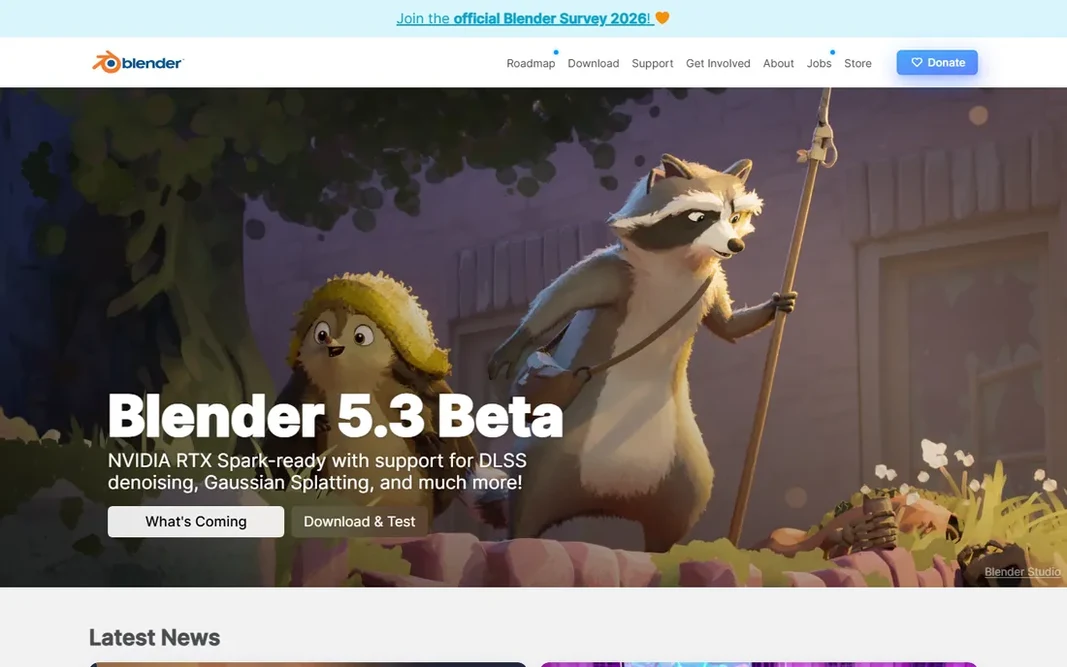
Blender is a good fit for free 3D and 2D animation for everyone. Blender is the reason the phrase best free animation software has a clear answer. If you or your team can invest the time, no other free tool comes close. Also, Blender's interface packs enormous power into dense panels, and the first month involves regular visits to tutorial sites. That community is the safety net: thousands of free tutorials handle nearly every technique. Blender starts at: Free. Blender has a free plan. The main drawbacks: You supply your own training time.

Free plan: Yes

Website: blender.org

Strengths

  • Full 3D pipeline plus 2D Grease Pencil tools
  • Even commercially

Watch out for

  • Interface overwhelms beginners
4

Animaker

DIY animated videos on a budget
Basic $15/mo (billed yearly)

In short, Animaker is for DIY animated videos on a budget. For startups and small marketing teams that require animated content weekly without hiring, Animaker is the budget pick of this group. As for the details, the character builder with automatic lip-sync produces surprisingly decent talking-head explainers. The main drawbacks: Advanced features need higher levels. The free plan is functional enough to evaluate properly. Render quality and export choices boost as you climb. More specifically, the Basic plan at $15 per month billed yearly is priced for small teams. The starting price for Animaker: Basic $15/mo. Animaker offers a free plan. Strengths: Very budget-friendly premium levels.

Free plan: Yes

Website: animaker.com

Strengths

  • Decent free plan
  • Character builder and auto lip-sync

Watch out for

  • Template look is hard to completely escape
5

OpenToonz

Free open-source 2D animation
Free (open source)

Pick OpenToonz if this describes you: free open-source 2D animation. OpenToonz has the most interesting resume of any free tool here: it is based on software used by a legendary Japanese animation studio for years, released as open source. Download it only from the official GitHub pages site, since similarly named domains have caused confusion. Trade-offs to know: Smaller community than Blender. The interface displays its age and the community is a fraction of Blender's, so learning resources are thinner. But for traditional 2D animators who want professional tools without Toon Boom's price, it is a remarkable free choice. The 2D toolset is genuinely professional, handling scanning, cleanup, inbetweening, and compositing for traditional frame-by-frame workflows. OpenToonz pricing: Free. You can start on OpenToonz without paying.

Free plan: Yes

Website: opentoonz.github.io/e

Strengths

  • Professional 2D toolset at zero cost
  • Real production heritage

Watch out for

  • Sparse modern tutorials
6

Vyond

Business explainer videos without animators
Starter $58/mo (billed yearly)

Vyond is aimed squarely at business explainer videos without animators. The character creator, business-themed templates, and text-to-speech voices are all tuned for corporate use instead of entertainment. In practice, HR and training departments are the core audience, and the output looks refined without any design background. The starting price for Vyond: Starter $58/mo. Vyond has no free plan. The main drawbacks: Recognizable template look.

Free plan: No

Website: vyond.com

Strengths

  • Purpose-built for corporate explainers and training
  • No animation skill needed

Watch out for

  • Highest price in the business-animation group
7

Toon Boom Harmony

Professional 2D character animation
Essentials $30/mo or $252/yr

Toon Boom Harmony was built for professional 2D character animation. A marketing team making occasional explainers should not buy Harmony; a studio or a serious freelance animator should shortlist nothing else first. Honest limits: Overkill for straightforward explainer videos. On cost, Toon Boom Harmony starts like this: Essentials $30/mo or $252/yr. No free plan comes with Toon Boom Harmony.

Free plan: No

Website: toonboom.com

Strengths

  • Used on major productions
  • Feature-rich drawing tools

Watch out for

  • Priced for professionals

FAQ

Can I try these options before paying?

Often, yes. Blender, Animaker and OpenToonz have a free plan and Adobe After Effects offers a free trial. Use your own data and a real task during the test, and check what the free tier or trial limits before you rely on it.

Is Autodesk Maya the right pick for everyone comparing animation software?

No single tool suits every team. Autodesk Maya comes first because it fits Pro 3D animation for film and games, while Adobe After Effects suits motion graphics and visual effects and Blender suits free 3D and 2D animation for everyone. Match the tool to your own size, budget and workflow before deciding.

Do these tools publish their prices?

Yes. Every tool from Autodesk Maya to Toon Boom Harmony shows a starting price, though seats, add-ons and billing terms still change the final cost.

What is the best free 2D animation software?

Autodesk Maya comes first here and is built for Pro 3D animation for film and games. Buyers with other needs may prefer Adobe After Effects (for motion graphics and visual effects) or Blender (for free 3D and 2D animation for everyone). Compare costs and limits first.

What is the cheapest option for animation software in this list?

On published monthly entry prices, Animaker is the lowest here at Basic $15/mo. Entry price is only part of the cost, because seats, add-ons and billing terms can change the total.

What is the best animation software for beginners?

Autodesk Maya is the pick this page puts first, mainly for Pro 3D animation for film and games. If your situation differs, Adobe After Effects suits motion graphics and visual effects, and Blender suits free 3D and 2D animation for everyone. Compare price and limits before you decide.