Design · Researched comparison

7 Top CAD Design Software Options Compared (2026)

TaskReports may earn a fee from some links on this page, and some placements are paid and labelled. Neither one decides the order. See our disclosure.

The short answer

For low-cost 2D CAD drafting, DraftSight is where this list starts. Fusion 360 is better for integrated CAD and CAM for makers, and Onshape is better for browser-based CAD collaboration. The full list of 7 tools follows, with prices and free plan facts.

On this page

Key takeaways

  • Number one here is DraftSight, a fit for budget-friendly 2D CAD drafting.
  • What to know about Fusion 360 first: cloud dependency means no offline work.
  • For CAD on iPad and tablet, Shapr3D is worth a look.
  • Fusion 360, Onshape, LibreCAD, FreeCAD: these are the 4 tools out of 7 that offer a free plan.

Quick comparison

ToolBest fitFree tierWebsite
------------
DraftSightBudget-friendly 2D CAD draftingFree trialdraftsight.com
Fusion 360Integrated CAD and CAM for makersYesautodesk.com
OnshapeBrowser-based CAD collaborationYesonshape.com
LibreCADFree 2D draftingYeslibrecad.org
FreeCADFree parametric 3D modelingYesfreecad.org
AutoCADIndustry-standard 2D draftingFree trialautodesk.com
Shapr3DCAD on iPad and tabletFree trialshapr3d.com
★ Best overall

DraftSight

Budget-friendly 2D CAD drafting

  • Genuine DWG 2D drafting at a fraction of AutoCAD's cost
  • Straightforward licensing for small teams
PriceSee website
See DraftSight pricing

Pick DraftSight if this describes you: budget-friendly 2D CAD drafting. For shops that produce plans, schematics and layouts and nothing in 3D, it strips away everything they would never open. DraftSight does not show a starting price in this comparison, so check the vendor site for current pricing. Free plan details: Free trial. Trade-offs to know: Free level is gone, trial only.

Price: See website

Free plan: Free trial

Website: draftsight.com

Watch out for

  • Centred on 2D, so 3D modelers should look elsewhere
2

Fusion 360

Integrated CAD and CAM for makers

See website

Fusion 360 was built for integrated CAD and CAM for makers. Professionals pay a subscription that is still reasonable next to traditional CAD. More specifically, Fusion 360 changed who gets to do serious 3D design. It merges parametric modeling, CAM toolpaths for CNC machines and entry-level simulation in one application, and Autodesk supplies a free personal license that handles genuine hobbyist and learning use. For everyday use, if you want to learn modern 3D design with manufacturing in mind, start here whereas the free level lasts in its current form. Worth adding: for makers, students and small product designers, it is the most capability per dollar in CAD, since the dollars are zero. Fusion 360 shows no starting price here, so confirm the cost on the vendor site. Fusion 360 offers a free plan. What to check first: Cloud dependency means no offline work. Highlights: Free personal license for hobbyists and learners.

Free plan: Yes

Website: autodesk.com/products/fusion-360

Strengths

  • CAD
  • CAM and simulation in one package

Watch out for

  • Autodesk has narrowed those limits before
3

Onshape

Browser-based CAD collaboration
See website

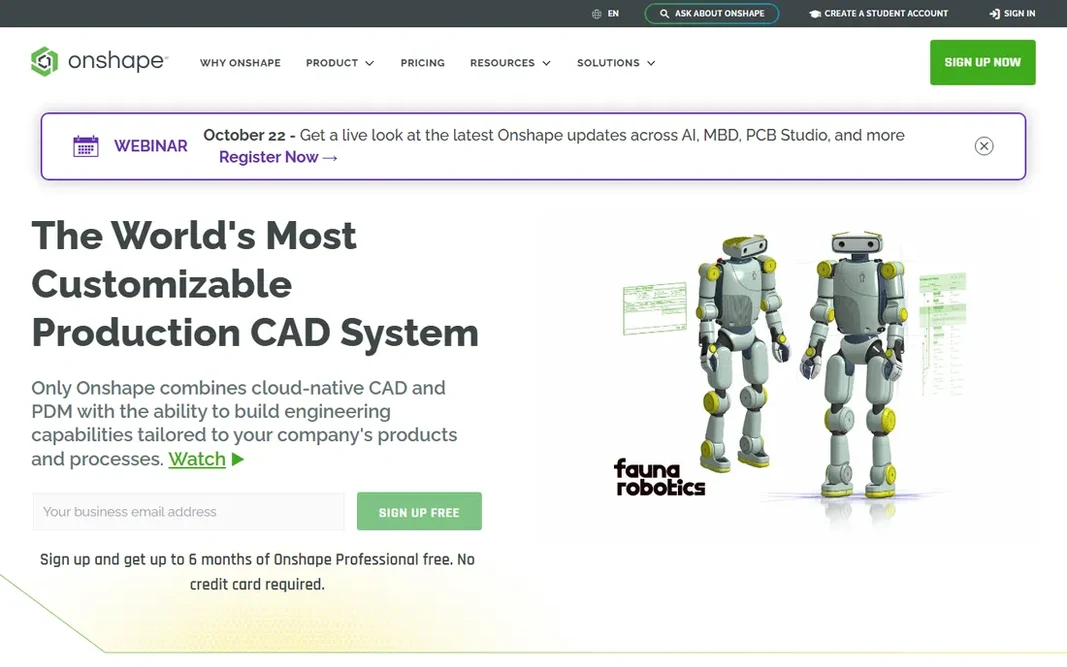
In short, Onshape is for browser-based CAD collaboration. It runs entirely in a browser, so a Chromebook can do real parametric modeling, and several people can edit the same assembly simultaneously with changes tracked like a document. Version control, which desktop CAD treats as a costly add-on, is built into the core. Drawbacks to consider: Needs an internet connection. As for the details, for proprietary commercial work, budget for the premium level. Beyond that, an internet connection is also non-negotiable. Private documents need a premium plan. No starting price is listed for Onshape here; confirm pricing on the vendor site. A free plan is available with Onshape.

Free plan: Yes

Website: onshape.com

Strengths

  • Full CAD in a browser with nothing to install
  • Built-in version control for every design

Watch out for

  • Free plan makes your designs public
4

LibreCAD

Free 2D drafting
Free

LibreCAD makes the most sense for free 2D drafting. LibreCAD does one thing: free 2D drafting. It runs on Windows, Mac and Linux, opens DXF files from other CAD tools, and asks for nothing in return: no account, no trial countdown, no watermark. Where it is weaker: no 3D at all; Small development team means slow updates. Expectations should match the price. For everyday use, for students learning drafting fundamentals, makers preparing 2D cut files and anyone who needs clean technical drawings at no cost, it is entirely sufficient. Entry price for LibreCAD: Free. You can start on LibreCAD without paying.

Free plan: Yes

Website: librecad.org

Strengths

  • Reads and writes DXF
  • Light 2D CAD that runs on modest hardware

Watch out for

  • Interface looks dated
5

FreeCAD

Free parametric 3D modeling
Free

In short, FreeCAD is for free parametric 3D modeling. FreeCAD is proof that professional-grade parametric CAD does not have to cost anything. As for the details, the interface mixes workbenches with inconsistent design, the ramp-up time is genuinely steep. You will lean on community forums and YouTube tutorials. The starting price for FreeCAD: Free. Free access exists with FreeCAD. Downsides: Documentation quality varies by workbench.

Free plan: Yes

Website: freecad.org

Strengths

  • Real parametric modeling free forever
  • Active open-source community and workbenches for plenty of disciplines

Watch out for

  • Ramp-up time is steep
6

AutoCAD

Industry-standard 2D drafting
See website

AutoCAD is built with industry-standard 2D drafting in mind. For four decades it has been the default for architectural plans, mechanical drawings and civil schematics. Its DWG format is the file type the whole industry exchanges. Downsides: Far more tool than most drafting work requires. That dominance comes at a price, literally. AutoCAD is the reference point every other CAD tool is measured against. This comparison lists no price for AutoCAD; ask the vendor. Free plan details: Free trial.

Free plan: Free trial

Website: autodesk.com/products/autocad

Strengths

  • Deep customization with AutoLISP and APIs
  • DWG is the industry file standard, so compatibility is never a question

Watch out for

  • Subscription pricing is pricey for individuals
7

Shapr3D

CAD on iPad and tablet
See website

Where Shapr3D fits: CAD on iPad and tablet. Its pen-based direct modeling feels closer to sketching than to traditional CAD, and it is precise enough for real product design work. And whereas it manages 3D beautifully, anyone doing serious 2D drafting will miss dedicated drafting tools. This comparison lists no price for Shapr3D; ask the vendor. Free access: Free trial. Honest limits: Subscription-only pricing.

Free plan: Free trial

Website: shapr3d.com

Strengths

  • Easy-to-learn enough to learn in days
  • Syncs with desktop and imports major CAD formats

Watch out for

  • Professional features need the Pro level

FAQ

Can I try these options before paying?

Often, yes. Fusion 360, Onshape, LibreCAD and FreeCAD have a free plan and DraftSight, AutoCAD and Shapr3D offer a free trial. Use your own data and a real task during the test, and check what the free tier or trial limits before you rely on it.

Do these tools publish their prices?

Not all of them. DraftSight, Fusion 360, Onshape and others publish no starting price, so expect a quote request for those. The rest, LibreCAD included, show a starting price, though seats and billing terms still change the final cost.

What is the best CAD software for beginners to learn?

The first pick on this list is DraftSight, because it suits low-cost 2D CAD drafting. Fusion 360 is better for integrated CAD and CAM for makers, and Onshape for browser-based CAD collaboration. Check price and limits against your own needs before choosing.

How are the tools for CAD design software ordered?

DraftSight sits first and Shapr3D last because the order follows typical fit for CAD design software, then price clarity and free access. It is a judgement call, so read each profile for fit and limits.

Which options for CAD design software have a free plan?

Fusion 360, Onshape, LibreCAD and FreeCAD offer a free plan in this list. Free plans usually cap users, projects or features, so check the limits on the vendor page. Several others offer a trial instead.