Design · Researched comparison

Best 3D Modeling Software in 2026: 7 Tools Compared

TaskReports may earn a fee from some links on this page, and some placements are paid and labelled. Neither one decides the order. See our disclosure.

The short answer

Start with Fusion 360 if you need product design through manufacturing. Daz 3D is the stronger choice for ready-made characters and fast scenes, while Rhino suits precision product and industrial design. The remaining 4 options are covered below with prices and limits.

On this page

Key takeaways

  • The list opens with Fusion 360, aimed at product design through manufacturing.
  • Autodesk 3ds Max is the one to check for game art and architectural visualization.
  • Before buying Rhino, weigh this: rendering and animation are entry-level.
  • The cheapest monthly starting price in the list is $49/month or $399/year, offered by ZBrush.
  • Free plans exist at 3 of 7 tools (Fusion 360, Daz 3D, Blender).

Quick comparison

ToolIdeal forStarting priceKey limitation
------------
Fusion 360Product design through manufacturing$57/monthCloud dependency
Daz 3DReady-made characters and fast scenesFreeMarketplace costs add up
RhinoPrecision product and industrial design$995Interface feels dated
BlenderFree professional 3D for any projectFreeInterface overwhelms beginners
ZBrushSculpting characters and organic models$49/month or $399/yearUnusual interface takes adjustment
Autodesk MayaAnimation and VFX at professional studios$168/monthExpensive per seat
Autodesk 3ds MaxGame art and architectural visualization$2,010/yearWindows only
★ Best overall

Fusion 360

Product design through manufacturing

  • Free personal-use version
  • Cloud collaboration
Price$57/month (billed yearly)
See Fusion 360 pricing

Fusion 360 is a good fit for product design through manufacturing. Fusion 360 bridges the gap between product design and manufacturing. For everyday use, Parametric CAD, toolpath generation, simulation and electronics design live in one cloud workspace. Honest limits: Subscription cost layers on up for teams. So a small hardware team can go from sketch to machined part without switching tools. Also, at $57 per month billed yearly per seat, team costs accumulate rapidly. More specifically, for pure 3D art, the modeling tools here are the wrong choice. The starting price for Fusion 360: $57/month. Free access exists with Fusion 360.

Price: $57/month (billed yearly)

Free plan: Yes

Website: autodesk.com/products/fusion-360/overview

Watch out for

  • Cloud dependency
2

Daz 3D

Ready-made characters and fast scenes
Free (Daz Studio); content sold separately
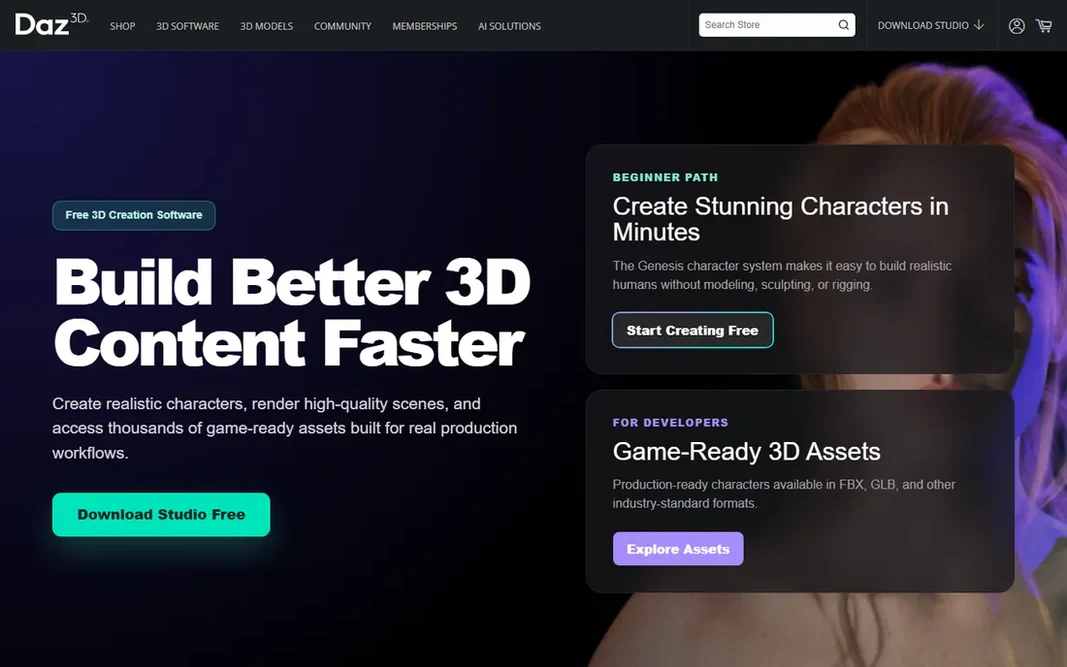
Pick Daz 3D if this describes you: ready-made characters and fast scenes. Daz 3D begins from a different place: ready-made characters. Rather than modeling a human from scratch, you pose and customize pre-built figures, dress them from the marketplace, and render a scene in an afternoon. Think of it as stock photography for 3D: quick, budget-friendly and restricted. Entry price for Daz 3D: Free. Daz 3D includes a free tier. Points against: Marketplace costs add up.

Free plan: Yes

Website: daz3d.com

Strengths

  • Huge marketplace of characters and scenes
  • Free studio software

Watch out for

  • Distinctive "Daz look" is hard to escape
3

Rhino

Precision product and industrial design
$995 (one-time commercial license)

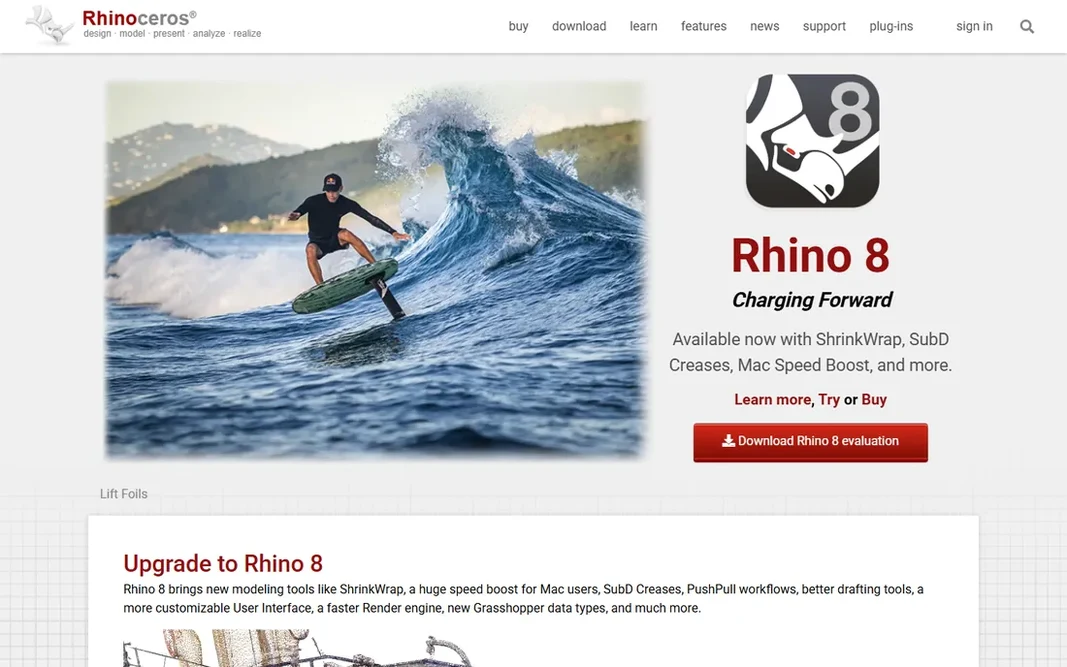
Rhino is a good fit for precision product and industrial design. Rhino appeals to designers who require precision, not polygons. Worth adding: the interface also displays its age. Downsides: Interface feels dated. As for the details, the standout detail in 2026 is the license: $995 once, yours forever, in a market where everything else rents by the month. That independence includes trade-offs. For industrial designers and fabricators who model for manufacturing, the perpetual license and precision make it a sound long-term buy. Entry price for Rhino: $995. On free options: Free trial (90 days).

Free plan: Free trial (90 days)

Website: rhino3d.com

Strengths

  • Ample 90-day trial
  • Precise NURBS modeling

Watch out for

  • Rendering and animation are entry-level
4

Blender

Free professional 3D for any project
Free (open source)

Blender works best for free professional 3D for any project. Modeling, sculpting, animation, rendering, video editing and compositing all ship in a single free download. For a business producing its own content instead of staffing a pipeline, though, it is hard to beat free. For freelancers and small studios, removing a four-figure license fee per seat changes the economics of taking on 3D work. Beyond that, studios also hire Maya artists more readily, so Blender specialists at times face a thinner job market. On top of that, the honest catch is the ramp-up time and the job market. Starting cost for Blender: Free. A free plan is available with Blender. The main drawbacks: Smaller studio hiring pool than Maya.

Free plan: Yes

Website: blender.org

Strengths

  • Complete pipeline from modeling to rendering
  • No licensing costs ever

Watch out for

  • Interface overwhelms beginners
5

ZBrush

Sculpting characters and organic models
$49/month or $399/year

ZBrush works best for sculpting characters and organic models. ZBrush treats a 3D model like a lump of clay. Its brush-based sculpting deals with tens of millions of polygons in live, which is why film, game and collectible artists sculpt characters, creatures and fine detail in it before sending models elsewhere for rigging and animation. From a buyer's view, ZBrush is also a specialist: it sculpts and paints brilliantly but does not animate or render full scenes. So it complements a pipeline tool instead of replacing one. On cost, ZBrush starts like this: $49/month or $399/year. On free options: Free trial (14 days). Downsides: Not a full animation pipeline.

Free plan: Free trial (14 days)

Website: maxon.net/en/zbrush

Strengths

  • Huge brush library
  • IPad version included

Watch out for

  • Unusual interface takes adjustment
6

Autodesk Maya

Animation and VFX at professional studios
$168/month (billed yearly, $2,010/year)

Autodesk Maya makes the most sense for animation and VFX at professional studios. At $2,010 per year per seat, it is a serious line item, but studios pay it since the talent pool, the plugins and the pipeline integrations are unmatched. In daily use, character rigging and animation remain its most solid territory, with tools refined over decades of production use. Points against: Costly per seat. On top of that, the cost is only the first hurdle. Buy Maya when you are staffing a professional pipeline or delivering to clients who need it, not for occasional 3D work. Maya assumes you know 3D already, and its depth can slow down small teams that require fast results. It also locks you into Autodesk's subscription model with no perpetual choice. Price to start with Autodesk Maya: $168/month. Free plan details: Free trial.

Free plan: Free trial

Website: autodesk.com/products/maya/overview

Strengths

  • Deep customization with Python and MEL
  • Industry standard for character animation

Watch out for

  • Steep ramp-up time for newcomers
7

Autodesk 3ds Max

Game art and architectural visualization
$2,010/year (annual subscription)

In short, Autodesk 3ds Max is for game art and architectural visualization. 3ds Max built its name on architectural visualization and game art. Its polygon modeling tools are quick and precise, and the plugin ecosystem includes everything from particle effects to parametric building generation. Visualization studios and game asset teams have relied on it for decades, and the workflow presents that maturity. Choose 3ds Max over Maya when your work centers on environments, products and hard-surface models instead of character animation. Like Maya, it costs $2,010 per year and gives you no perpetual license. It is also Windows only, which rules out Mac-based studios entirely. Autodesk 3ds Max pricing: $2,010/year. Free options: Free trial. Where it falls short: Windows only.

Free plan: Free trial

Website: autodesk.com/products/3ds-max/overview

Strengths

  • Capable in archviz
  • Very good hard-surface modeling

Watch out for

  • Same steep subscription cost as Maya

Pre-purchase checklist

  • Check the vendor page for the current price: ZBrush starts at $49/month or $399/year here, and seats or billing terms can move it.
  • Look at free plan limits closely: Fusion 360, Daz 3D and Blender have one, and the caps decide whether it is usable for real work.
  • Take the trial from Rhino, ZBrush, Autodesk Maya and Autodesk 3ds Max and push a live task through it before you pay.
  • Before choosing Fusion 360, weigh its main limit: cloud dependency.
  • Add up seats, add-ons and usage charges for Autodesk Maya before comparing it with cheaper entries.
  • Check whether the features you need in ZBrush sit on the entry plan or only on higher tiers.

FAQ

Do these tools publish their prices?

Yes. Every tool from Fusion 360 to Autodesk 3ds Max shows a starting price, though seats, add-ons and billing terms still change the final cost.

Can I try these options before paying?

Often, yes. Fusion 360, Daz 3D and Blender have a free plan and Rhino, ZBrush, Autodesk Maya and Autodesk 3ds Max offer a free trial. Use your own data and a real task during the test, and check what the free tier or trial limits before you rely on it.

Is Blender really as decent as Maya or 3ds Max?

Maya keeps an edge in character animation pipelines and studio integration, and 3ds Max in certain visualization workflows. In practice, the practical difference for most small teams is hiring: Maya artists are simpler to recruit for studio jobs.

How are the tools for 3D modeling software ordered?

Fusion 360 sits first and Autodesk 3ds Max last because the order follows typical fit for 3D modeling software, then price clarity and free access. It is a judgement call, so read each profile for fit and limits.

Is Fusion 360 the right pick for everyone comparing 3D modeling software?

No single tool suits every team. Fusion 360 comes first because it fits product design through manufacturing, while Daz 3D suits ready-made characters and quick scenes and Rhino suits precision product and industrial design. Match the tool to your own size, budget and workflow before deciding.